- 15 -
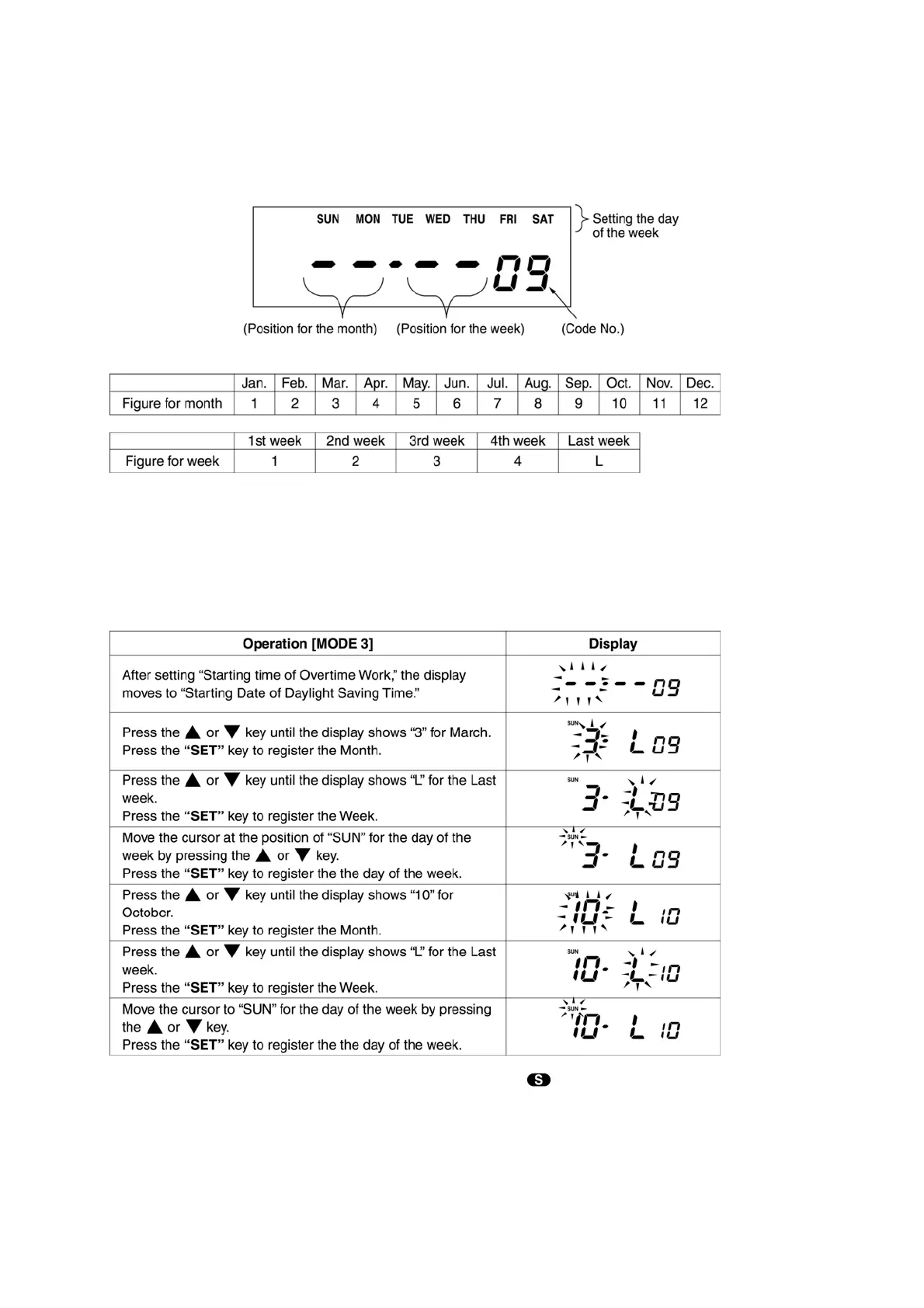
2. Setting Daylight Saving Time
After setting “Starting time of Overtime work”, the display moves to ”Starting Date of Daylight
Saving Time”.
NOTE : When setting the last week of the month, set “L” for the last week even if the last week is
the 4th week.
[Example] Starting Date of Daylight Saving Time : Sunday of the last week in March.
Ending Date of Daylight Saving Time : Sunday of the last week in October.
NOTE : 1. During the period of Daylight Saving Time, the
symbol appears on the display.
2. Once set, Daylight Saving Time will be adjusted automatically from the following year,
in accordance with the set data.


 To Next Page