- 12 -
SETTING YEAR, MONTH, DATE, HOUR, AND MINUTE (MODE 2)
Operation
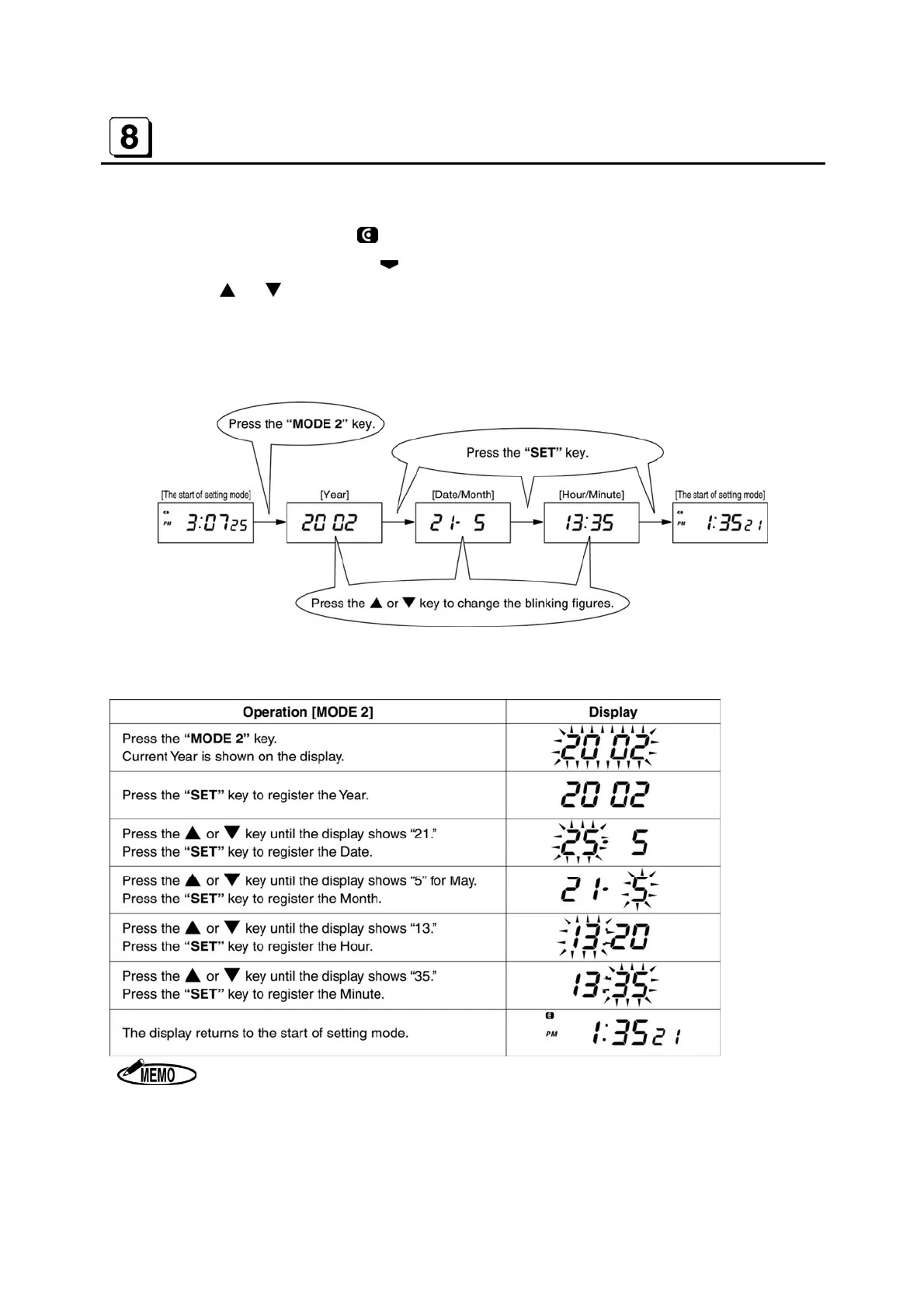
A Insert the “Key-Card”. The symbol appears on the display to indicate the setting mode.
B Press the “MODE 2” key. The
symbol appears at “MODE 2” on the display.
C Press the
or key to change Year, Month, Date, Hour and Minute.
D Press the “SET” key after changing each item. When the “SET” key is pressed at the end,
the buzzer beeps twice and the display returns to the start of the setting mode.
[Example] 1:35 (PM), 21st May, 2002
Clock starts every “00” seconds, when “SET” key is pressed at the end.


 To Next Page