- 12 -
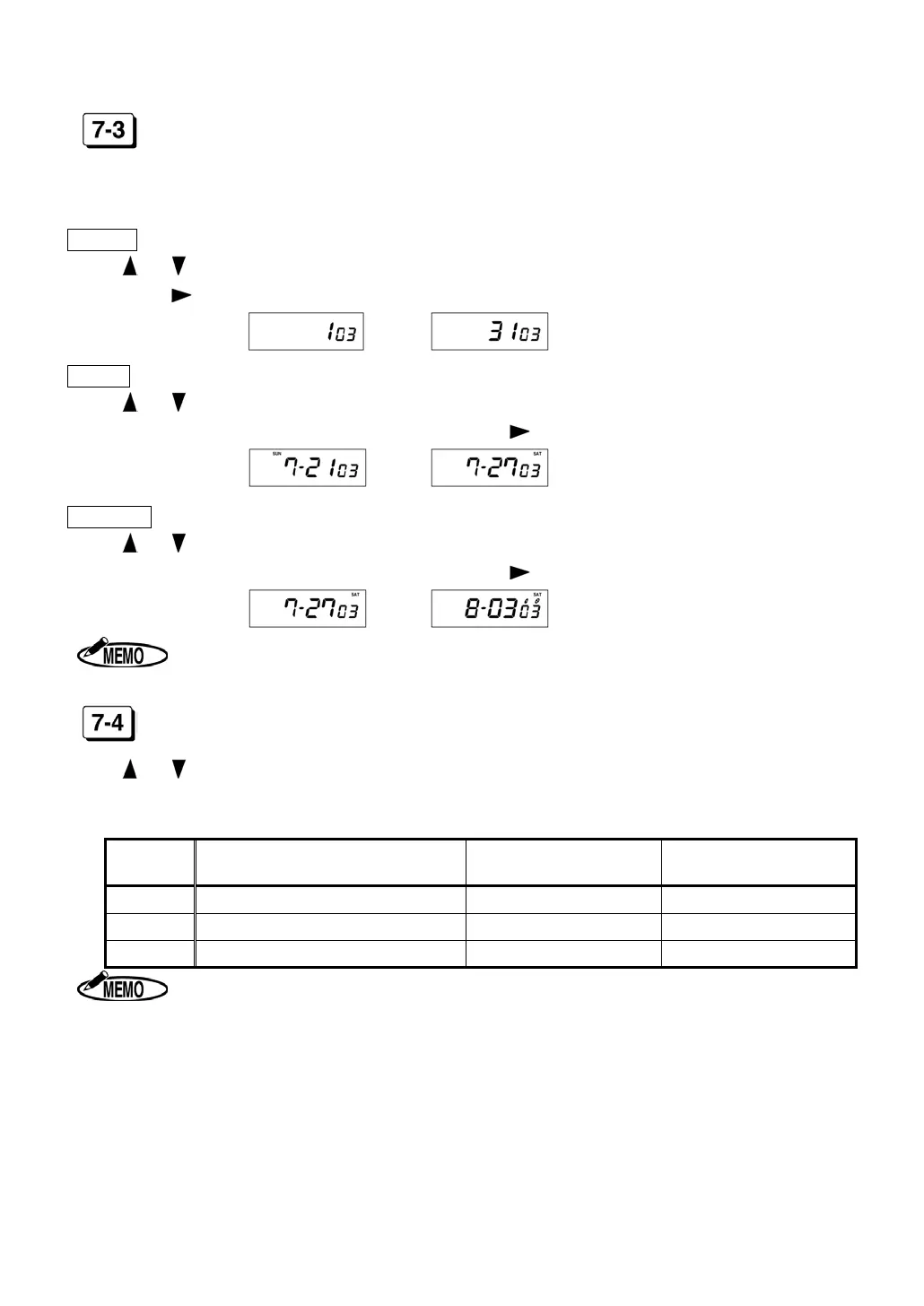
PAY CLOSING DATE (CODE 03)
After setting “Machine Mode2,” “Pay Closing Date” is shown on the display.
Monthly
Press or key to select “Pay Closing Date.” When the display shows a desired closing
date, press “
” key.
From
to
Weekly
Press or key to select “Pay Closing Date”(from today to the next 6 days).
When the display shows a desired closing date, press “
” key.
From
to
Bi-weekly
Press or key to select “Pay Closing Date”(from today to the next 13 days).
When the display shows a desired closing date, press “
” key.
From
to
In Europe, set Date first and Month second.
60 OR 100 SCALE (CODE 04)
Press or to select a desired number from the following table and set “Time Printing
Style.”
◆ Initial data=1
Number Time printed on IN/OUT columns Daily Total Hours
Accumulation of Daily
Total Hours
1
Regular minutes (1/60) Regular minutes (1/60) Regular minutes (1/60)
2
1/100
th
of an hour 1/100
th
of an hour 1/100
th
of an hour
3
Regular minutes (1/60) 1/100
th
of an hour 1/100
th
of an hour
1. ER-2500E cannot select “3.”
2. When using
1/100
th
of an hour as “Time Printing Style”, ER-2500 prints the ad-
justed time as shown on the “Equivalent Time Chart.” And Accumulation of
Daily Total Hours is adjusted after calculating in Regular minutes (1/60).
(See page 14)


 To Next Page