- 11 -
SETTING MODE 1
Press “MODE 1” key after inserting “Key-Card.”
MACHINE MODE 1 (CODE 01)
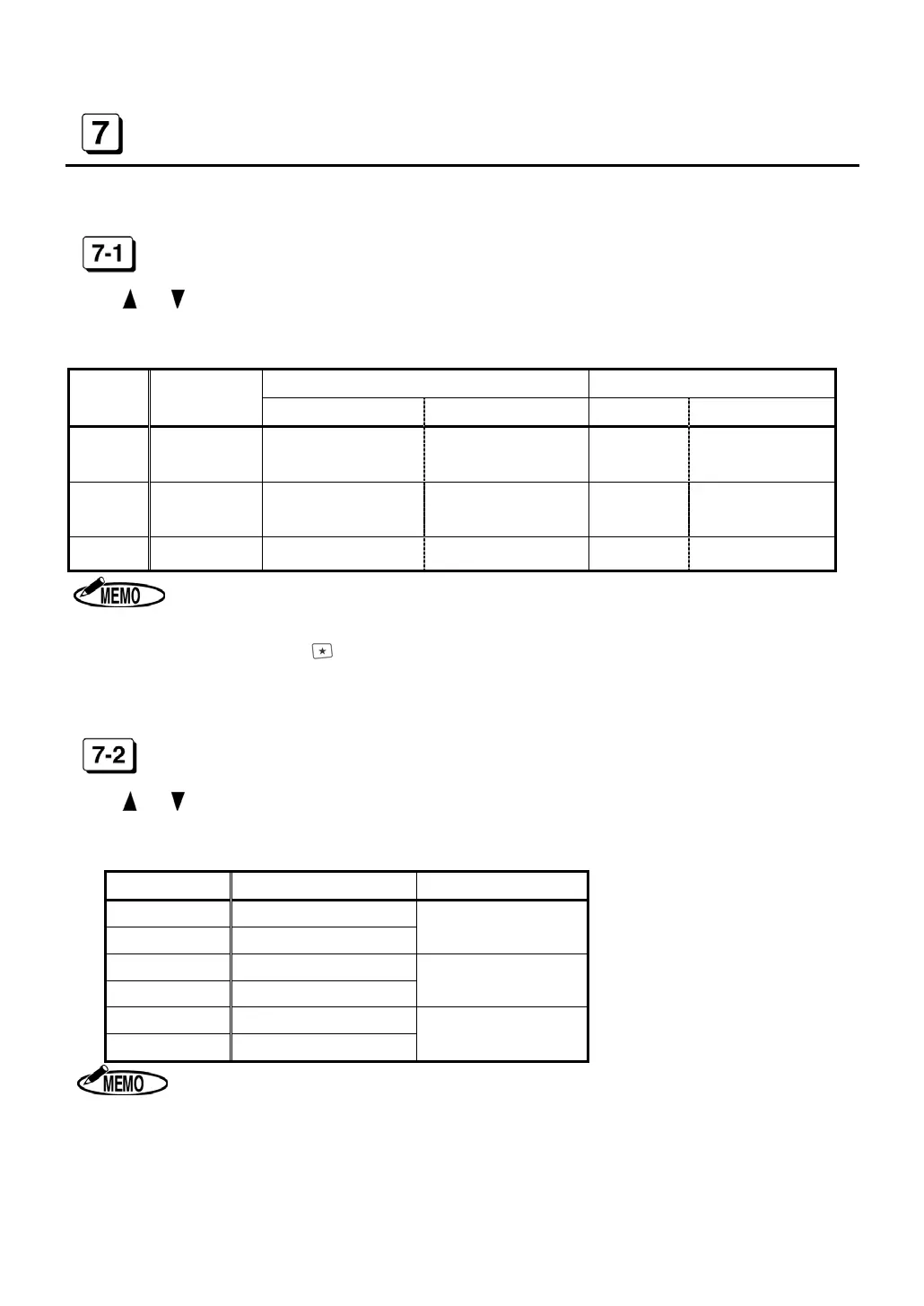
Press or to select a desired number from the following table and set “Capacity of Em-
ployees.” According to the number, each function will be activated.
◆ Initial data=1 (In case of ER-2500E: 3)
Function Printed result on Time Card
Number
Capacity of
Employees
Daily Total Hours Next Day Overtime 5
th
column 6
th
column
1 50 Use Use
Daily Total
Hours
Accumulation of
Daily Total Hours
2 130 Use Not use
Daily Total
Hours
Accumulation of
Daily Total Hours
3 150 Not use Use Time
Time
1. When selecting “1,” you cannot use “IN3” and “OUT3” external keys.
When pressing these keys, “E-90” appears on the display.
2. When selecting “2,” you cannot use “IN3,” “OUT3” and “Next Day Over-
time( )” keys. When pressing these keys, “E-90” appears on the display.
3. ER-2500E cannot select “1” and “2,” because ER-2500E does not have Daily
Total Hours function.
MACHINE MODE 2 (CODE 02)
Press or to select a desired number from the following table and set “12/24-Hour For-
mat” and “Pay Period.”
◆ Initial data=1
Number 12/24-Hour Format Pay Period
1
12H
2
24H
Monthly
3
12H
4
24H
Weekly
5
12H
6
24H
Bi-weekly
1. The time is printed only in 24-hour format.
2. When setting in the “Laid Down Position,” only 24-hour format is displayed.


 To Next Page