- 19 -
SETTING OPTION
Press “OPTION” key to set “Melody” after inserting “Key-Card.”
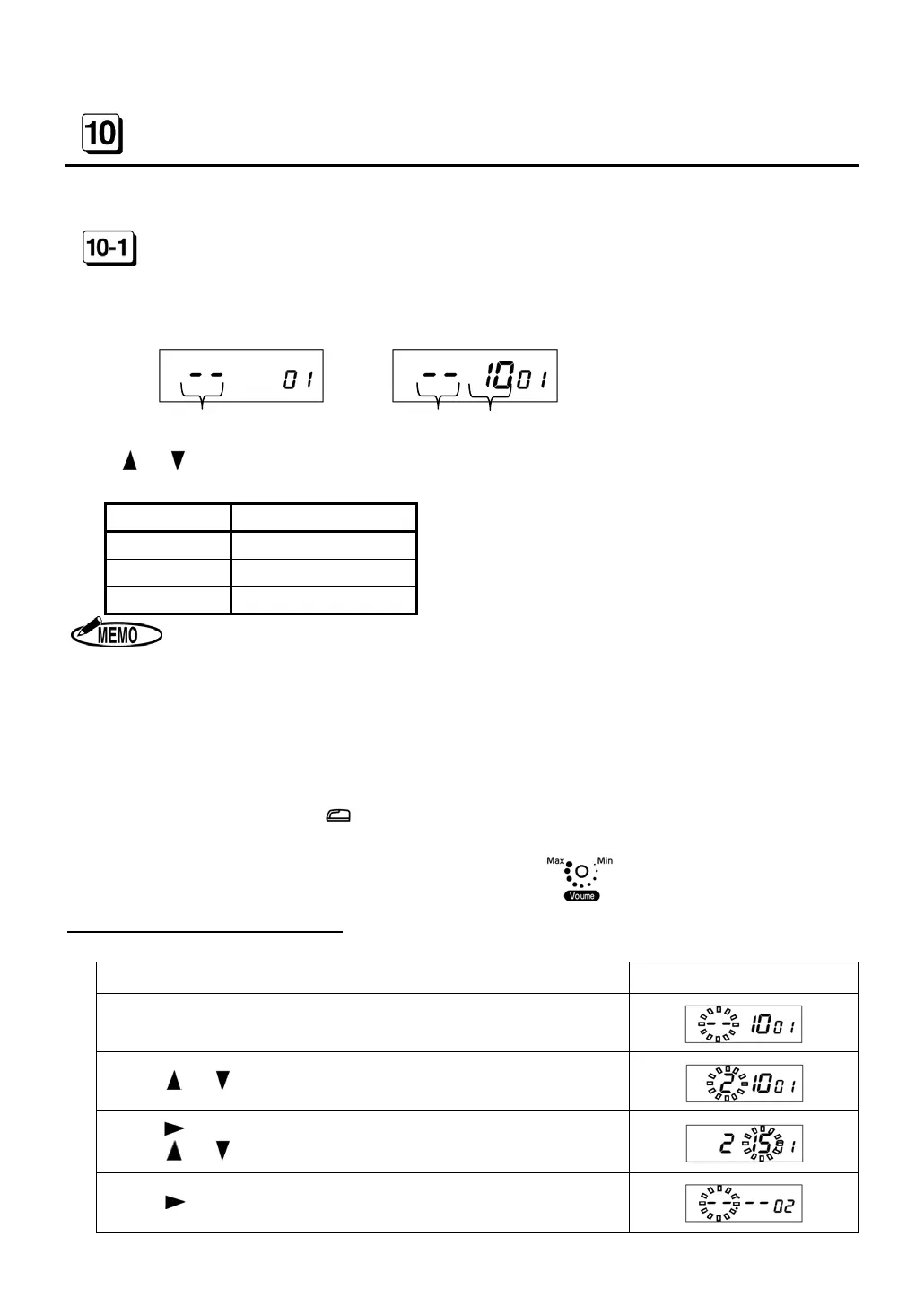
MELODY (CODE 01)
Set “Melody” of internal time signal. ER-2500R can control connecting time length to external
bell, buzzer or chime.
[ER-2500 or ER-2500E] [ER-2500R]
(Type of Melody) (Type of Melody) (Connecting Time Length to the External Bell)
Press
or to select the desired number from the following table.
◆ Initial data=- - (Nothing)
Number Melody
- -
Nothing
1
Chime
2
Original Melody
Example (In case of ER-2500R)
Melody= “1” (Original Melody), Connecting Time Length=15 seconds
Procedure Display
Press “OPTION” key after inserting “Key-Card.”
Current setting data is shown on the display.
Press or until the display shows “2.”
Press to move the cursor to set Connecting Time Length.
Press
or until the display shows “15.”
Press to display CODE 02 as the next setting item.
1. ER-2500 can sound time signal by selecting the “1” or “2.”
2. ER-2500R can control connecting time length to external bell from 1 to 60 seconds.
3. (When using external bell with ER-2500R)
◆ Select the “1” or “2” in Type of Melody setting.
If select the “- -(Nothing),” ER-2500R cannot sound external time signal.
◆ ER-2500R sounds both internal and external signal at the same time.
When setting no sounds of internal signal, turn down the volume.
4. When pressing
key, you can confirm melody for 10 seconds.
(ER-2500R sounds Melody for time set in Connecting Time Length.
Adjust volume by Phillips screwdriver.


 To Next Page