- 17 -
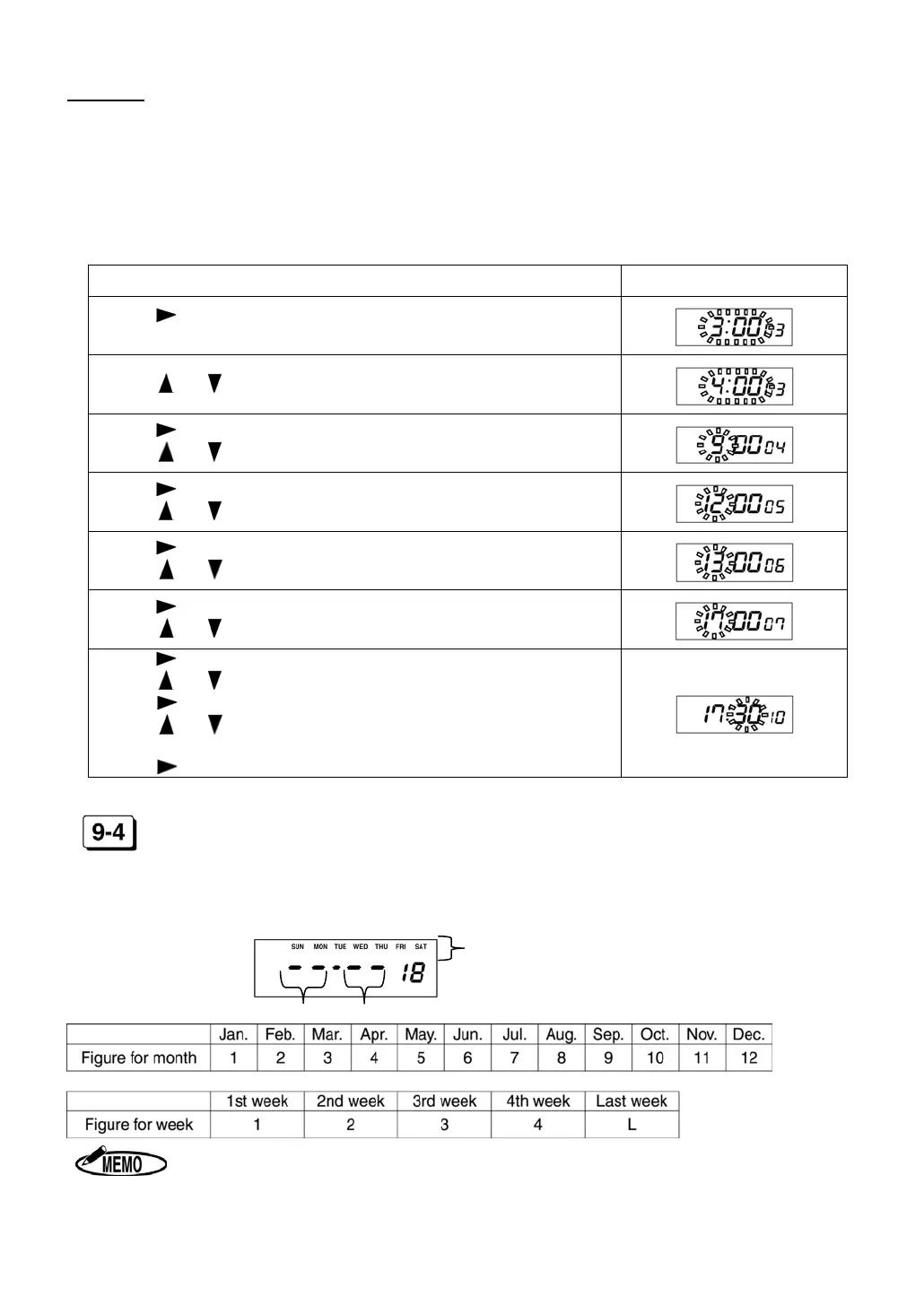
Example Line Shift Time (Day change time) : 4 : 00
Starting time of work : 9 : 00
Starting time of lunch : 12 : 00
Ending time of lunch : 13 : 00
Ending time of work : 17 : 00
Starting time of Overtime work : 17 : 30
Special day : Nothing
Procedure Display
Press to display CODE 03.
Current Line Shift Time is shown on the display.
Press or until the display shows “4:00.”
Press to display CODE 04 (IN1).
Press
or until the display shows “9.”
Press until the display shows CODE 05 (OUT1).
Press
or until the display shows “12.”
Press until the display shows CODE 06 (IN2).
Press
or until the display shows “13.”
Press until the display shows CODE 07 (OUT2).
Press
or until the display shows “17.”
Press until the display shows CODE 10 (OST).
Press
or until the display shows “17.”
Press
to move the cursor to Minute.
Press or until the display shows “30.”
Press
to display CODE 18.
DAYLIGHT SAVING TIME (CODE 18 to 19)
Set “Starting and Ending Date of Daylight Saving Time” after setting “OST.” In case of set-
ting no Special day in CODE 02, CODE 18 is displayed following CODE 10.
(Setting the day of the week)
Position for the month
Position for the week
When setting the last week of the month, set “L” for the last week even if the last
week is the 4
th
week.


 To Next Page