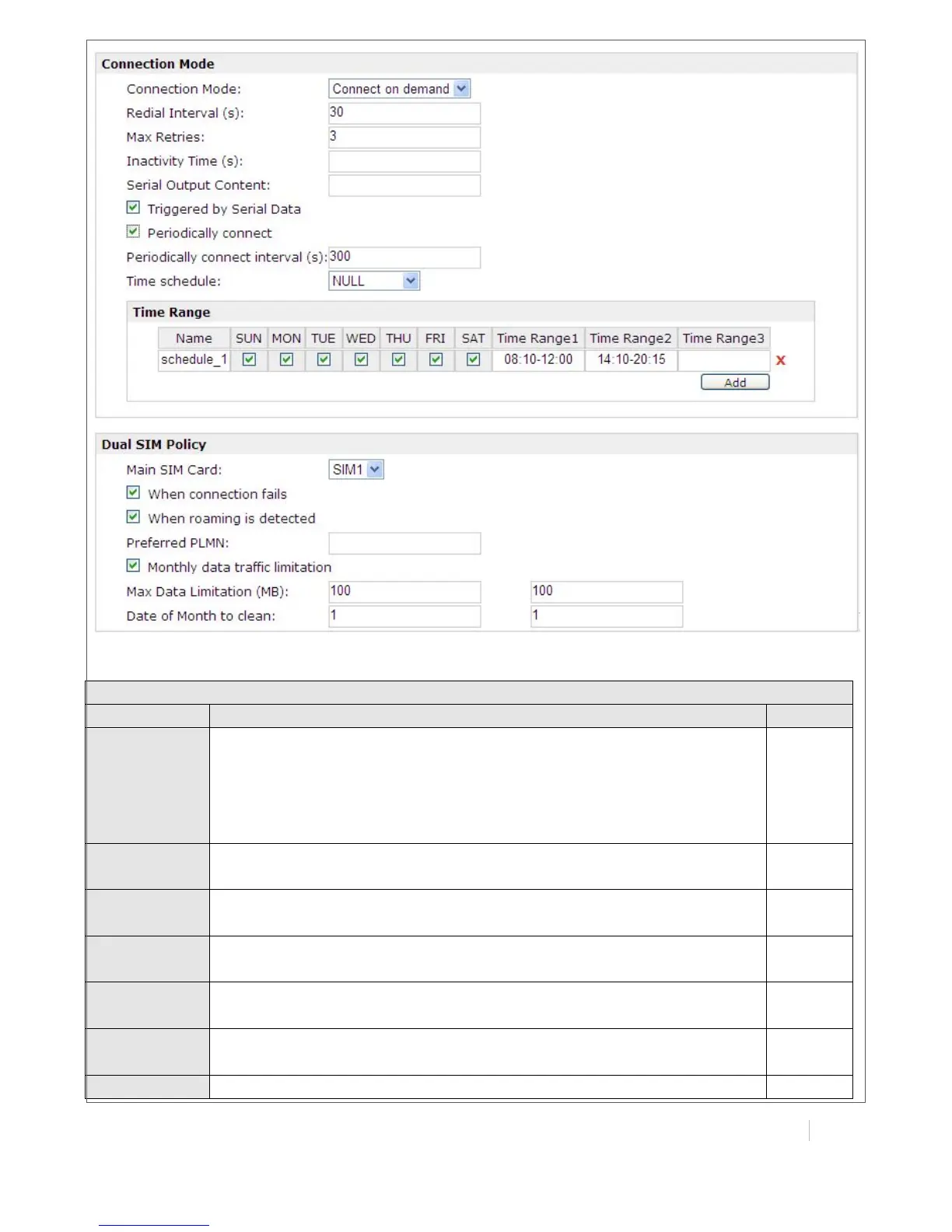
Set the SIM card’s phone number, and it will be showed in
“Status”->”System”->”System”->”Cellular WAN Information”-“SIM
Phone Number”.
In general, you don’t need to set this number because router will read
it from the SIM card automatically.
Select from “auto” or the specific network type which the wireless
module supports.
Select from “ALL” or the specific band which the wireless module
supports.
Select from “Auto”, “PAP” and “CHAP” as the local ISP required.
Maximum Transmission Unit. It is the identifier of the maximum size of
packet, which is possible to transfer in a given environment.
Maximum Receiving Unit. It is the identifier of the maximum size of
packet, which is possible to receive in a given environment.
One of the PPP initialization strings. In general, you don’t need to


 To Next Page