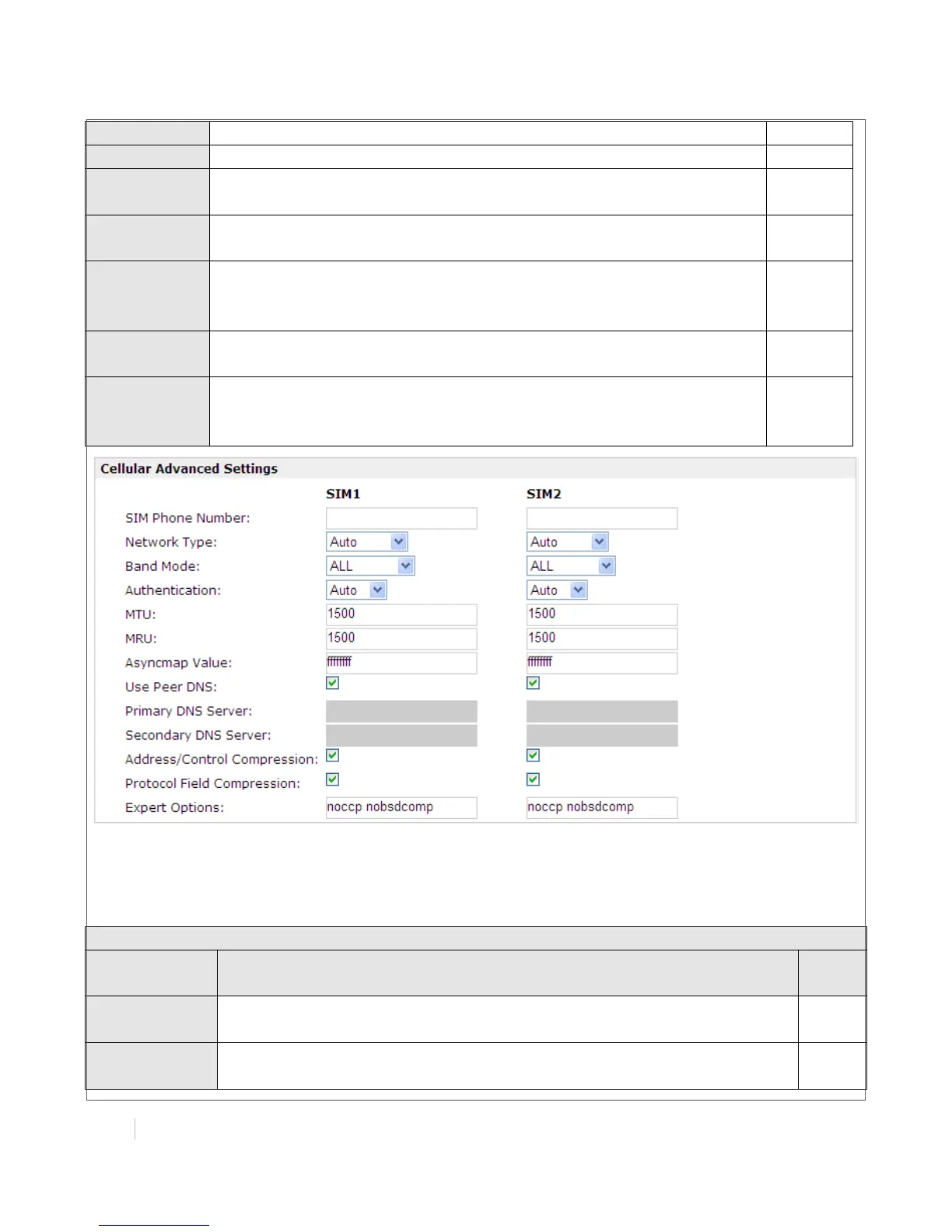
Enable to obtain the DNS server’s address from the ISP.
Set the primary DNS server’s address. This item will be unavailable if
you enable “Use Peer DNS”.
Set the secondary DNS server’s address. This item will be unavailable if
you enable “Use Peer DNS”.
Address/Cont
rol
Compression
Used for PPP initialization. In general, you need to enable it as default.
Protocol Field
Compression
Used for PPP initialization. In general, you need to enable it as default.
You can enter some other PPP initialization strings in this field. Each
string can be separated by a space.
ISP Profile
This section allow users to preset some ISP profiles which will be shown in the selection list of
“Configuration”->”Cellular WAN”->”Network Provider Type”.
Input the ISP’s name which will be shown in the selection list of
“Configuration”->”Cellular WAN”->”Network Provider Type”.
All these parameters were provided by the ISP.


 To Next Page