FOR SERVICE TECHNICIAN’S USE ONLY
35
Removing the User Interface (UI)
WARNING
Electrical Shock Hazard
Disconnect power before servicing.
Replace all parts and panels before operating.
Failure to do so can result in death or electrical shock.
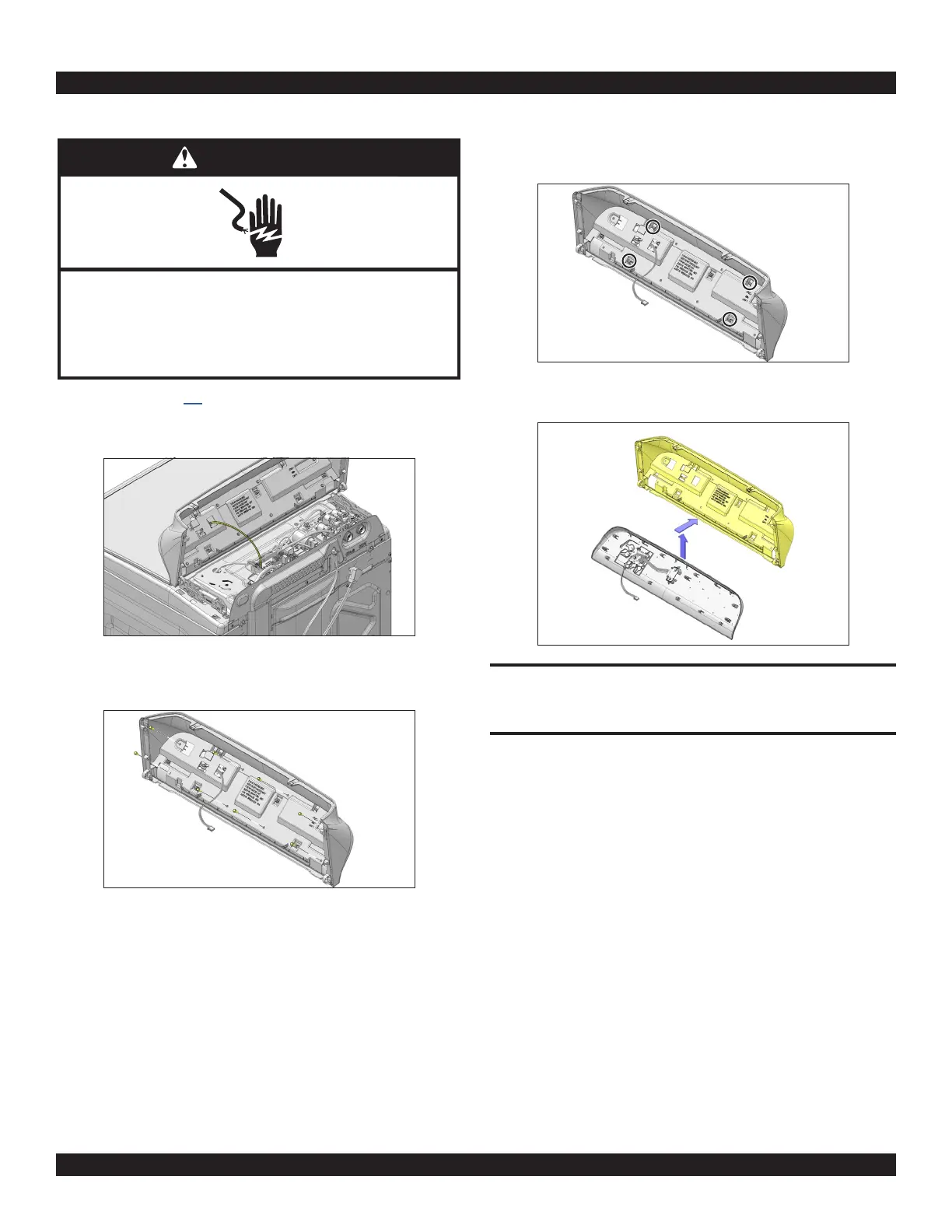
1. Complete the steps 1-7 from section Removing the Console.
2. Disconnect the 3-wire UI harness from the ACU by depressing the tab
and lifting it.
3. Remove the eight (8) 1/4" (6 mm) hex-head screws securing the UI to
the console.
4. Using a flat blade screwdriver, gently, depress the four (4) plastic
mounting clips to release the UI from console.
5. Lift the console shell and remove from UI to access.
REASSEMBLY NOTE: When reinstalling the user interface to the console,
only hand tighten the eight (8) hex-head screws until snug. Using a power
driver will strip the screw holes and stress the capacitive touch user
interface.



 To Next Page