4
Dolphin Plus Pool Cleaner | Operating Instructions
EN
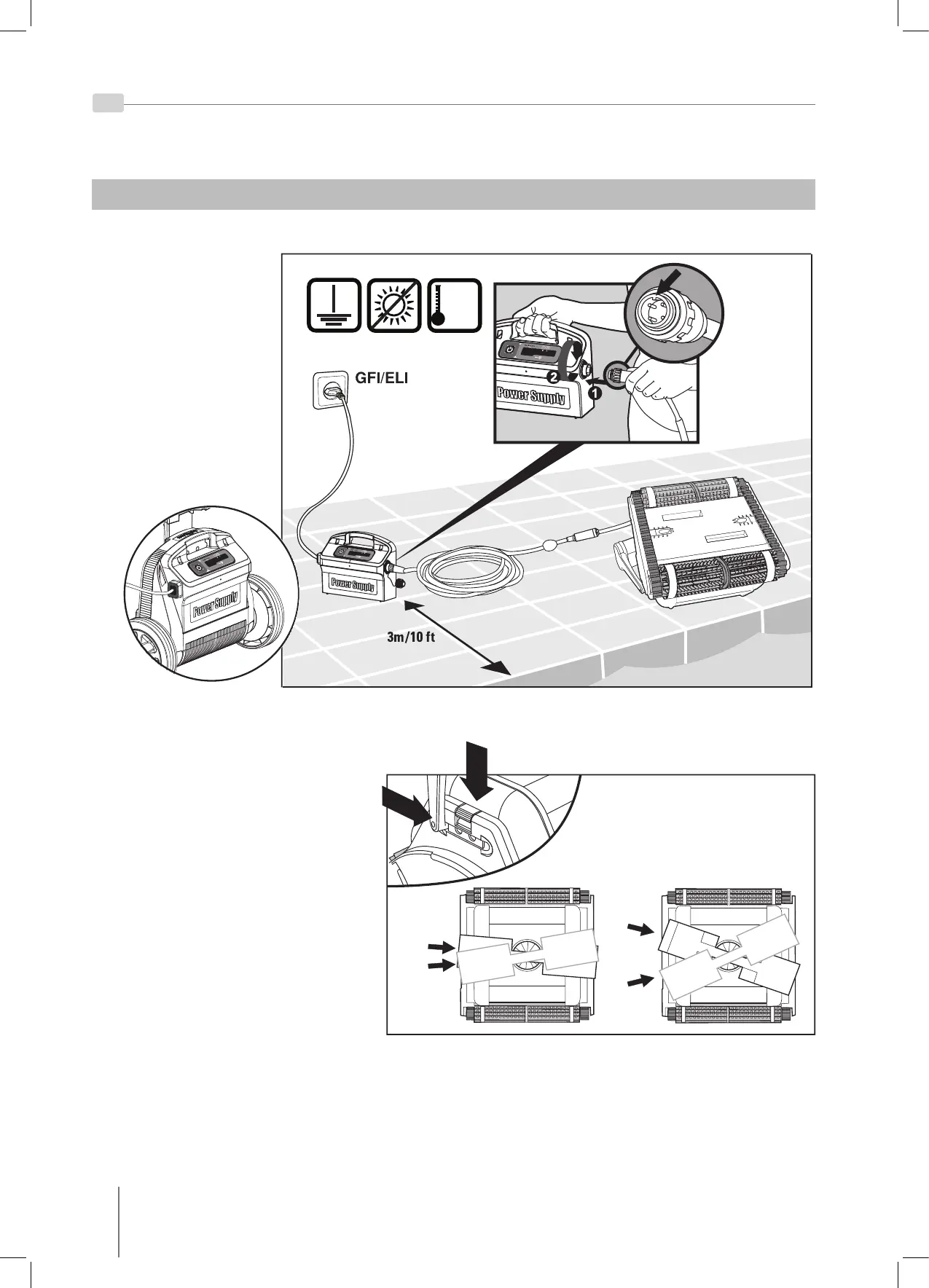
Change diagonal handle position for
water line sideway movement.
To adjust the handle angle:
A. Press the latch down and hold it
in position.
B. Move the handle to the desired
position and release the latch to
hold the handle in place.
GFI/ELI
40°C Max
104°F Max
5. USING THE POOL CLEANER
5.1. Set Up
Attach the floating cable
to the power supply
by inserting it with the
notch on the connector (1)
lined up with the groove
in the socket on the
power supply and turning
clockwise (2).





 To Next Page