Touch
Touch
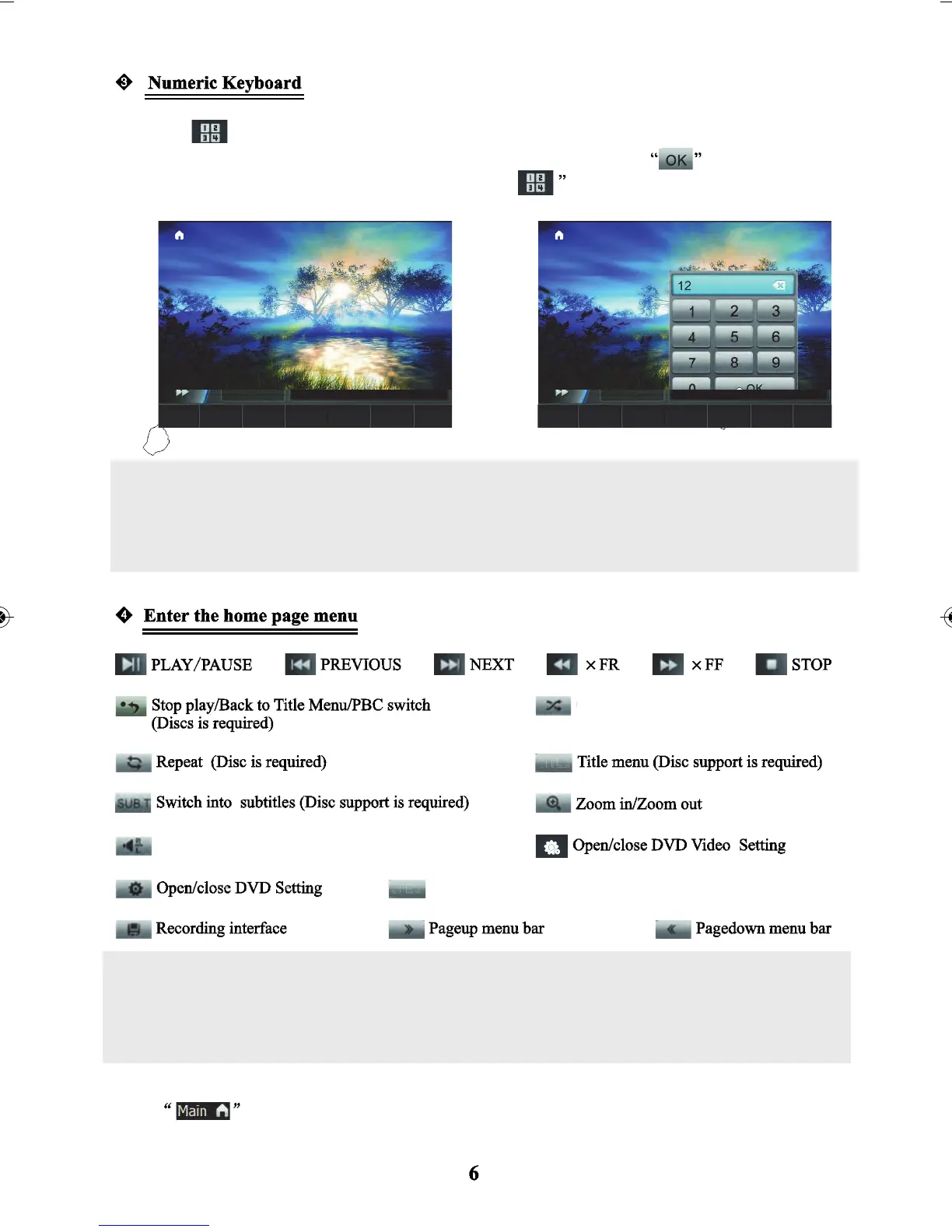
to display the keyboard, as the figure shows on the right:
to confirm to play that track
or to play the other tracks automatically minutes later. Touch
again to hide the keyboard.
Touch the numbers on the numeric keyboard to select tracks directly, then touch
Note: While Playing - if you want to select the track more than track 9, click the two numbers
directly on the numeric keyboard then click “OK” to confirm. For example if you want to select the
12th track - touch “1” first and touch “2” second - then touch “OK” to play track.
When the FF (fast forwarding) option is selected when playing a disc - to enter back into normal
playing mode - press the FR (fast rewind) option. And when FR is selected when playing a disc to
enter back to normal playing mode. Select FF.
Open/close random option
When playing a disc in the format of a JPEG, press to save
image as the DVD wallpaper.
Switch audio output (Disc support is required)
Touch
to enter the home page menu.
Touch anywhere on the screen for more than 2sec to show / hide the menu (except for position of menu displayed.
JPEG
TITLE



 To Next Page