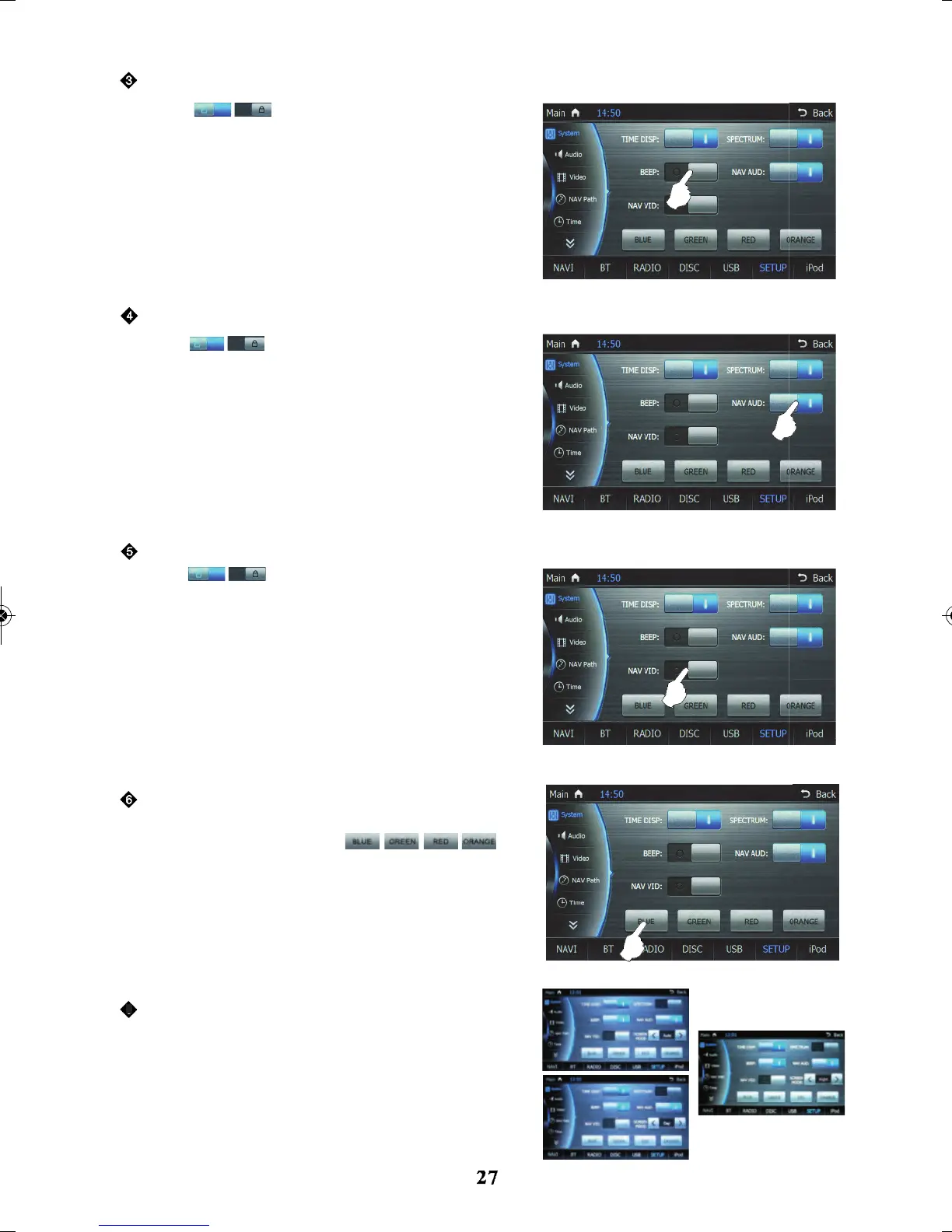
Touch
Touch
icon to turn on/off key sound
icon to turn on/off audio with navigation
icon to turn on/off video navigation
function, in the navigation state, if there is no operation on
screen or navigation voice prompts within several seconds
the system will continue the audio which was being
played before the navigation prompt started.
function, in the navigation state, if there is no operation or
navigation voice prompts within several seconds, the
system will switch over and play the video which was
being played before the navigation state started.
There are four colours to choose from - blue, green,
function, when screen is touch button operation is
made there will be a key sound.
Touch
red and orange - then touch
to confirm colour selection.
Auto, Day and Night
Auto: Screen WILL automatically dim itself when
head parkers and lights are turned on.
Day: Screen will stay in bright day mode and will
NOT switch over to dim mode when parker and
lights are on.
Night: Screen will always be in dim mode.
Key sound
Audio with navigation
Video with navigation
Change colours for the interface
Screen mode
7



 To Next Page