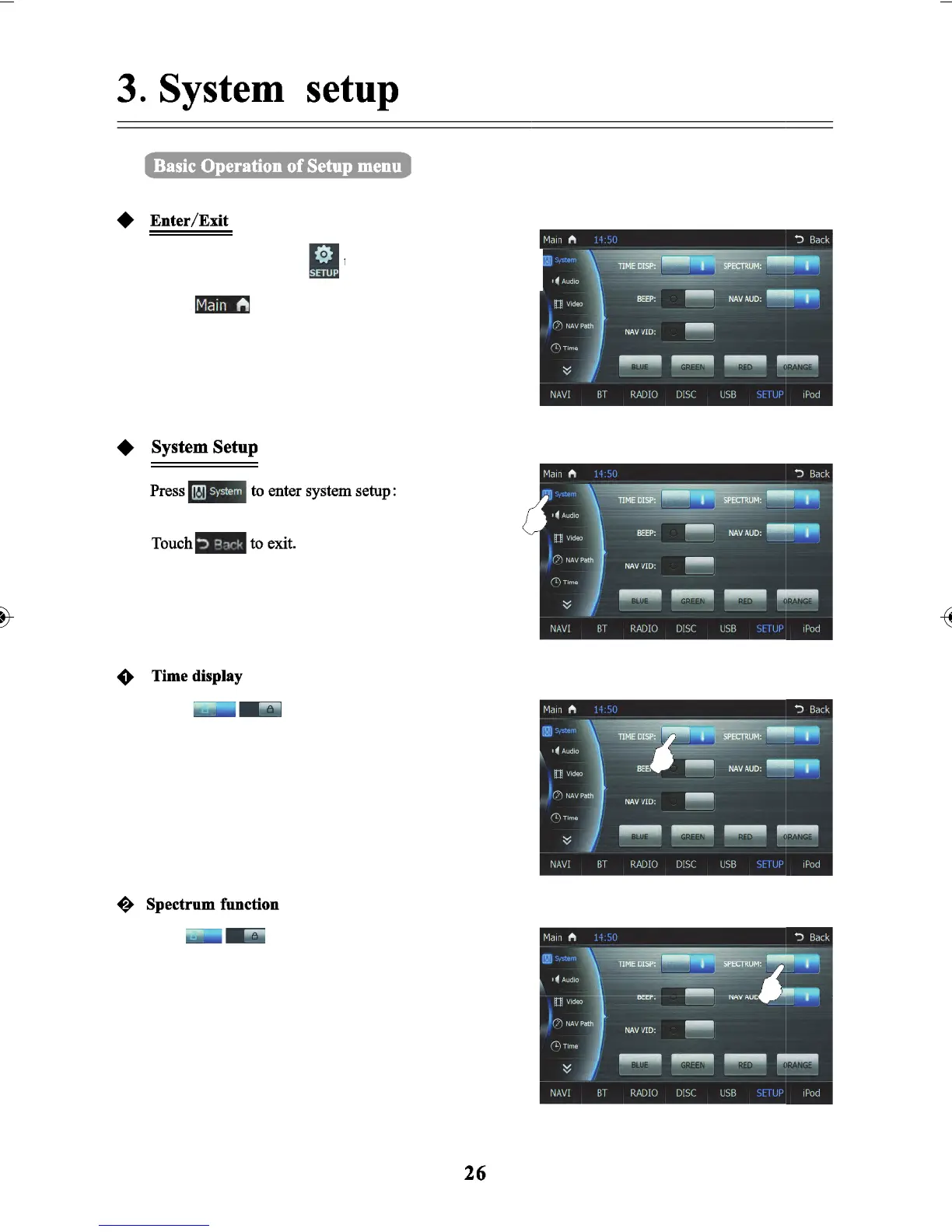
In the main menu, Press
Touch
Touch
Touch
to enter the main page interface
icon to turn on/off time display
icon to turn on/off Spectrum
function. In DVD state, if playing discs with no
videos, such as discs in the format of MP3, CD, the
screen will change mode to spectrum screen
automatically when no operation is made after
10 seconds.
function more precisely in the upper left corner of the
screen - it will display the time.
to exit basic operation of setup menu function or touch
back
to enter into the setup
interface.



 To Next Page