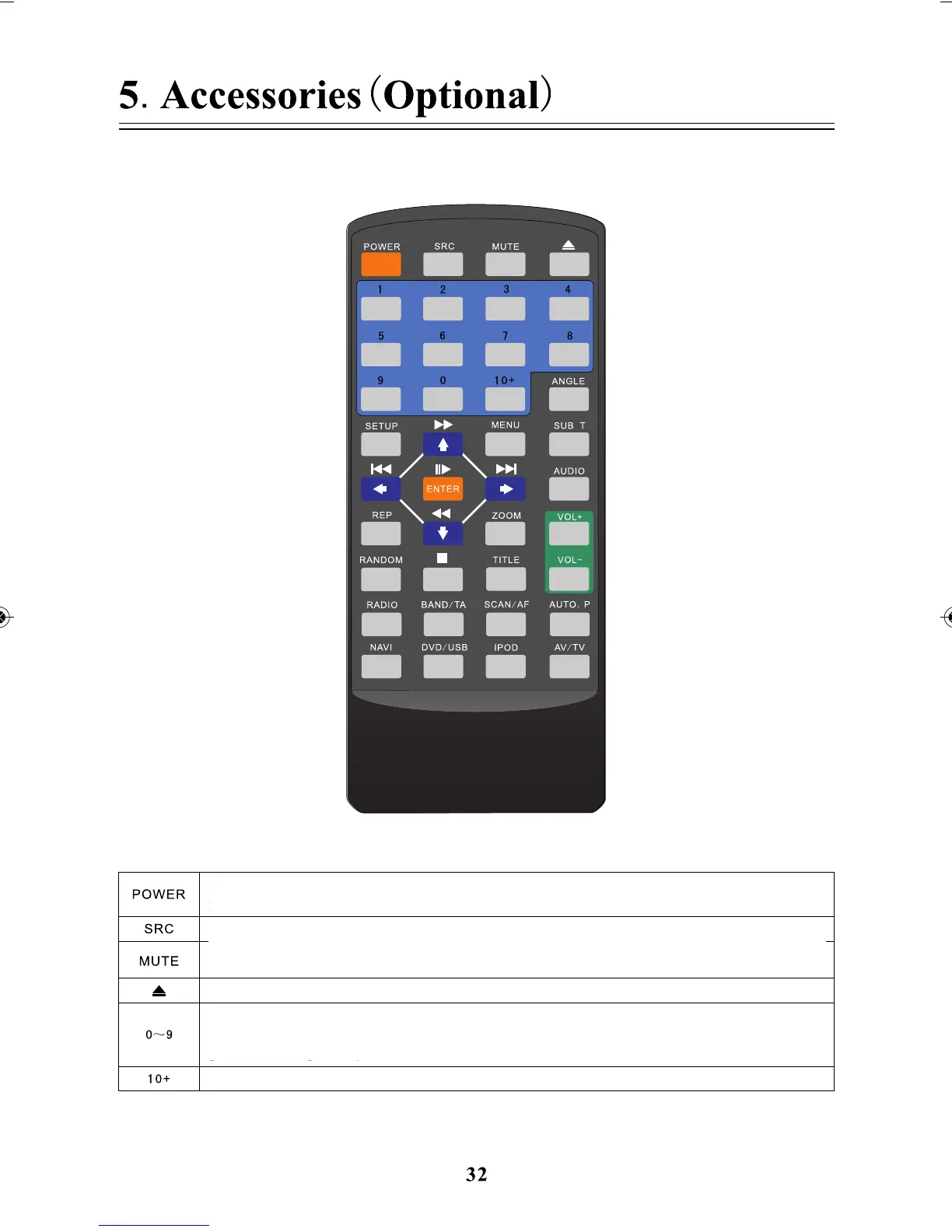
Press for a short time to switch mode among normal/night/black for the screen, long press to
be used as a power key, and long press once to enter standby state, long press twice to turn on.
In DVD/USB state, select the tracks directly by numbers. In radio state, select numbers among
1 to 6 to play the corresponding station.
Press for a short time for mute state, turn on/off at any state.
Long press to enter camera state, and press again to exit.
Press to select function among Radio/DVD/AV/iPod/USB/Virtual CDC
Press the numeric key 10+, it means plus 10 while pressing once.
Press to select function among Radio/DVD/AV/iPod/USB/Virtual CDC



 To Next Page