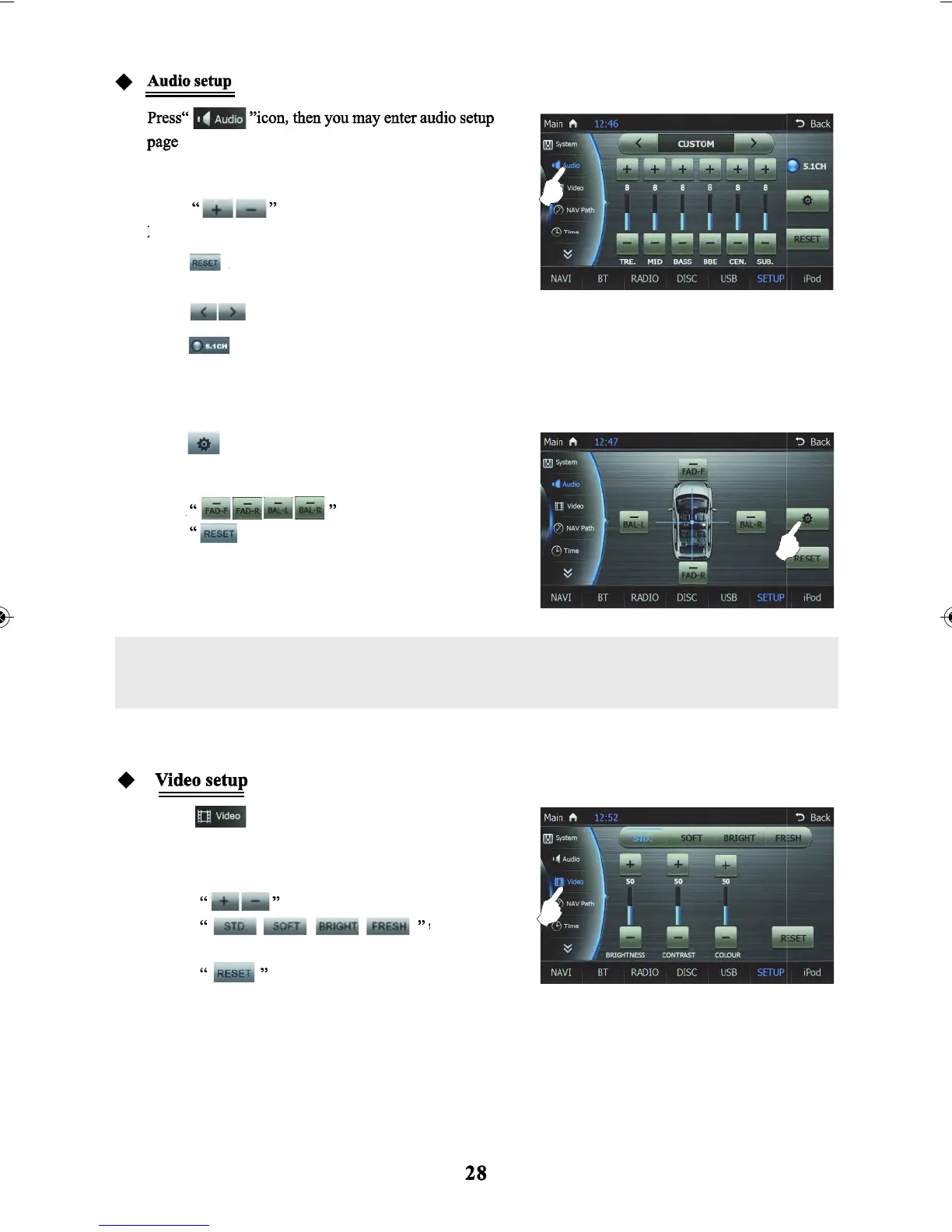
Interface:
Touch
icon to adjust Treble/Middle/Bass/
icon to restore parameters back to system
icon to choose EQ mode: Customized, Standard, Pop, Rock, Classic, Jazz.
icon to choose to turn on/off 5.1 channel.
icon to enter into balance setup interface.
icon, then you may enter into the video
to restore brightness/contrast.
to adjust brightness/contrast/colour
to restore the parameter of the audio to the
to adjust to desired setting
default state.
default state.
to select
setup page.
BBE/and centre volume.
Touch
Touch
Touch
Touch
Touch
Touch
Touch
Touch
Touch
Touch
standard/soft/bright/fresh for screen display preset modes.
Only when the 5.1 channel is set can the “Centre Volume” be adjusted. Set the 5.1
Channel as on only when the system is playing disc with 5.1 channel capability.
Please set 5.1 channel as off when playing a disc in format to VCD/CD/Mp3.



 To Next Page