When Driving
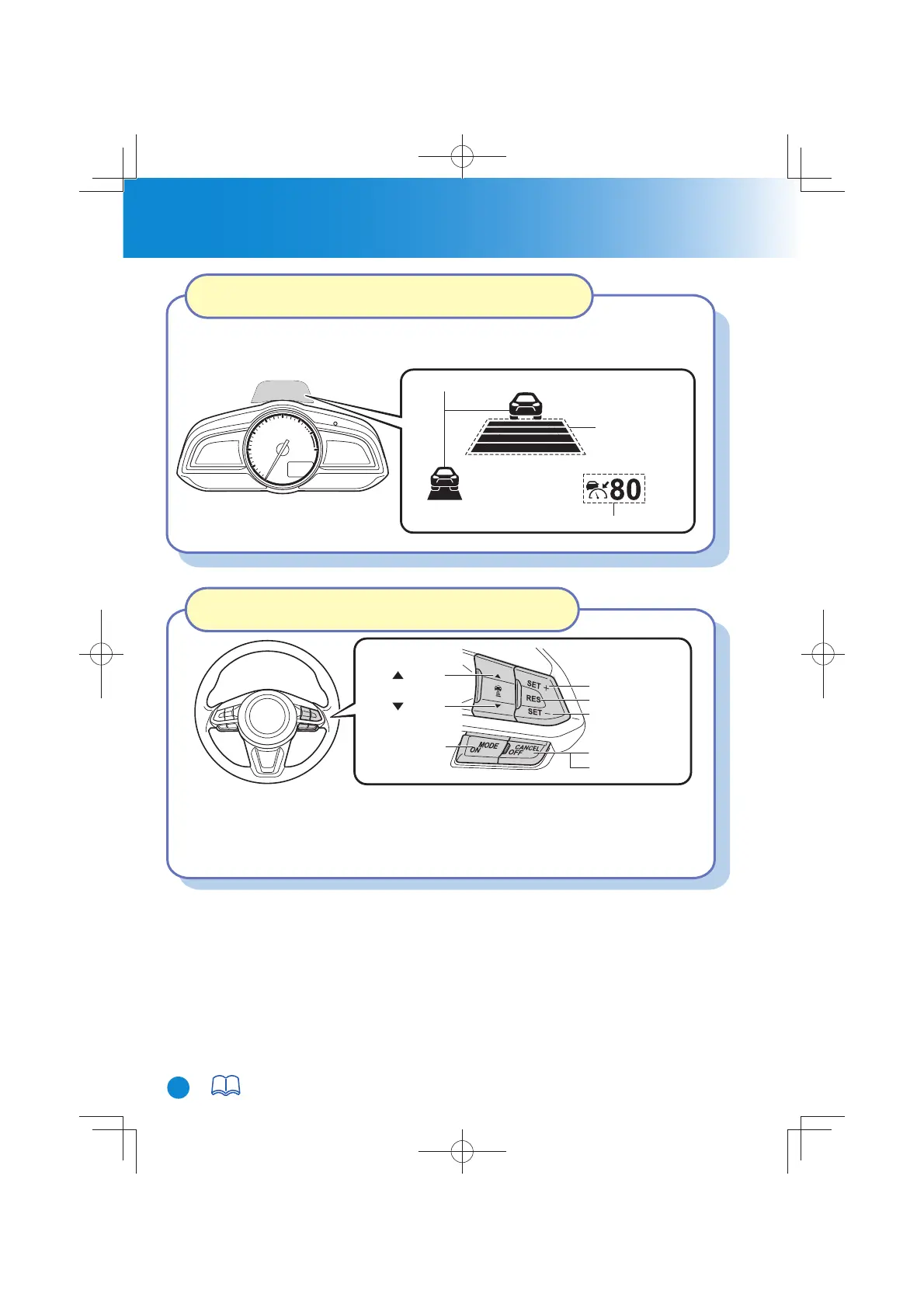
Vehicle ahead display
MRCC Distance
between vehicle
display
MRCC Set vehicle speed
CANCEL switch
RES switch
OFF switch
switch
switch
MODE switch
SET- switch
SET+ switch
28
For details, refer to Section 4, “i-ACTIVSENSE”.
Mazda Radar Cruise Control with Stop & Go function
(MRCC with Stop & Go function) Display Indication
Setting the Mazda Radar Cruise Control with Stop &
Go function (MRCC with Stop & Go function)
When the MODE switch is pressed once, the MRCC with Stop & Go function system
turns on, and the MRCC with Stop & Go function system main indication (white)
turns on and the vehicle speed and the distance between the vehicles while in headway
control can be set.
The MRCC with Stop & Go function setting status and operation conditions are
indicated on the active driving display.
CX-38GT4EE18DEdition8QuickGuide.indb30CX-38GT4EE18DEdition8QuickGuide.indb30 2019/11/229:08:022019/11/229:08:02



 To Next Page