- 2 -
BONNET GRANDE CUISINE
Rue des Frères Lumière - Z.I Mitry Compans
77292 MITRY MORY Cedex
11 GENERAL
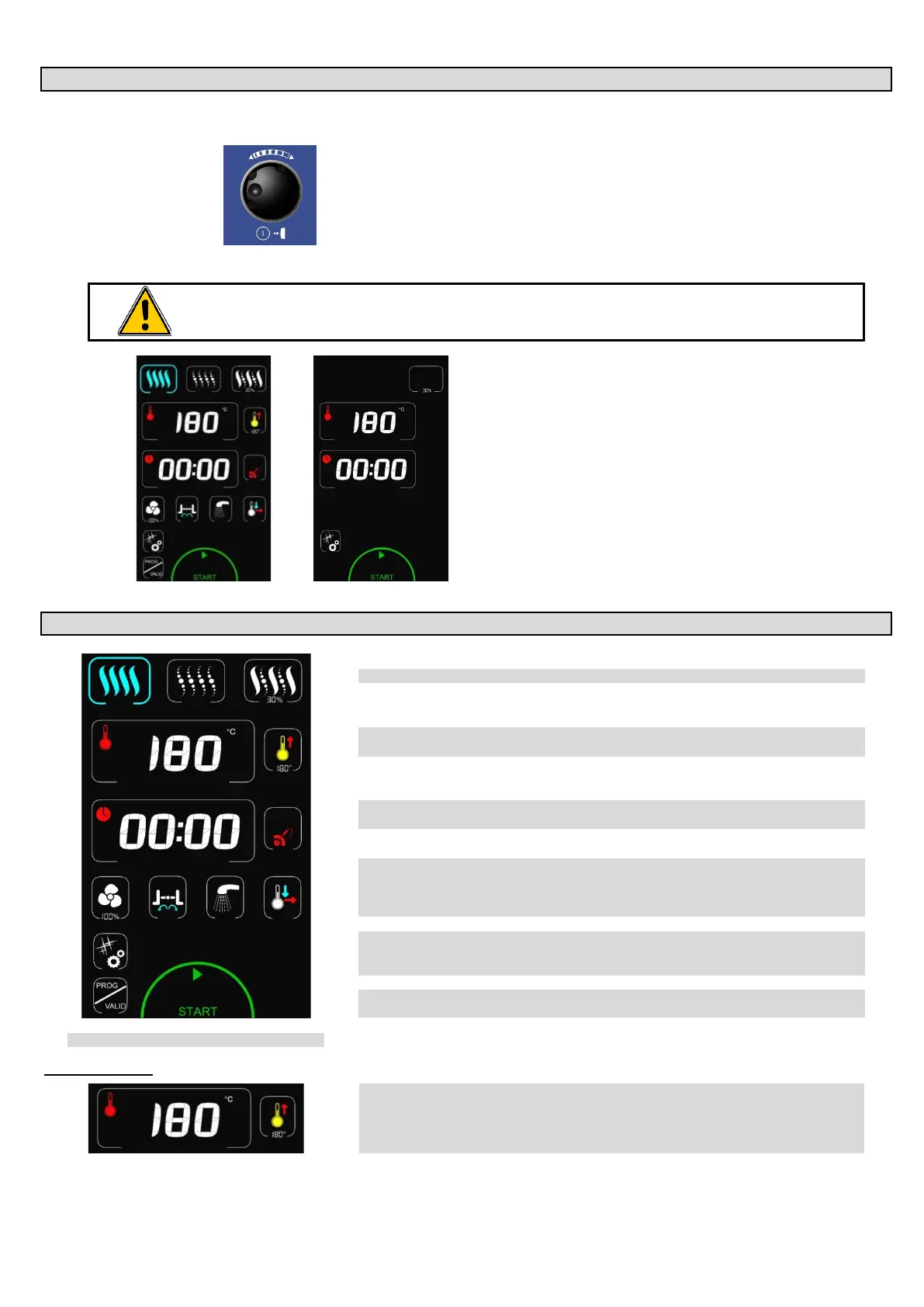
The toughened glass control panel on your oven consists of:
- a coder knob:
Switches on the oven and its display screen.
Power on: press for 1 second
Switch off: press for 3 seconds
Allows parameters to be changed rapidly (Temperature, time …) and
validated by simply pressing the knob.
- a touch screen:
¨ The control panel is operated via a serigraphic touch screen using your fingers. We recommend the
exclusive use of your fingers and no other items such as knives, forks or spoons etc.
Simply touch the screen to access parameters and
information.
Welcome menu: This screen appears every time the unit is
started.
For stacked double cavity ovens the upper screen controls the
upper oven…
12 MANUAL MODE
3 cooking modes: Convection, Steam and Combined (from 0 to 100%)
è
Display of actual and set temperature
è
Time / Core temperature display
Select Time / Probe temperature
è
Ventilation speed (1 to 100%)
Rapid cooling & Holding mode (hot cupboard)
è
Cleaning Programme, HACCP activation, Data exchange
Modification and creation of programmes
Installation parameters / operating / technical
è Access and Validation of programmes
START / STOP cooking button.
Temperature zone
è
Displays the ambient and set temperatures
The ambient temperature is adjustable by pressing the corresponding zone
The setting entered is validated after 5 seconds or by pressing on another zone/button
Adjustment can be made using the coder or with the
6
5


 To Next Page