- 5 -
BONNET GRANDE CUISINE
Rue des Frères Lumière - Z.I Mitry Compans
77292 MITRY MORY Cedex
è
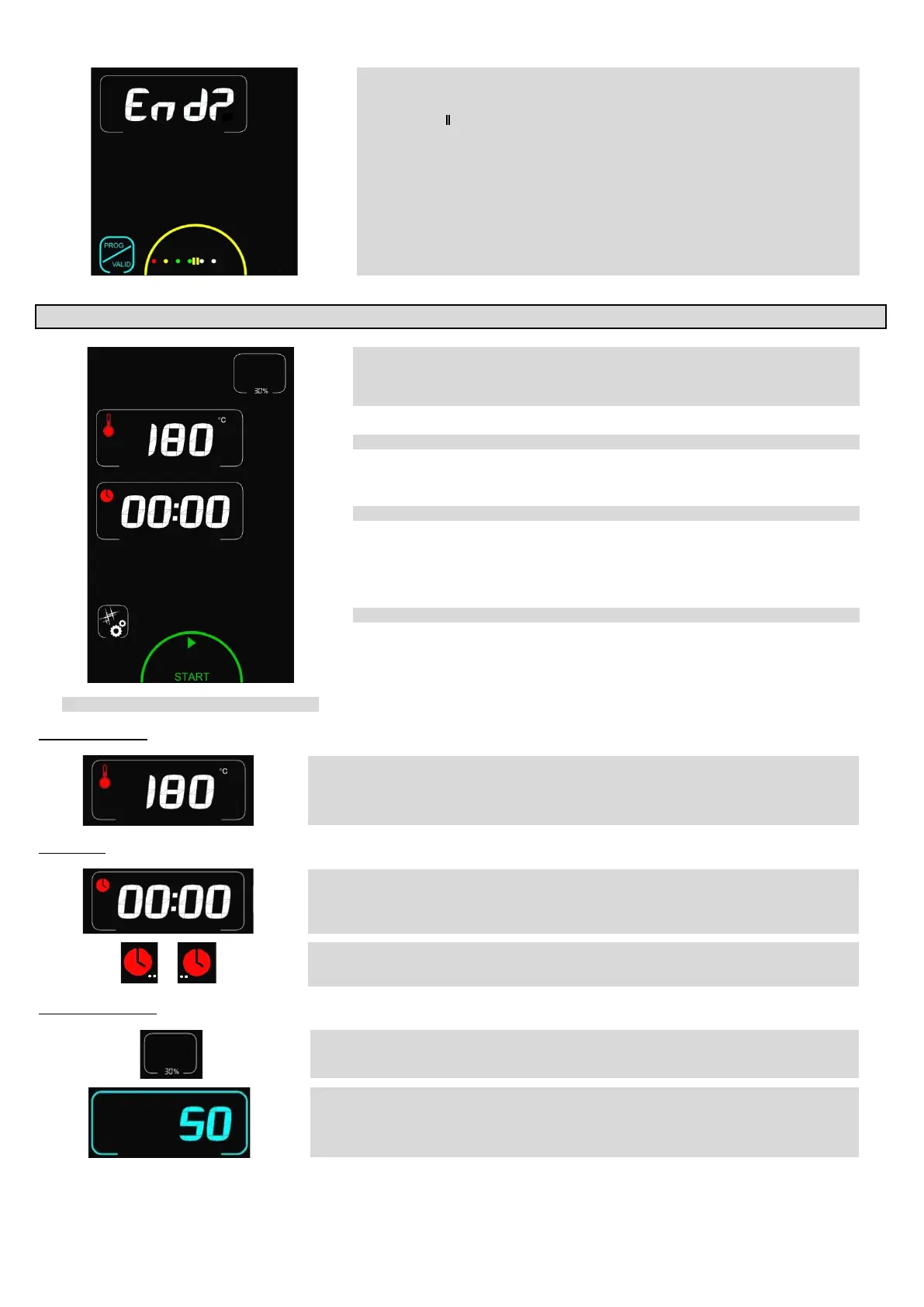
To stop a programme that is running press the “STOP” zone: The display shows the
“Pause” logo “
∥
”.
If the action is not validated the programme does not stop (It automatically restarts
after a few seconds delay if the screen is not touched).
Pressing the zone again restarts the current programme
Confirm the programme should stop validate by pressing the “End” zone: Programme
stopped
13 ABC MODE
è
Automatic display of humidity level as a function of the set temperature. Adjustable
manually from 0 to 100%
- 0% = Convection mode with Vent open
- 100% = Maximum humidity
Display of set temperature
Cleaning Programme (see paragraph « Cleaning menu »)
START / STOP cooking button.
Temperature zone
è
Displays the ambient and set temperatures
The ambient temperature is adjustable by pressing the corresponding zone
The setting entered is validated after 5 seconds or by pressing on another zone/button
Adjustment can be made using the coder or with the
6
5
Timer zone
è
Displays the “running time” or “remaining time”.
The time is adjustable by pressing the corresponding zone
The setting entered is validated after 5 seconds or by pressing on another zone/button
Adjustment can be made using the coder or with the
6
5
buttons in 1 minute intervals
è
The location of the white dots at the side of the timer logo indicates what is displayed:
Dots on the left: remaining time
Dots on the right: running time
Humidity level zone
è A single touch on the zone selects it.
è
Adjustment can be done using the coder in 10% steps or using the 6/5 buttons in 1%
increments.
The setting is validated after 5 seconds or by touching another zone/button


 To Next Page