- 6 -
BONNET GRANDE CUISINE
Rue des Frères Lumière - Z.I Mitry Compans
77292 MITRY MORY Cedex
14 CLEANING MENU
There are 4 options:
- Manual cleaning (semi-automatic)
- Automatic cleaning started manually (Automatic wash option)
- Automatic cleaning with a programmed start (Automatic wash option)
- Forced clean (Automatic wash option)
The cavity should never be cleaned with grills or
containers in situ.
14.1 MANUAL CLEANING MENU
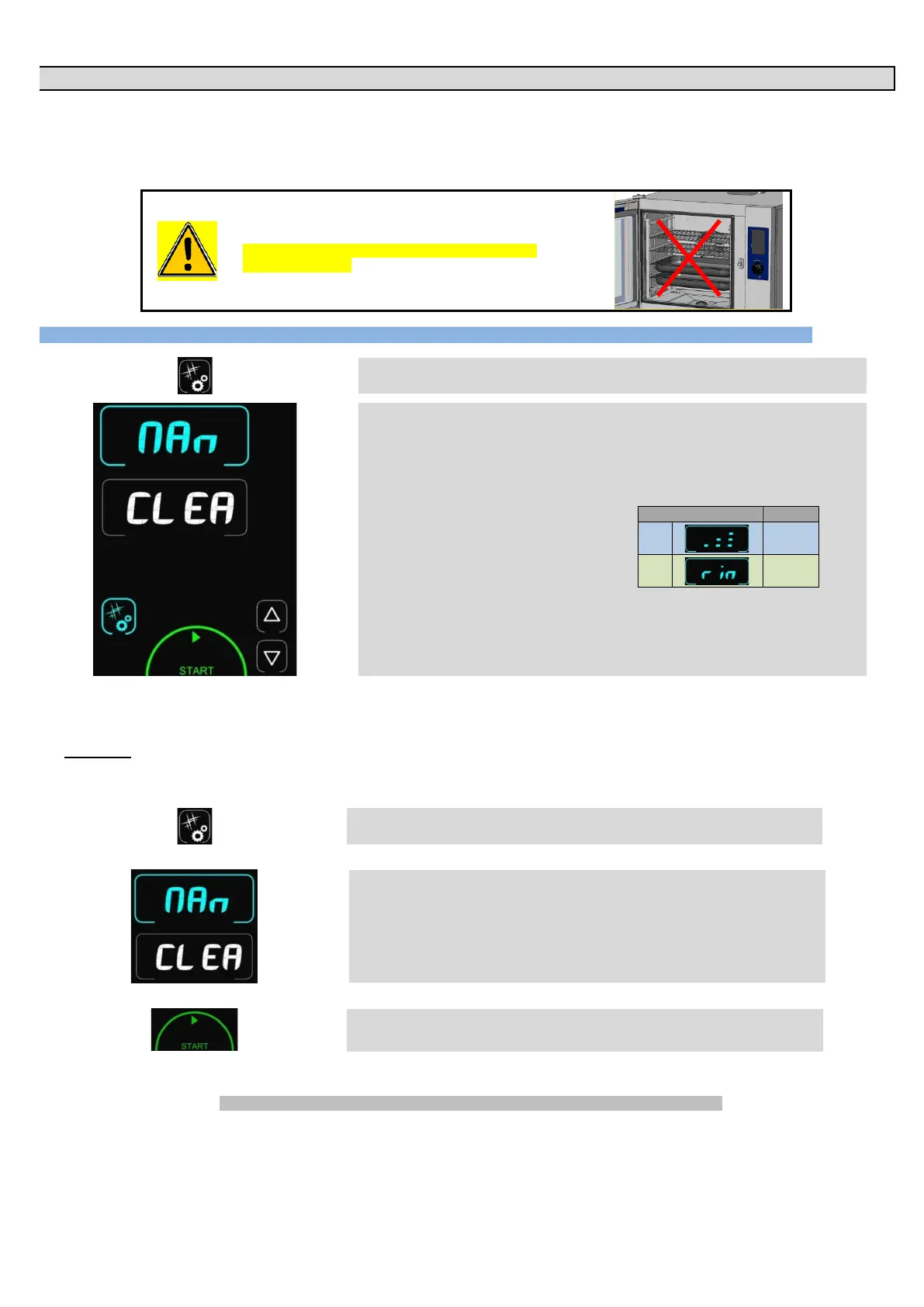
è Pressing the Cleaning/Tools button gives access to the cleaning menu
è
Display shows “CLEA” (cleaning) in the timer zone and the intensity in the temperature
zone.
By default the last cycle used is displayed.
- Cleaning
- Rinse
-
17 min
Rin
2 min
Pressing the “Start button” starts a wash cycle.
Pressing the Cleaning/Tools button or any
inactive zone exits this menu and returns to the
Procedure:
- Switch the oven on.
- Wait a few seconds until the start screen clears.
- Press the button:
è
"Cleaning mode"
- The manual wash screen appears:
è
Semi-automatic cleaning mode
- Then press the “Start” button:
è
"Start" a cleaning cycle.
If the temperature is not appropriate for cleaning the temperature display will flash and the oven will heat up or cool down automatically to
reach this temperature. Once this temperature is reached, the display indicates "ProD" and the oven will ring to warn you.
Always wait for the oven to ring before spraying on a cleaning agent.
After the alarm has sounded:
- Open the door (without switching the oven off).
- Remove the right hand runners or the oven module (optional).


 To Next Page