- 7 -
BONNET GRANDE CUISINE
Rue des Frères Lumière - Z.I Mitry Compans
77292 MITRY MORY Cedex
- Unlock the ventilation duct and swing it open by pulling it towards you for 10 GN 2/1 and 20 level ovens. For other models leave the
duct in place
- Spray detergent on all the exposed surfaces. Only use products specifically designed for cleaning professional stainless steel
cooking cavities.
- Close the duct and lock it shut (10 GN 2/1 and 20 level ovens)
- Spray the cooking cavity and refit the runners or module
- Spray the runners or module and the inside or the door, then close the door.
è
The cleaning cycle will start automatically and last 17 minutes.
The display indicates time remaining.
- At the end of the cycle the display indicates « End ». The time display indicates « 00 00 » and the buzzer sounds ( 5 times).
AUTOMATIC CLEANING STARTED MANUALLY
è
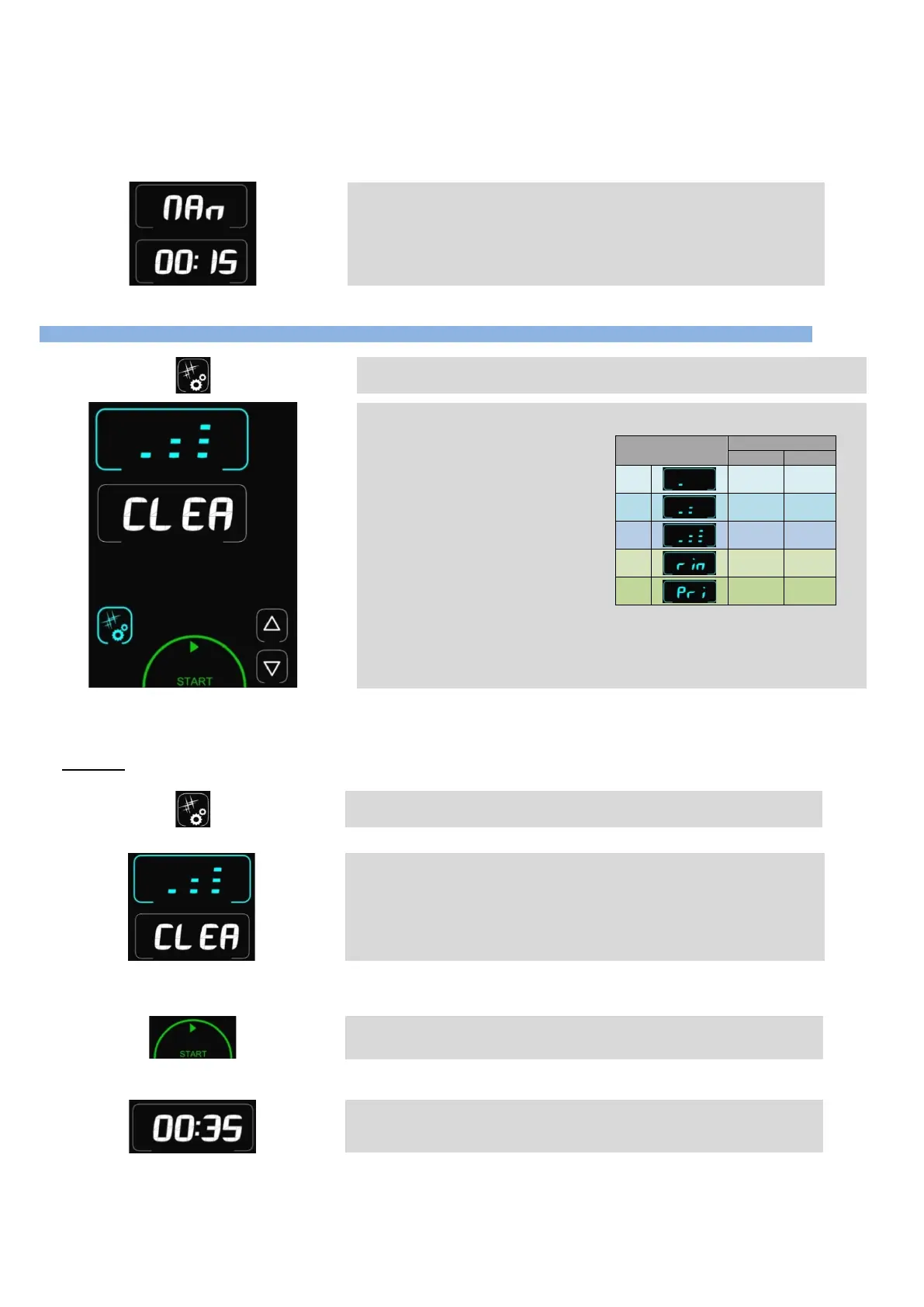
Pressing the Cleaning/Tools button gives access to the cleaning menu
è
Display shows “CLEA” (cleaning) in the timer zone and the intensity in the temperature
zone. By default the last cycle used is displayed.
Possible selections:
- 3 cleaning intensities
- Rinse function
- Cleaning product priming function
Intensity
1
17 min 26 min
2
26 min 36 min
3
36 min 37 min
Rin
2 min 2 min
Pri
2 min 2 min
The priming function allows the detergent delivery circuit to be refilled when the
container is changed so that efficiency is maintained
A parameter in the CHEF menu allows you to program a daily automatic start time and
the desired wash intensity
Pressing the “Start button” starts a wash cycle.
Pressing the Cleaning/Tools button or any
inactive zone exits this menu and returns to the
Procedure:
- Press the button:
è
"Cleaning mode"
- Select the required level of cleaning depending on how dirty the oven is.
è Select cleaning intensity of 1 to 3
- Check the pipe is connected to the chemical container and that the quantity is sufficient. If not refer to the paragraph “Replacing the
chemical containers”
- Then press the “Start” button:
è "Start" a cleaning cycle.
- It is still possible to change the intensity of the cleaning cycle whilst the zone is flashing (phase before detergent is injected). Whilst
the timer is still displayed:
è Time remaining before the end of the cycle.
- At the end of the cycle the display indicates "00 00".


 To Next Page