Page 33 1330SE - Service & Parts Manual
November 2019Section 10 - Control System
Calibration Screen Display
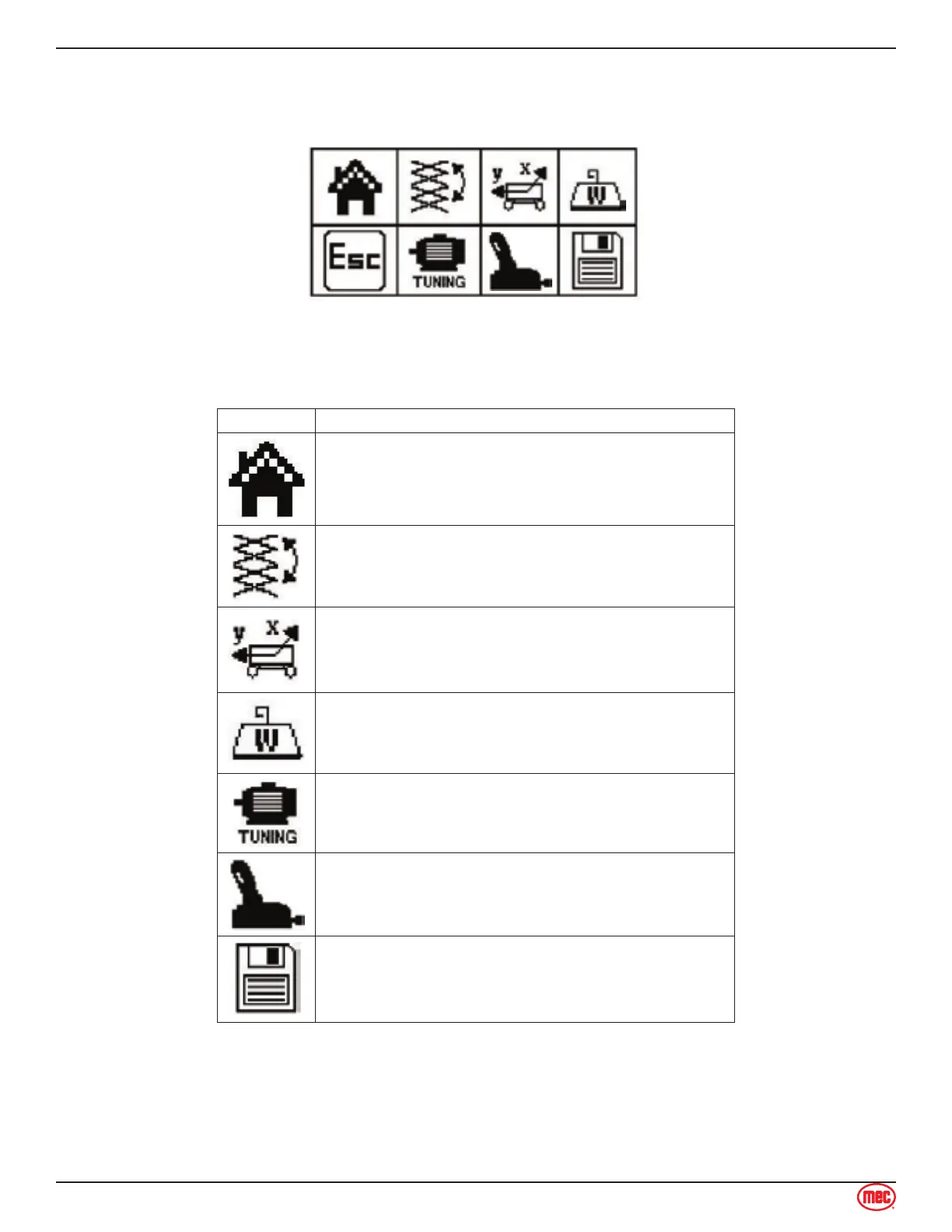
The Menu Screen is reached by pressing the Calibration icon on the main screen.
An access code is necessary for some calibration screens. Contact MEC Customer Service for
assistance.
Icon Description
Return to Main Screen
Access Height Calibration
Access Tilt Calibration
Not used.
Access Drive Motor Calibration
Joystick
Save
Height Calibration
Perform the Height Calibration on a flat, level surface with sufficient overhead clearance to allow full
elevation.
Press the left and right arrows at the top of this screen to find the lowest, then highest platform



 To Next Page