Page 34 1330SE - Service & Parts Manual
November 2019Section 10 - Control System
positions. Follow the prompts below to calibrate.
ALL SYSTEM SAFETIES ARE DISABLED WHEN IN CALIBRATION MODE.
NORMAL FUNCTION RETURNS UPON EXIT.
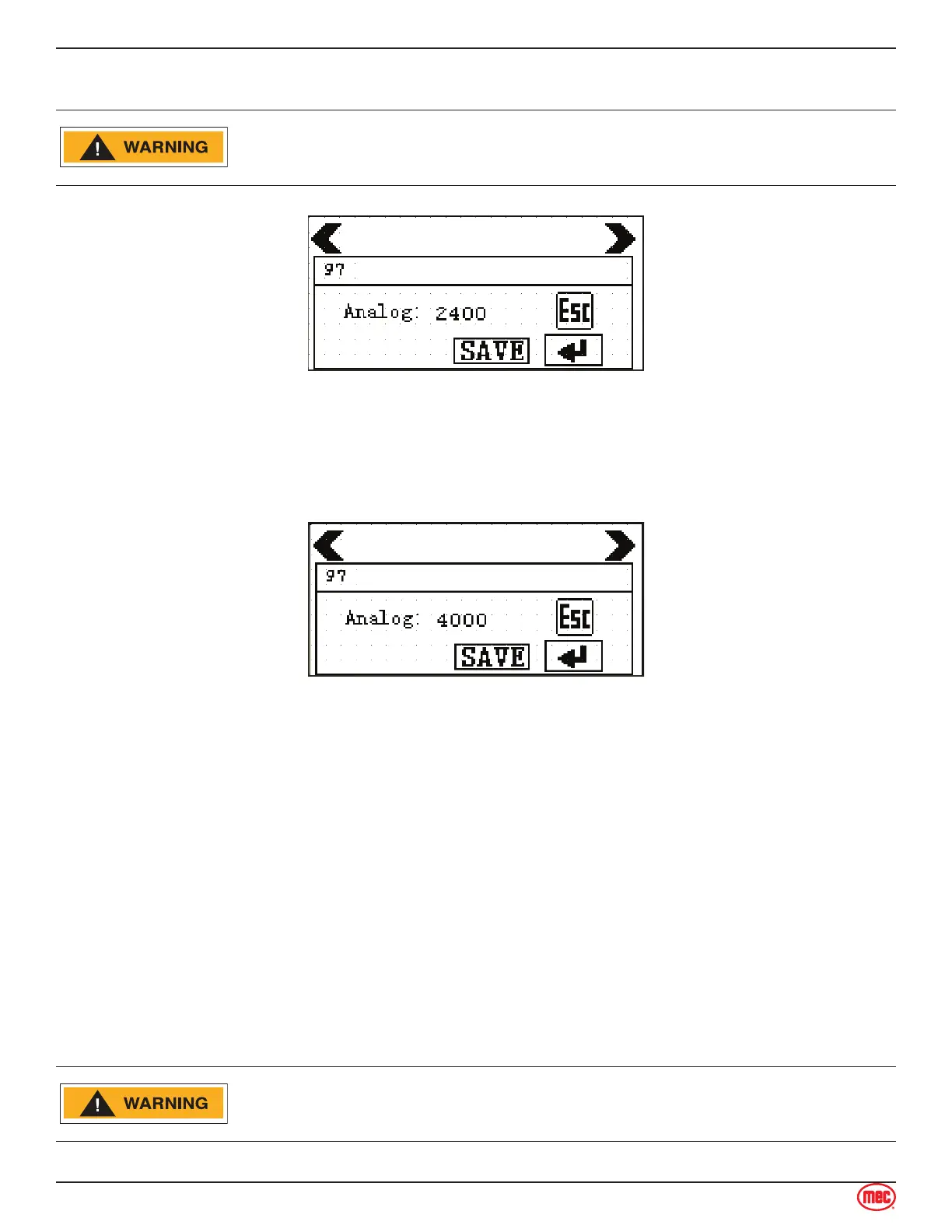
ART_5093
Lower Point Calibration
U
Lower the platform to the lowest stowed position.
Press Enter (arrow at lower right), press SAVE, then press the right arrow at the top to reach the
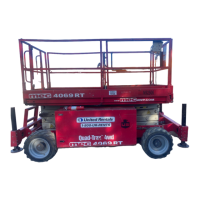
Upper Point Calibration screen.
Raise the platform to the completely elevated position.
Press Enter (arrow at lower right), then press SAVE.
This procedure is finished. Turn the Key Switch to the OFF position, then to either Platform or Base
positions to return to normal operation.
Tilt Calibration
The Tilt Sensor is integrated with the Control Module. Perform the Tilt Calibration on a flat, level
surface.
Press the left and right arrows at the top of this screen to change between the X Axis and Y Axis
screens. The X Axis is the machine’s fore-and-aft axis. The Y Axis is the machine’s side-to-side axis.
ALL SYSTEM SAFETY FEATURES ARE DISABLED WHEN IN
CALIBRATION MODE. NORMAL FUNCTION RETURNS UPON EXIT.



 To Next Page