Cleaning and Disinfection
28
cleaning mode for this device.
Cleaning procedure:
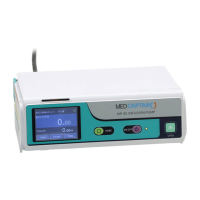
1. Completely immerse a piece of soft medical gauze in neutral or slightly alkaline detergent
solution, wring out the gauze, and then use the gauze to wipe the device surface.
2. Wipe all the surfaces of the device in sequence until all the contaminants are removed
from the device surface.
3. Ensure that all the edges and corners of the device are completely cleaned.
4. After the cleaning, use a piece of dry medical gauze to remove the residual detergent
solution.
The following table lists the detergents recommended for the device.
Table 6-1 recommended detergents
Soapy water (pH value: 7.0~10.5)
7.3 Disinfection
WARNING:
Do not immerse the device in the disinfectant solution.
Prevent the solution from seeping into the device.
Use the disinfectant according to its operation manual.
Do not autoclave the device.
Only manual disinfection is allowed to be adopted for this device. Do not adopt the automatic
disinfection mode for this device.
Disinfection procedure:
1. Before the disinfection, clean the device according to the method provided in section 9.2.
2. Completely immerse a piece of soft medical gauze in the intermediate-efficiency or high-
efficiency disinfectant solution, wring out the gauze, and then use the gauze to wipe the
device surface.



 To Next Page