Disassembly and Assembly
47
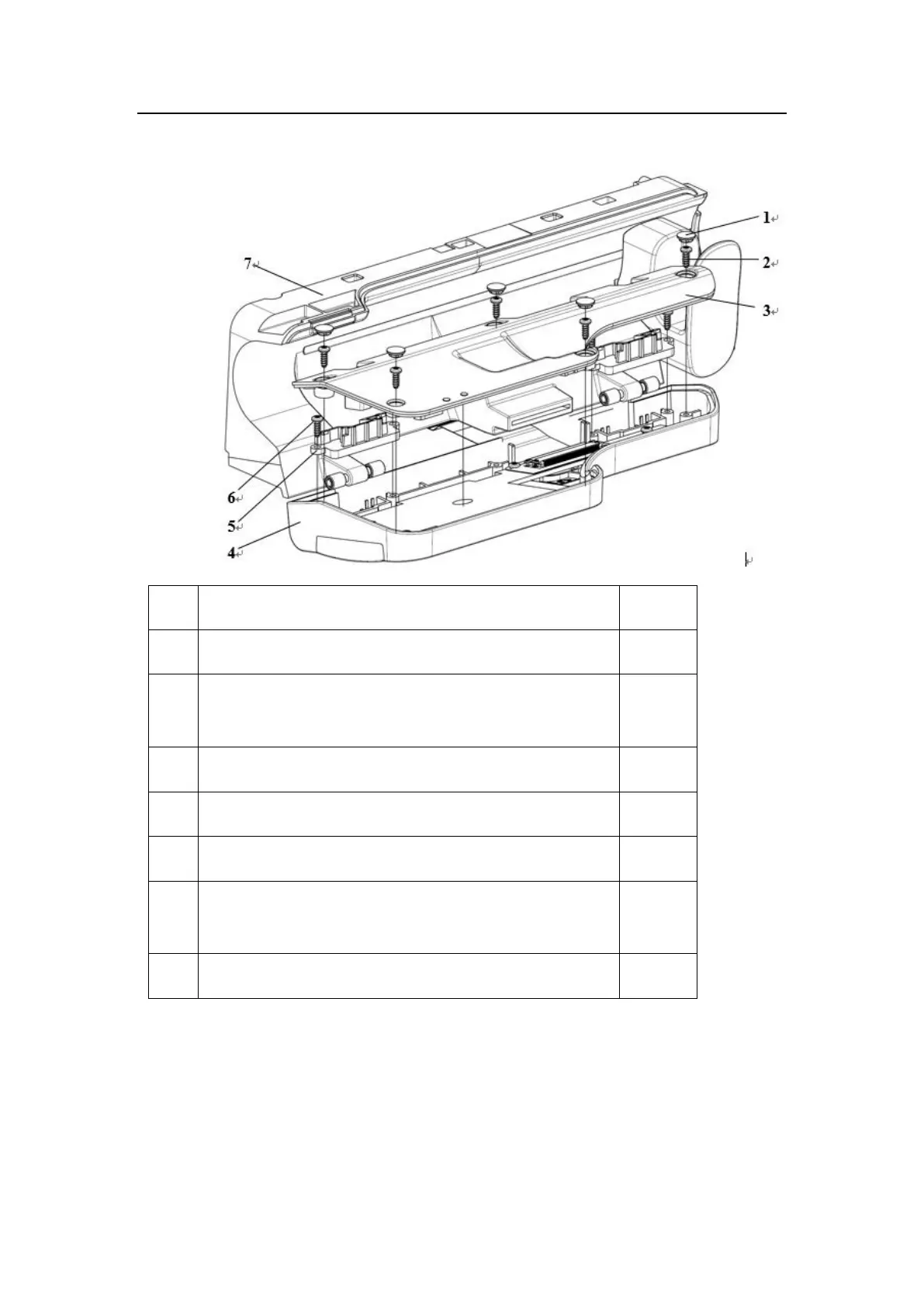
10.7 Dismantling the Pump Door Assembly and Middle Plate Assembly
HP-30 pump door hole plug
PT2.3*6 cross recessed pan head drilling PT thread pressping
screw
HP-30 pump door cover plate
HP-30 door spindle pressing plate
PT2.3*6 cross recessed pan head drilling PT thread pressping
screw
HP-30 middle plate assembly
1) Remove the five HP-30 pump door hole plugs (1).
2) Screw out the five pressping screws (2), and lift the pump door cover plate (3) upwards to
take down it.
3) Remove the four pressping screws (6), and lift the two door spindle pressing plates (5)
upwards to take down them.



 To Next Page