1. Press the [ tempo + ] or [ tempo - ] buttons. D
[ tempo + ] or [ tempo - ] buttons to increase or
decrease the tempo. (Tempo value in the range of 30 to 280)
*
isplay shows
the current tempo value.
2. Press the
Holding down either a [ tempo +] or [ tempo - ] buttons to
change the setting in a high speed.
* Press [ tempo + ] and [ tempo - ] buttons at the same time
to reset the tempo to default value.
Note: About 2 seconds after you stop pressing the [Tempo]
button, display changes to show your selected song, voice
or kit number instead of tempo value.
Adjust the song's tempo
tempo
Tap tempo functionSong source
Tap tempo function
1. Press [ drum off ] button. The drum off indicator lights.
The drum mute function is active.
2. Press [ start/stop ] button to playback the song. The drum part
in the song will be muted.
3. To cancel the drum mute function, press [ drum off ] button
again. The drum off indicator light goes off.
* The drum mute function can be used during song playing.
Mute a drum part
Drum off indicator
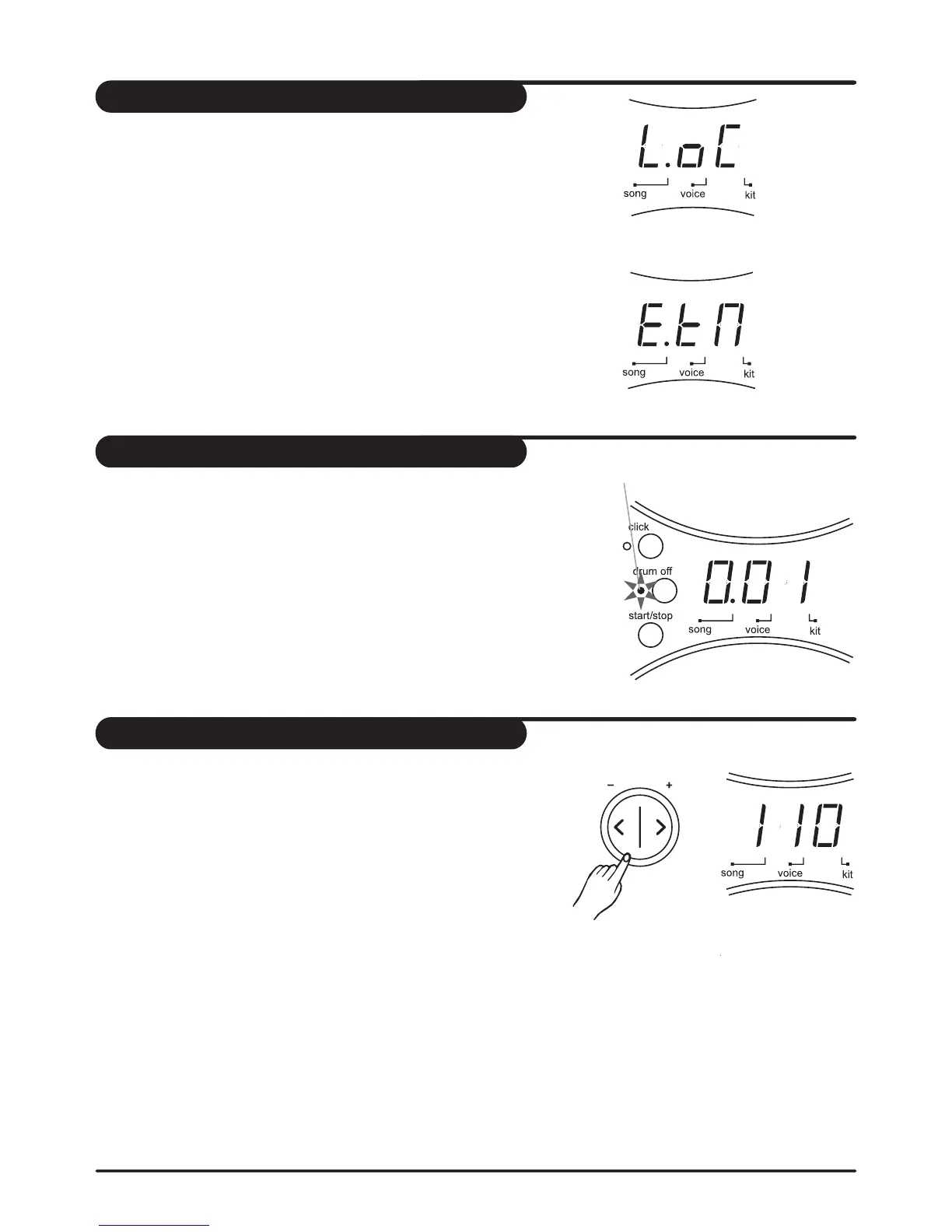
Local machine
External sequencer
In song source selection page, the LED will show the current
selected song source. There're two choices: local machine (50
song included, default setting) or external sequencer. Song
playing and metronome clicking will be stopped immediately
when song source switching.
1. Press [ + ] and [ - ] buttons to select the song source. Song
playing will stop immediately when switching song source.
2. When external sequencer is selected, press [ start/stop ] button
to start or stop the external sequencer.
Note: If external sequencer is selected as current song source, the
menu pages of song number, accompaniment volume and drums
volume will be not selectable.
12



 To Next Page