Create a User Drum Kit
The unit comes with 307 high quality percussion sounds that you
can assign to any of the drum pad, 3 cymbals, hi-hat control and
bass drum. This way you can create your own drum kit that
consists of the voice you want. (Reference voice list : page 20)
The kit number 021-050 is use for saving your own drum kit.
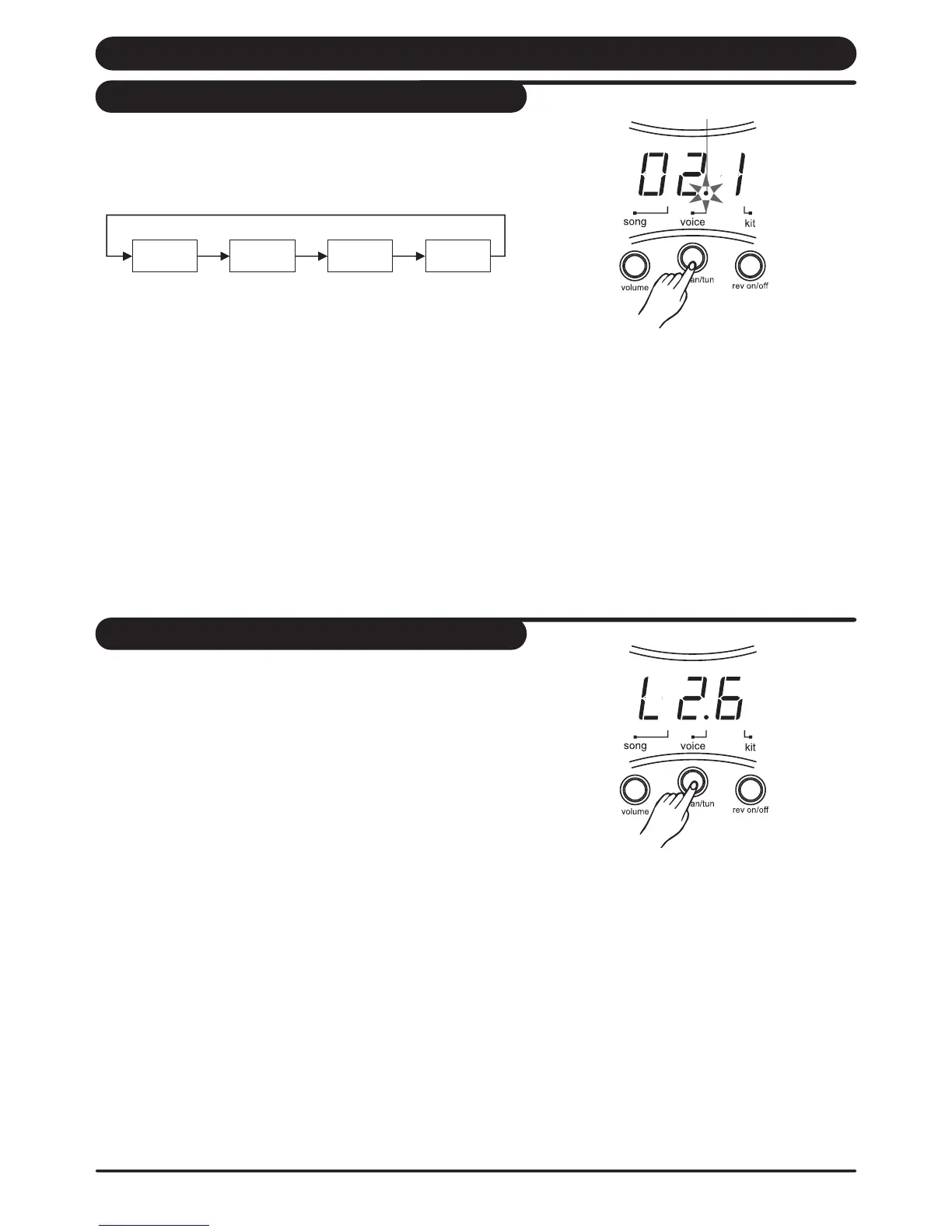
1. Press [ voice ] button.
The voice indicator lights and the display shows the voice
number of this pad.
2. Press [ pad ] button or hit the pad you want to set. The pad
indicator light and display shows the current voice number
of lighting pad.
3. Press [ + ] or [ - ] buttons to select the voice number you want
to assign.
4. Repeat step 2 and 3 for to set the voice for another pad or
bass drum.
Note: When the snare pad is selected, press the [ rim ] button to
select the snare rim ( or strike the rim of the snare pad.)
When the cymbal pad (crash or ride) is selected, press the [ rim ]
button to select the edge shot.
Set a drum voice
Voice indicator
This unit allows you to adjust the volume of every voices in
the kit that let you control the individual level (volume) of
the pads or bass drum.
1. Press the [ voice / volume ] button to select the volume
level setting display shows : " L XX".
(XX = level value, 00 to 32)
The pad button indicator lights and display shows the
current volume level of lighting pad.
2. Press the [ PAD ] button or kit the percussion pad you
want to adjust.
3. Press the [ + ] or [ - ] buttons to increase or decrease the
volume. While you are adjusting, hit the corresponding pad
and listen carefully the sound level until reaching the level
you want.
4. Repeat step 2 and 3 to adjust the volume of other pad
voices.
Adjust the volume of the pad
Voice
Number
Volume Pan Tuning
14



 To Next Page