Song
DUAL
SPLIT
TOUCH
RECORD
A.B.C.
FILLA
FILLB
MELODYOFF
TEMPOVELMEASUREBEAT
MEMORY
TICKO.TS.
DSP
card
DUAL
SPLIT
TOUCH
RECORD
A.B.C.
FILLA
FILLB
MELODYOFF
TEMPOVELMEASUREBEAT
MEMORY
TICKO.TS.
DSP
card
29
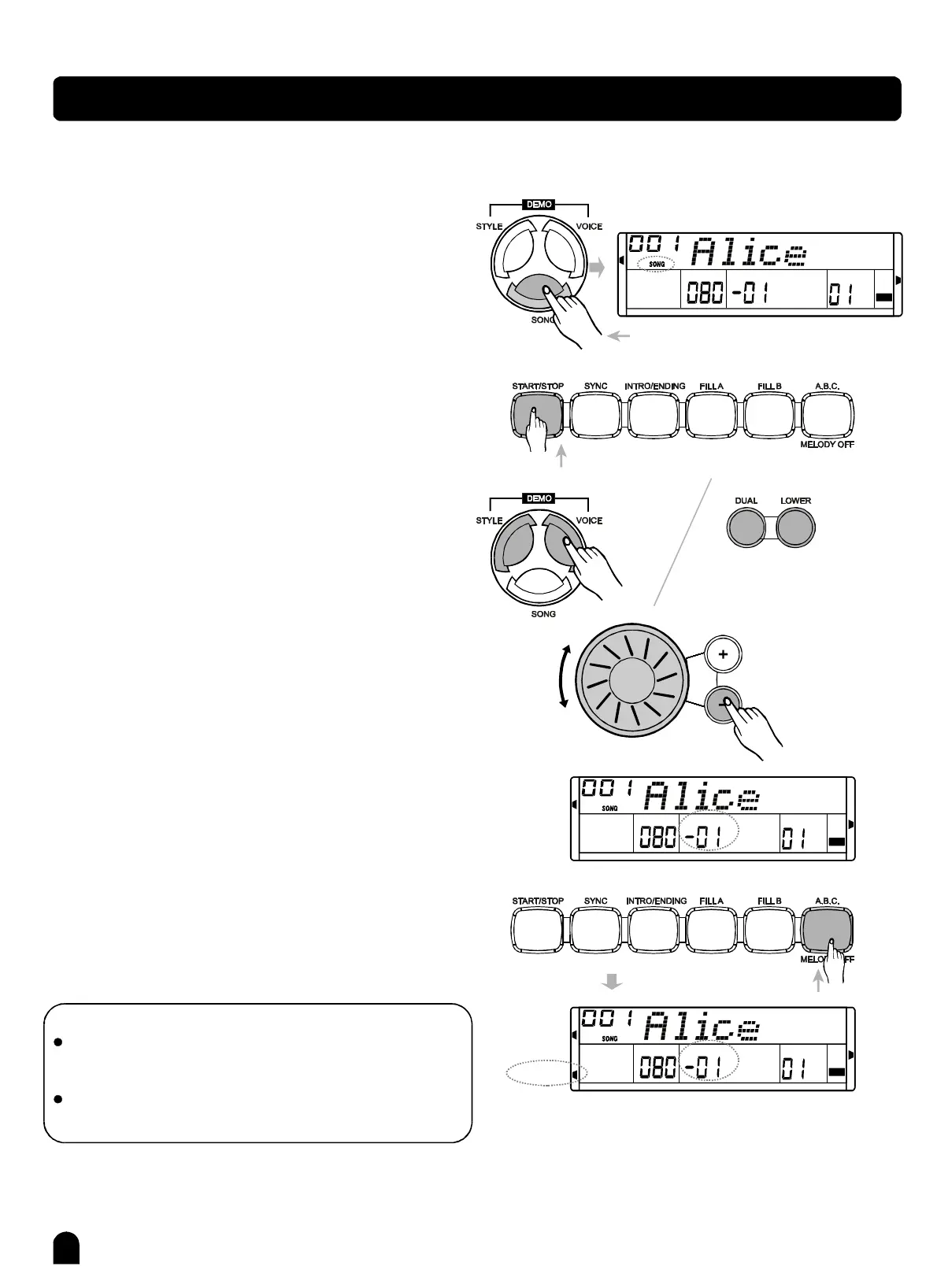
Thepianohas60songswithMELODYOFF
function,whichallowsyoutolistentothe
Songplaybackwithoutthemelody,useful
foryoutoplaywiththesong.
Press[SONG]toentersongmode,theflagofsonglitup
ontheLCD.
Press[START/STOP]toplaysong,press[START/STOP]
againtostopsongplaying.
Whenyoustopthesongplay,press[STYLE],[VOICE],
[DUAL]or[LOWER]toexitsongmode.
Press[]/[]ordialtoselectsongnumber,thename
ofsongwillappearontheLCD.
Thesongstartstoplaywithitsownintroductorybeat
whichmeasureisfromnegativevalueto001.
WheninSONGmode,press[MELODYOFF]couldturn
on/offthemainmelodyofthesong.
+-
TEMPOVELMEASUREBEAT
MEMORY
TICKO.TS.
DSP
card
Start/Stopsongplaying
Turnon/offthemainmelody
Entersongmode
NOTE:
Whenstartplayingthesongwith[SONG],itwillplay
allofthesongsincircle.
Ifyouplaythesongbypressing[START/STOP],itwill
playthecurrentsongrepeatedly.
1、
3、
4、
5、
6、
2、
PDF 文件使用 "pdfFactory Pro" 试用版本创建 www.fineprint.com.cn



 To Next Page