12
Voices and Effects
2.
2.
3.
3.
1.
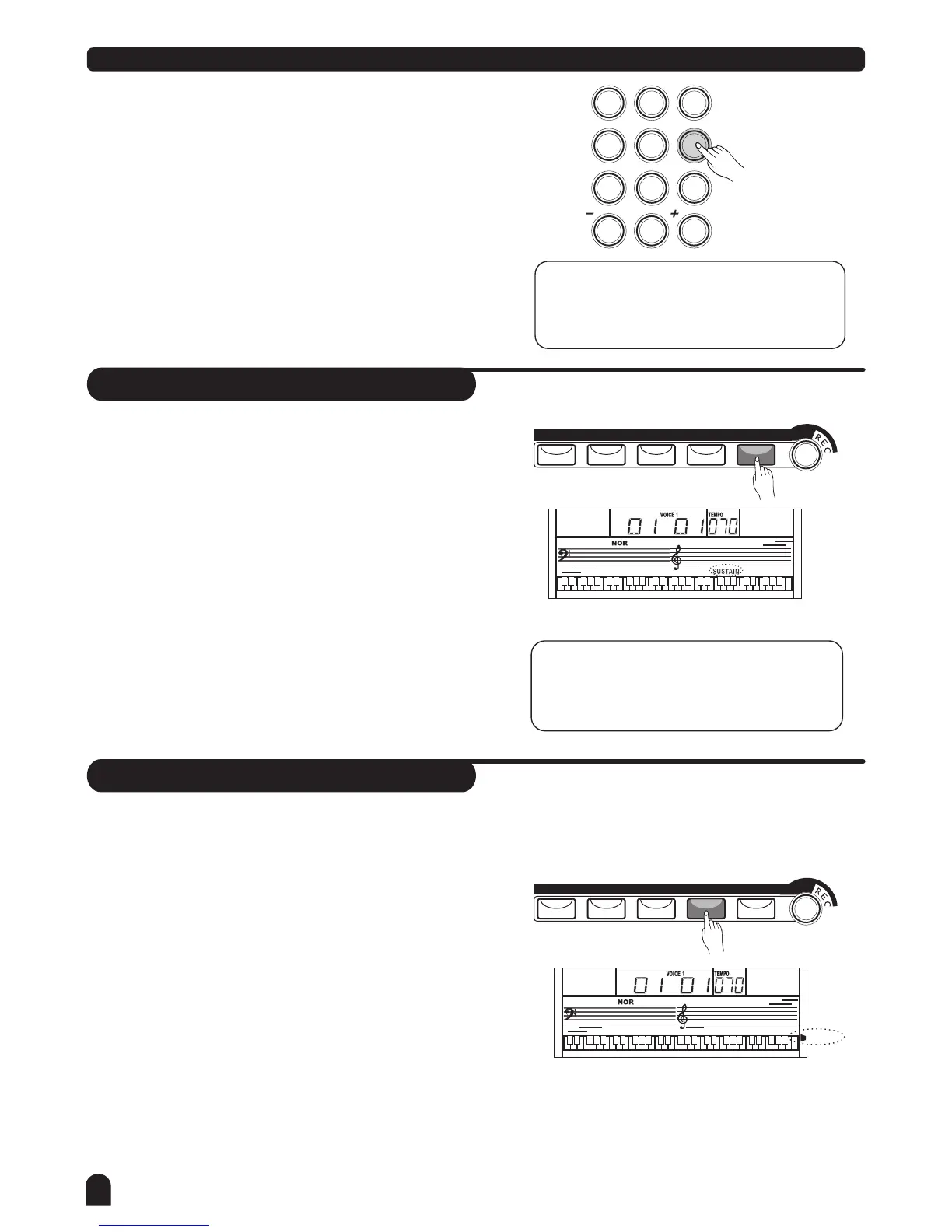
Press [+/YES] / [-/NO] button or numeric keypad to
select your desired voice. The default DUAL VOICE
number is NO.50 Strings2.
Press [DUAL] button again to turn off the DUAL VOICE.
VOICE 2 will be disabled, the notes you play will return
to the single voice of VOICE 1.
Press [SUSTAIN] button to activate the sustain effect.
LCD lights the SUSTAIN flag. The keyboard will be played
with a sustain effect.
Press [SUSTAIN] button again to eliminate the sustain
effect. The SUSTAIN flag will disappear.
Default sustain is disabled accordingly.
NOTE:
split point on keyboard has dual voice.
In DUAL VOICE status, only section above
NOTE:
When you step on the sustain pedal, the
sustain effect will be stronger than the
effect produced by the [SUSTAIN] button.
Sustain
This function helps you to get a voice with a
sustained effect, while playing the keyboard.
METRO
METRO
PIANO
PIANO
DUAL
DUAL
TOUCH
TOUCH
SUSTAIN
SUSTAIN
Touch
This function allows you to turn on the dynamic
level while playing the keyboard.
Press [TOUCH] button to turn off the touch response
function. LCD will eliminate the TOUCH flag, it means
touch response is disabled.
Press [TOUCH] button again to turn on the touch
response effect. LCD lights up the TOUCH flag.
Default touch is activated.
To experience the effect, play any note on the keyboard
after you turn this function on.
1.
2.
3.
4.
LESSON 1
LESSON 2
LESSON 3
A.B.C.
O.T.S.
M1
M3
M2
M4
RIGHT
LEFT
DUAL
TOUCH
NO
YES
4
7
2
5
8
0
3
6
9
1



 To Next Page