28
MIDI Function
What is MIDI
USB Connection
MIDI stands for Musical Instrument Digital Interface
that is the standard interface between a PC and other
electronic instrument(s).
USB connection can be used for midi data transference
with a computer or other USB host devices that support
USB audio devices.
The keyboard can only be connected to the PC.
Use the keyboard as a tone generator, the data (MIDI)
recorded on the PC can be played on the keyboard.
" ",
1.
System Requirements
CPU: 300 MHz or higher, Pentium 2
Memory: 64MB or more
Driver: CDROM 24X
OS: WINDOWS 2000/XP
1.
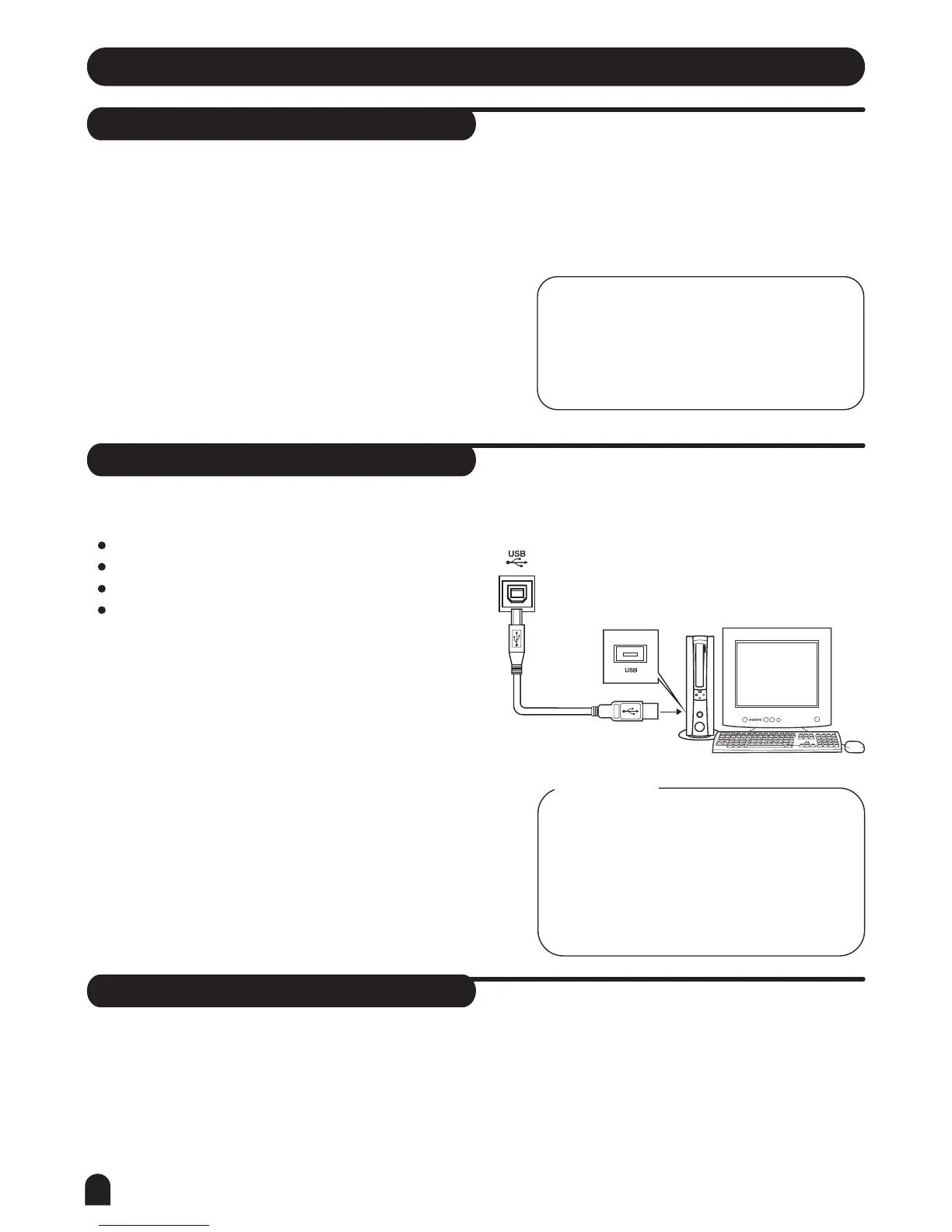
The Method of Connection
Connect a standard USB cable between the rear-panel
of the USB jack of this instrument and the USB jack
of your computer (USB cable will be sold separately).
2.
USB Precautions
Please observe the following precautions while conne-
cting the instrument with the a computer via a USB
cable.Failure to do, so can cause the instrument and/or
the computer to hang up(freeze), possibly causing
corruption or losing the data.
If the instrument or computer hangs up, turn the
power of both devices off and then turn it on again
after a few seconds.
3.
2.
3.
4.
NOTE:
While a recorded data and a style are being
played, you can not use the MIDI IN function,
or the song you are playing will have an error
occurs for the same channel.
Activate the computer from a sleep/suspended/
standby mode before connecting the USB cable.
Connect the USB cable to the instrument and
a computer before turning the power of the
instrument on.
CAUTIONS!
MIDI Application
PC recorded data (MIDI) can be played on the keyboard.
In order to transfer songs between your computer and
the keyboard, you will need to install other applications.
You need not to install the USB Driver for WINDOWS
2000/XP.
1.
2.
3.



 To Next Page