21
Record
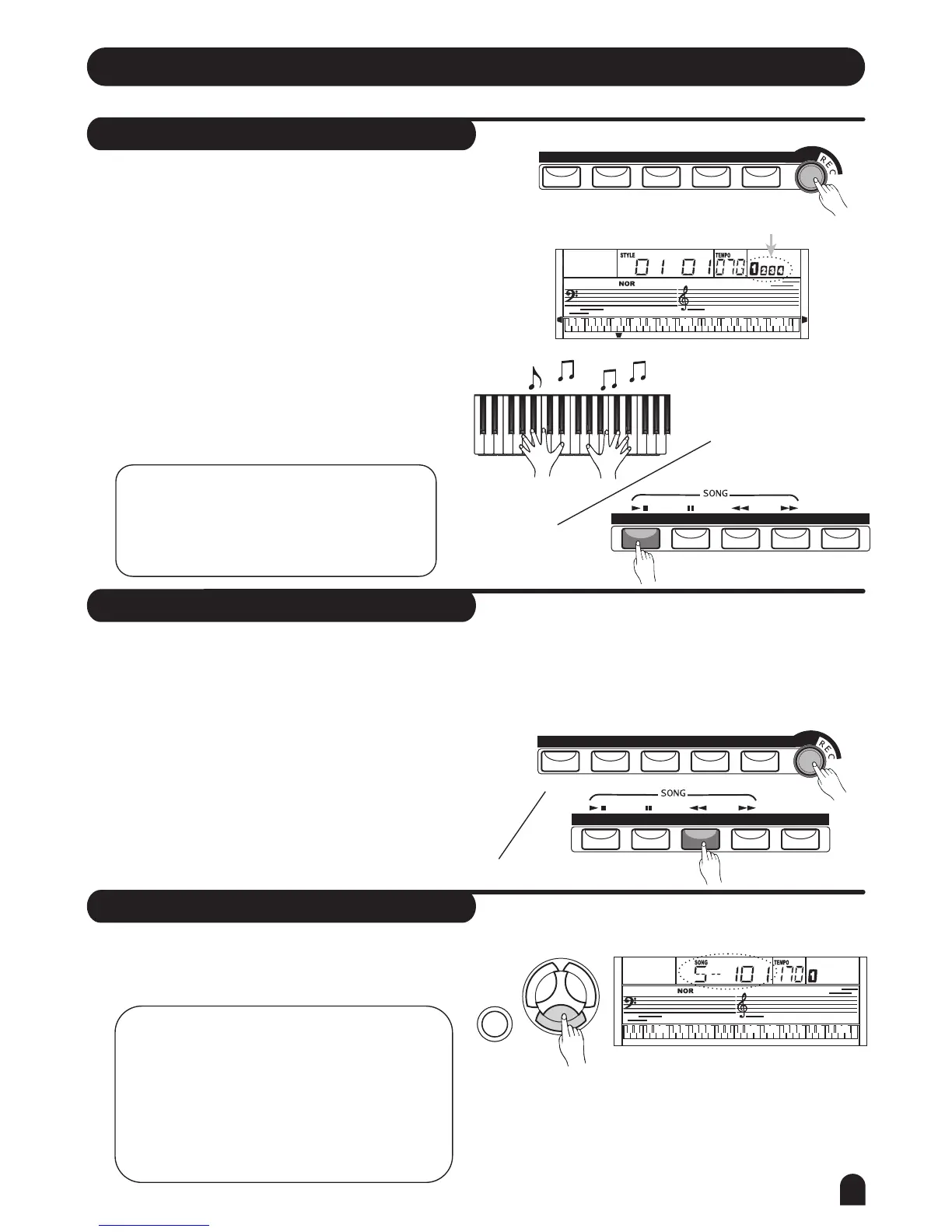
Start Recording
Stop Recording
Playback the Recording
Press the [RECORD] button, the four-beat on the LCD
will flash simultaneity, indicating the "record waiting
status".
A voice, style and memory can be selected in this status.
The ACCOMP track and MELODY track can be recorded
together.
After all the settings in the "record waiting status"
have been selected, play the keyboard (the chord area
when recording ACCOMP) or press the [START/STOP]
button; it will start recording and the beat will be
displayed according to the current tempo.
STOP AUTOMATICALLY
While recording, once the capability is full, the recording
will be stopped automatically. "FULL" will be displayed
on the LCD.
1.
1.
2.
2.
Press [SONG] button, use numeric keypads or the
[+/YES] / [-/NO] button to select the 101songs.
The recorded data will be played.
STOP MANUALLY
Press [RECORD] button again to stop the recording
immediately.
When a style is playing, press the [INTRO/END] button,
it will stop recording automatically after "ending".
NOTE:
the original data in the track will be
overwritten.
Once the recording of one track is started,
NOTE:
If you power off the keyboard, the recorded
data would be erased.
If you would like to quit the recorded song
play mode, you could use numeric keypads or
the [+/YES] / [-/NO] button to choose other
songs.
Then it will enter to song mode automatically.
METRO
METRO
PIANO
PIANO
DUAL
DUAL
TOUCH
TOUCH
SUSTAIN
SUSTAIN
Flash simultaneously
LESSON 1
LESSON 2
LESSON 3
A.B.C.
O.T.S.
M1
M3
M2
M4
RIGHT
LEFT
DUAL
TOUCH
START/STOPSTYLE SYNC INTRO/END MAIN/FILL A.B.C.
START/STOPSTYLE SYNC INTRO/END MAIN/FILL A.B.C.
VOICE
STYLE
SONG
DEMO



 To Next Page