13
Voices and Effects
Metronome
Piano
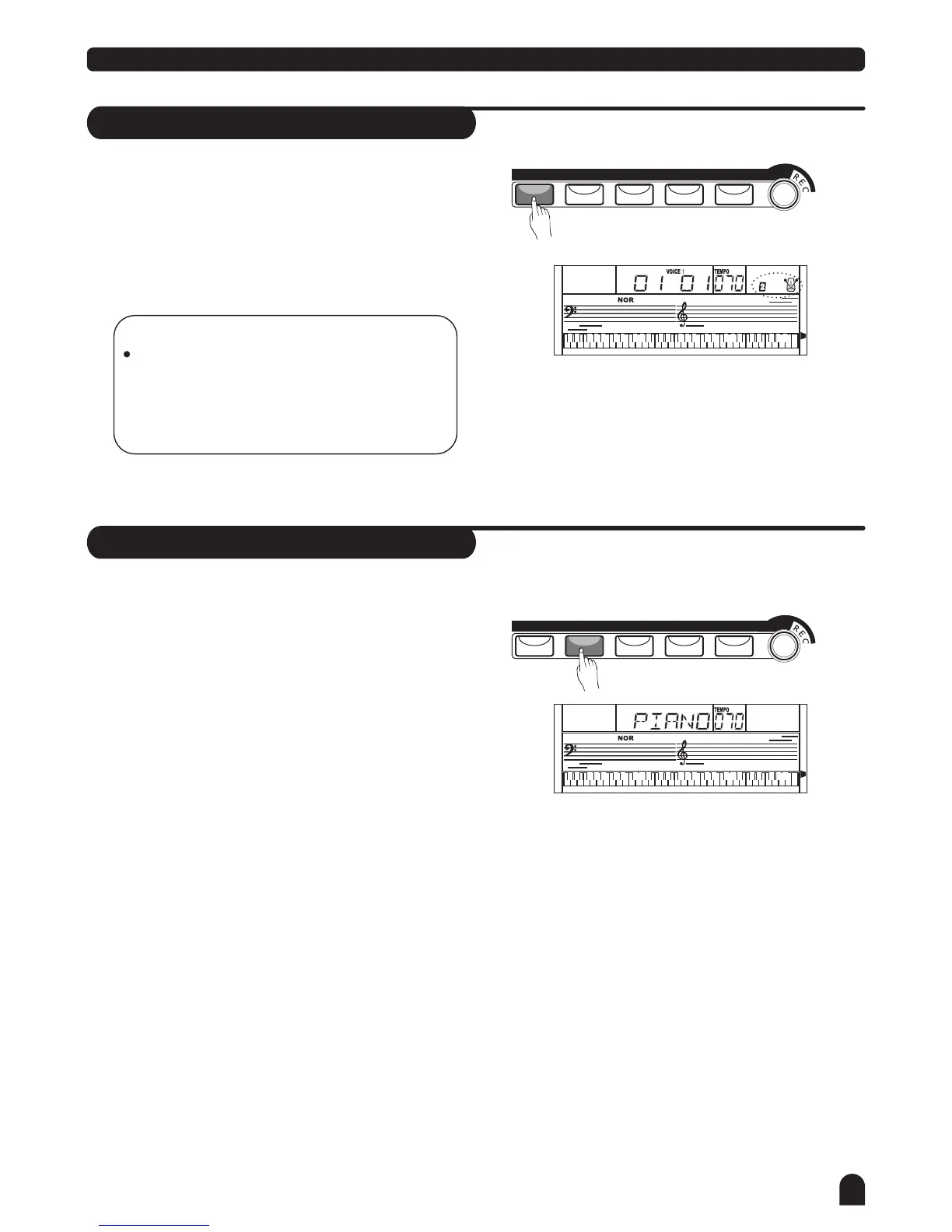
Press [METRO] button to enable to the metronome.
Press [METRO] button again to disable it.
Metronome could not be played in SONG/CHORD DICT
mode.
Press [PIANO] button to enter to the piano mode.
The LCD displays PIANO, and the voice changes
to piano immediately. In this mode, A.B.C. will be
disabled.
Press [PIANO] button again to exit the PIANO mode.
If any of the [FUNCTION] / [DEMO] / [VOICE] / [SONG] /
[STYLE] buttons has been pressed to recall the memory
the piano mode will be quit.
LESSON 1
LESSON 1
LESSON 2
LESSON 2
LESSON 3
LESSON 3
A.B.C.
A.B.C.
O.T.S.
O.T.S.
M1
M1
M3
M3
M2
M2
M4
M4
RIGHT
RIGHT
LEFT
LEFT
DUAL
DUAL
TOUCH
TOUCH
NOTE:
Metronome can be played along with the tempo
as accompaniment whenever you turn on a
style.
Metronome could be played in the recording
mode, but it would not be recorded.
METRO
METRO
PIANO
PIANO
DUAL
DUAL
TOUCH
TOUCH
SUSTAIN
SUSTAIN
2.
2.
3.
3.
1.
1.



 To Next Page