Function Menu
Split Point
Accomp Volume
Bank Select
MIDI IN
MIDI OUT
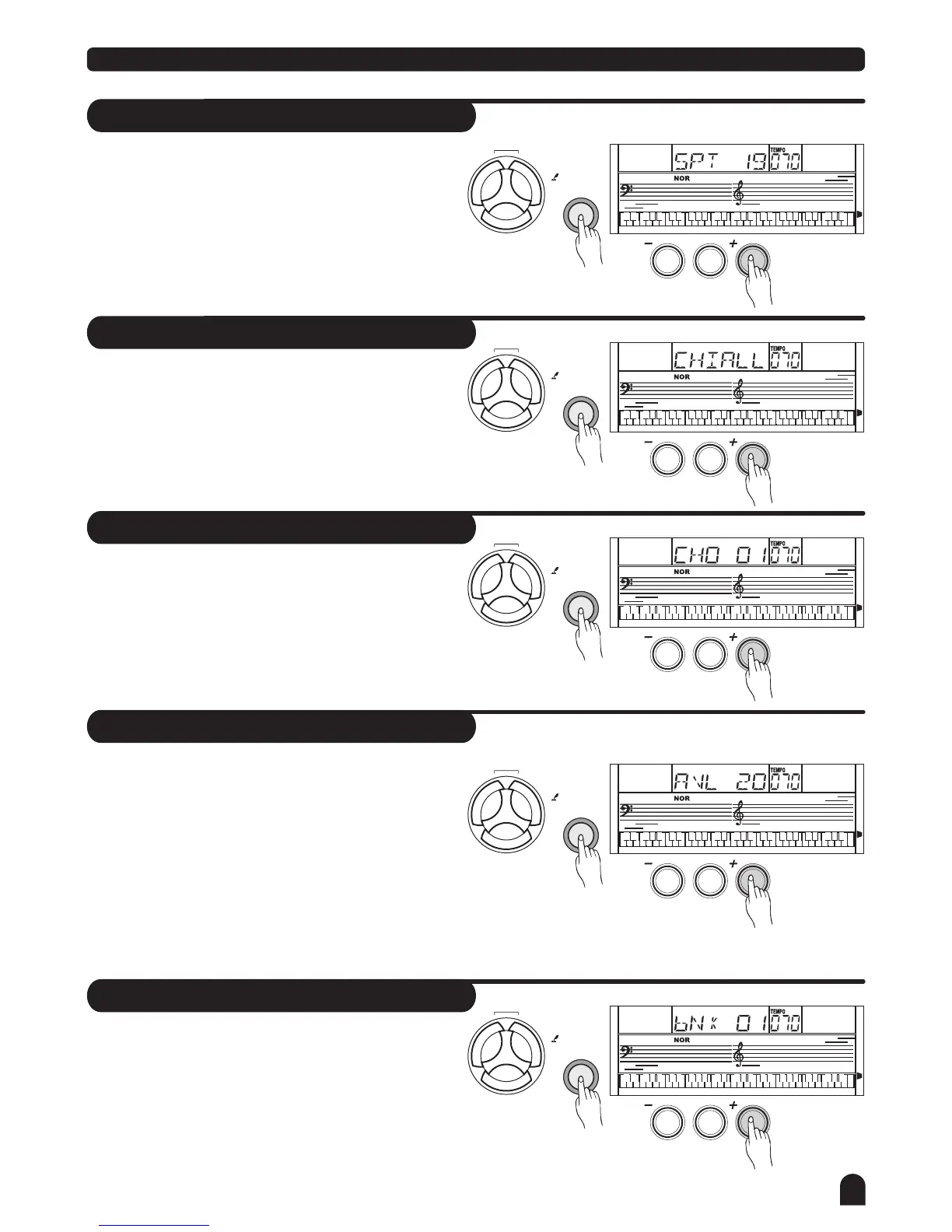
Press the [FUNCTION] button to enter SPLIT POINT
sub-menu. The LCD displays the current split point
value.
Use [+/YES] / [-/NO] to select the beat value. The
keyboard can be also used to change the split point.
The key of the split point is the part of the left area.
Press [FUNCTION] button to enter ACCOM VOLUME
sub-menu. The LCD displays the accomp volume
value ranges between 0 and 31.
(Default accomp volume value is 20)
Use [+/YES] / [-/NO] to select the accomp volume
value.
Press [+/YES] and [-/NO] together to turn off the
accomp volume value and LCD displays "ACC OFF".
Press [FUNCTION] button to enter BANK SELECT
sub-menu, the LCD display BNK 01.
The bank of the MIDI output sound could be adjusted
from 1-128.
RECEIVE can be used to set the channel of MIDI IN.
Channel 1-16 can be selected by pressing [+/YES] /
[-/NO] button.
The default setting is ALL.
TRANSMIT can be used to set the channel of MIDI
OUT.
Channel 1-16 can be selected by pressing [+/YES] /
[-/NO] button.
The default setting is 001.
LESSON
LESSON
LESSON
LESSON
LESSON
CHORD
DICT.
CHORD
DICT.
CHORD
DICT.
CHORD
DICT.
CHORD
DICT.
L & R
L & R
L & R
L & R
L & R
FUNCTION
FUNCTION
FUNCTION
FUNCTION
FUNCTION
NO
NO
NO
NO
NO
YES
YES
YES
YES
YES
0
0
0
0
0
23



 To Next Page