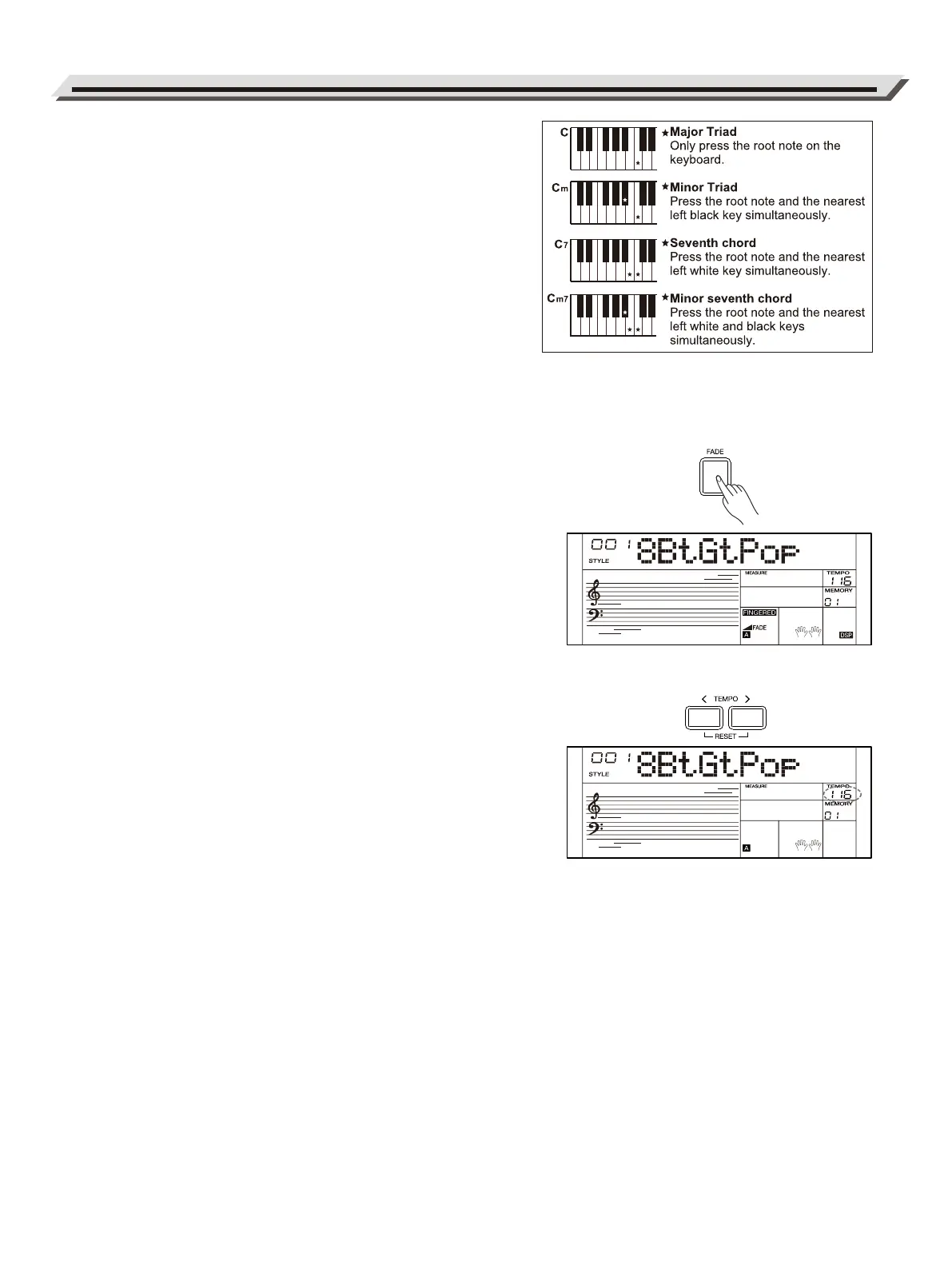
Single Finger
Single-finger makes it easy to produce major, seventh, minor and minor
seventh chords by pressing a minimum number of keys on the
auto accompaniment section.
Multi-finger
Multi-finger allows you to play chords in normal fingering. Try playing
the 32 types of C chords listed on the right.
Full Range
In Full Range mode, it detects chords played in normal fingering
(Multi-finger) over the entire keyboard range.
chord list详见Appendices
Fade
When style is stopped, press the [FADE] button to turn on the fade-in
function. The “FADE” indicator lights up on LCD. When style starts
playing, the volume will increase from low to high.
During style playback, press the [FADE] button to turn on the fade-out
function. The volume will decrease from high to low until the style is
stopped.
The default fade-in / fade-out time setting is 10 seconds. You can
change this time setting in the function menu.
Tempo
Press the [TEMPO </>] buttons to edit the tempo value. When the
tempo value is blinking on LCD, use the [TEMPO </>] buttons, [<] / [>]
buttons or the data dial to change the tempo value.
Press [TEMPO <] and [TEMPO >] at the same time to reset to the
default tempo.
Note:
When style playback is stopped, changing the style will automatically
reset the tempo. However, changing the style during style playback will
not result in tempo change.
14
Playing Style



 To Next Page