Note: Hold down both the [STORE] and [M1] buttons, then turn on
the power. This operation will reset the performance memory to
factory default setting.
To Register the Panel Settings
Hold down the [STORE] button, then press one of the [M1] - [M4]
buttons to save the current panel settings to that memory.
Note: This operation will overwrite the previous data.
To Recall a Panel Setting
Press one of the [M1] - [M4] buttons. It will recall the settings saved in
that memory. This will reset the related parameters on the control
panel.
Note: Performance memory cannot be recalled when Q.S. function is
in use.
To Select a Memory Bank
1. Press the [BANK] button. The LCD shows the current bank number.
2. Press this button repeatedly to select a desired bank number.
Performance Memory
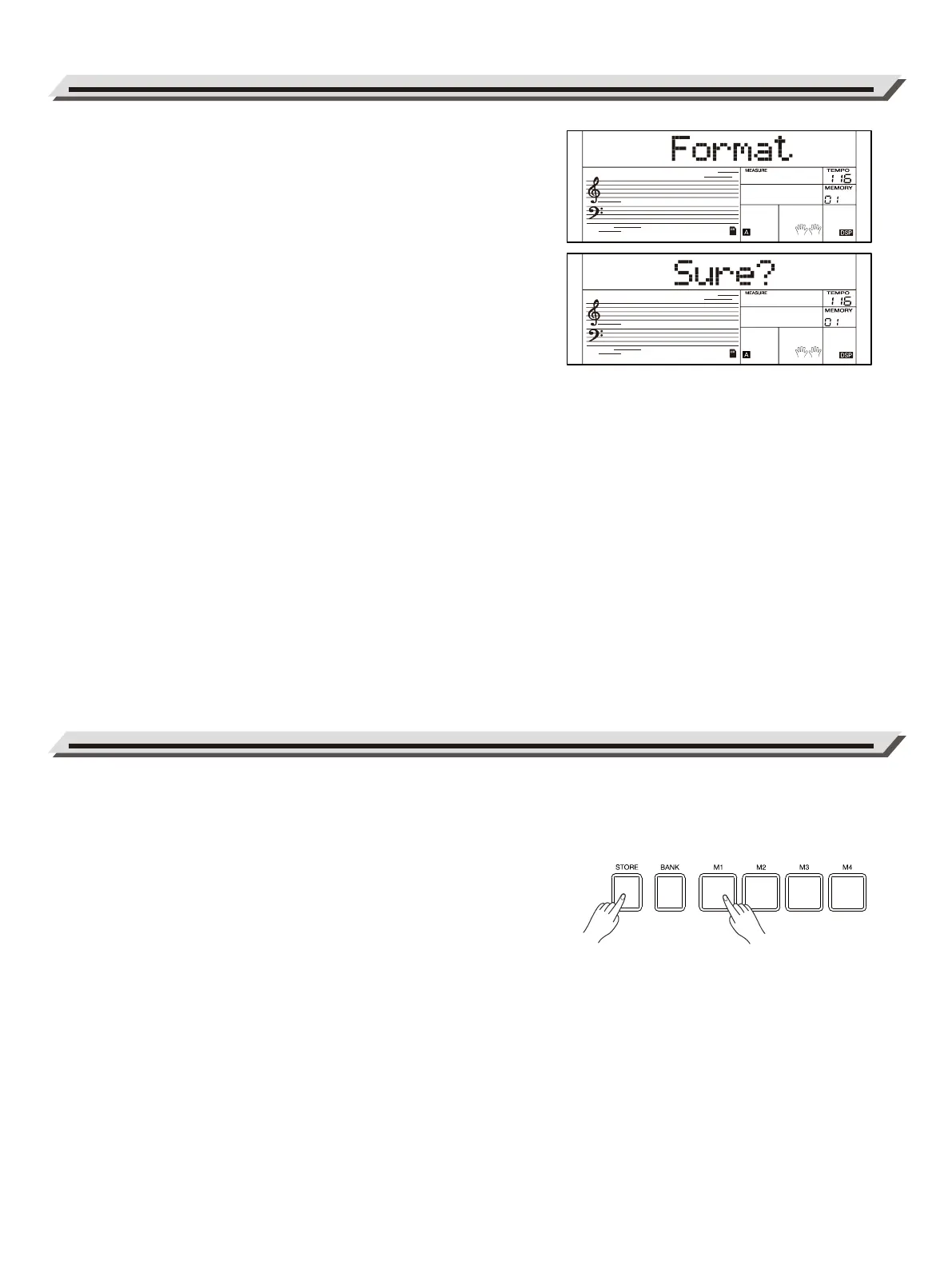
Formatting the SD Card
1. Press the [SD CARD] button to enter SD card mode, then use the
data dial to select “Format”.
2. Press the [>] button, and the LCD will prompt “Sure?” indicating it
will format this SD card.
3. Press the [>] button again to confirm formatting, or press [>] to
cancel formatting.
Note:
This operation will delete all data on the SD card. This data cannot be
recovered after formatting. Do not remove the SD card or turn off the
power during the formatting progress, otherwise, it may cause
damage to the SD card.
Connecting an SD Card
22



 To Next Page