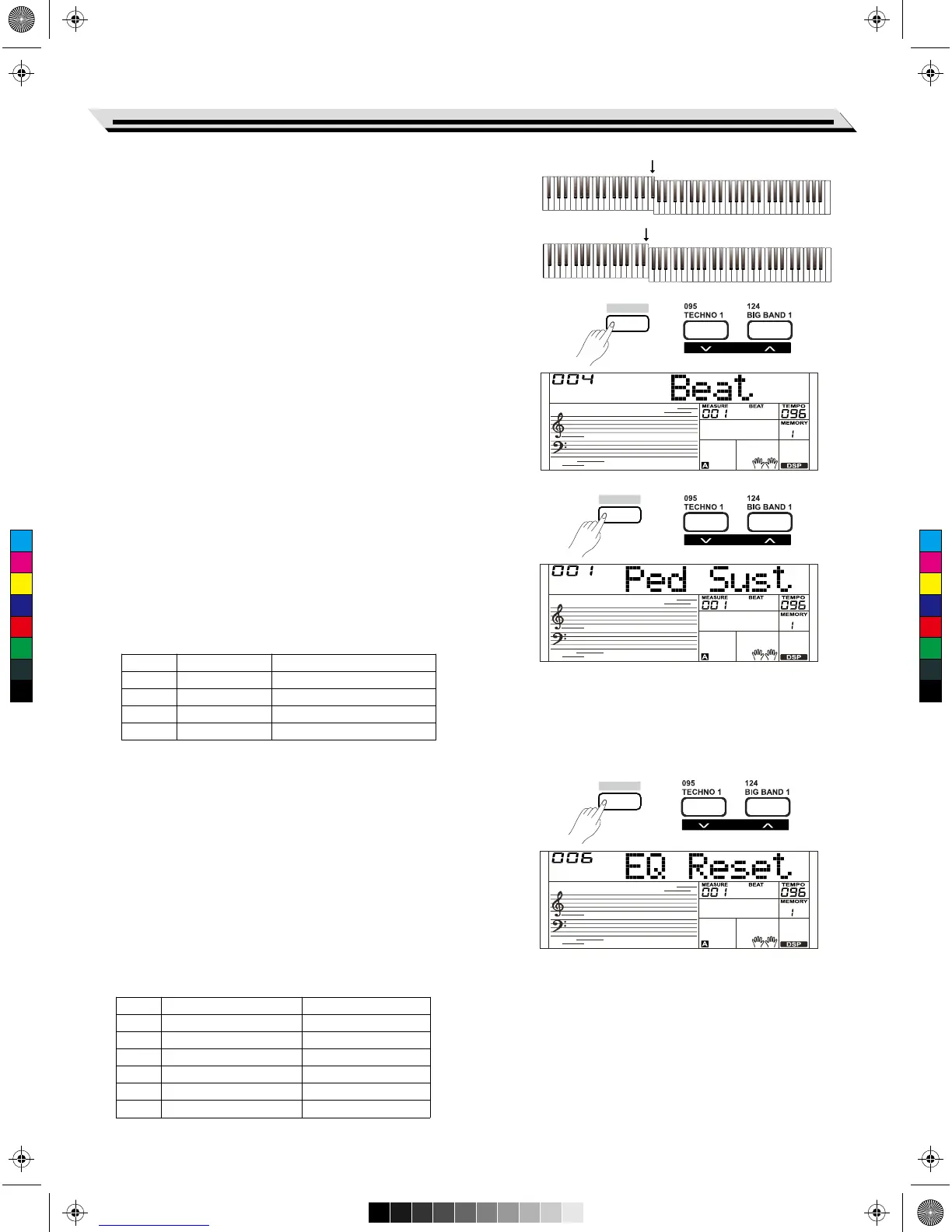
2. Press the[+/YES] and [-/NO] buttons simultaneously restore the split
point value to its default setting: F#3 (34).
3. In TWINOVA function, the adjustable range of split point is C3~C6
(28~64). Press the [+/YES] and [-/NO] buttons simultaneously
to restore the split point to its default setting: E3 (32).
Note:
The key of the split point belongs to the left hand.
Beat Type
1. Holding down the [SHIFT] button and press the [FUNCTION-] or
[FUNCTION+] button repeatedly to select beat type menu. The LCD
displays “***Beat”. Use the[+/YES]/ [-/NO] button or data dial to
change beat type. The adjustable range is: 0, 2~9.
2. Press the [+/YES] and [-/NO] buttons simultaneously to restore the
beat type value to its default setting: 004.
Pedal Type
1. Holding down the [SHIFT] button and press the [FUNCTION-] or
[FUNCTION+] button repeatedly to select pedal type menu. The LCD
displays “00x Ped xxxx”. Use the [+/YES] / [-/NO] button or data dial
to change pedal type.
2. Press the [+/YES] and [-/NO] buttons simultaneously restore the pedal
type to its default setting: 001 Pedal (Sust).
All pedal types are shown below:
EQ Type
Equalizer is a sound processor that can be used to adjust the gain
value of each frequency band of sound, different gain value settings can
make a different sound field effect. You can select one of the 6 preset
EQ settings in the EQ display.
1. Holding down the [SHIFT] button and press the [FUNCTION-] or
[FUNCTION+] button repeatedly to select the EQ type menu. The
LCD displays “001 EQ Pop ”. Use the [+/YES] / [-/NO] button or data
dial to change EQ type.
2. Press the [+/YES] and[-/NO] buttons simultaneously to restore the
EQ type to its default setting: 006 EQ Reset.
The EQ types are shown below:
Function Menu
25
No.
1
2
3
4
LCD
Ped Sust
Ped Soft
Ped St/T
Ped Mem
Pedal Function
Sustain Pedal
Soft Pedal
Start/Stop Pedal
Memory Switch Pedal
No.
1
2
3
4
5
6
LCD
EQ Pop
EQ Rock
EQ Class
EQ Jazz
EQ Dance
EQ Reset
EQ Type
Pop
Rock
Classical
Jazz
Dance
Reset
SHIFT
SHIFT
SHIFT
F#3
E3
FUNCTION
FUNCTION
FUNCTION
C
M
Y
CM
MY
CY
CMY
K
AW_SP4200_Manual_G05_150723.ai 25 2015/7/23 11:23:04AW_SP4200_Manual_G05_150723.ai 25 2015/7/23 11:23:04



 To Next Page