Connecting a USB Device
37
Format
Press the [USB] button to enter USB Storage mode, use data dial to
Choose “Format”. Press [+/YES] to format the USB Storage Device, the
LCD displays” Sure?” .Press [+/YES] to format the USB Storage, press
[-/NO] to cancel.
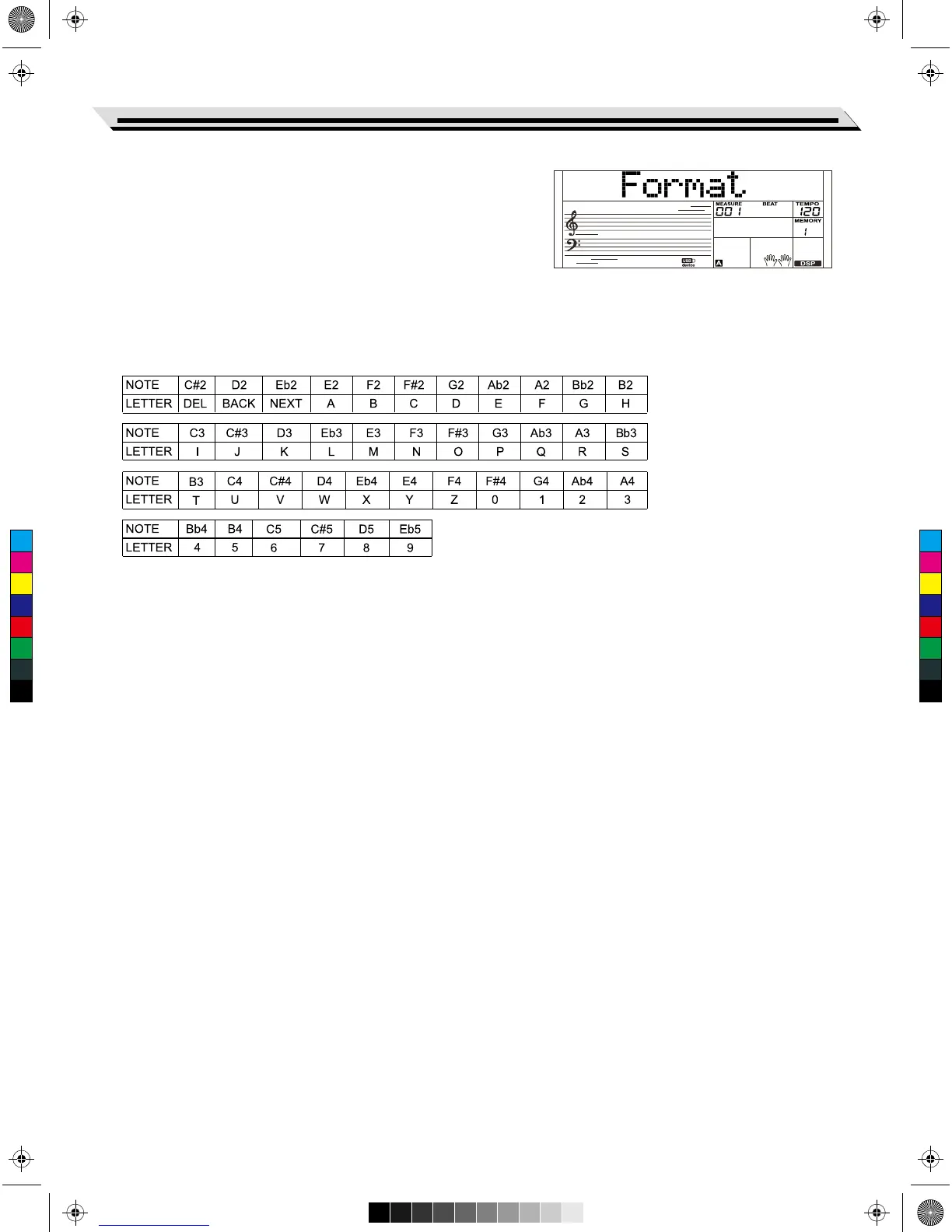
Keyboard and ASCII Character Relative
Table:
C
M
Y
CM
MY
CY
CMY
K
AW_SP4200_Manual_G05_150723.ai 37 2015/7/23 11:23:07AW_SP4200_Manual_G05_150723.ai 37 2015/7/23 11:23:07



 To Next Page