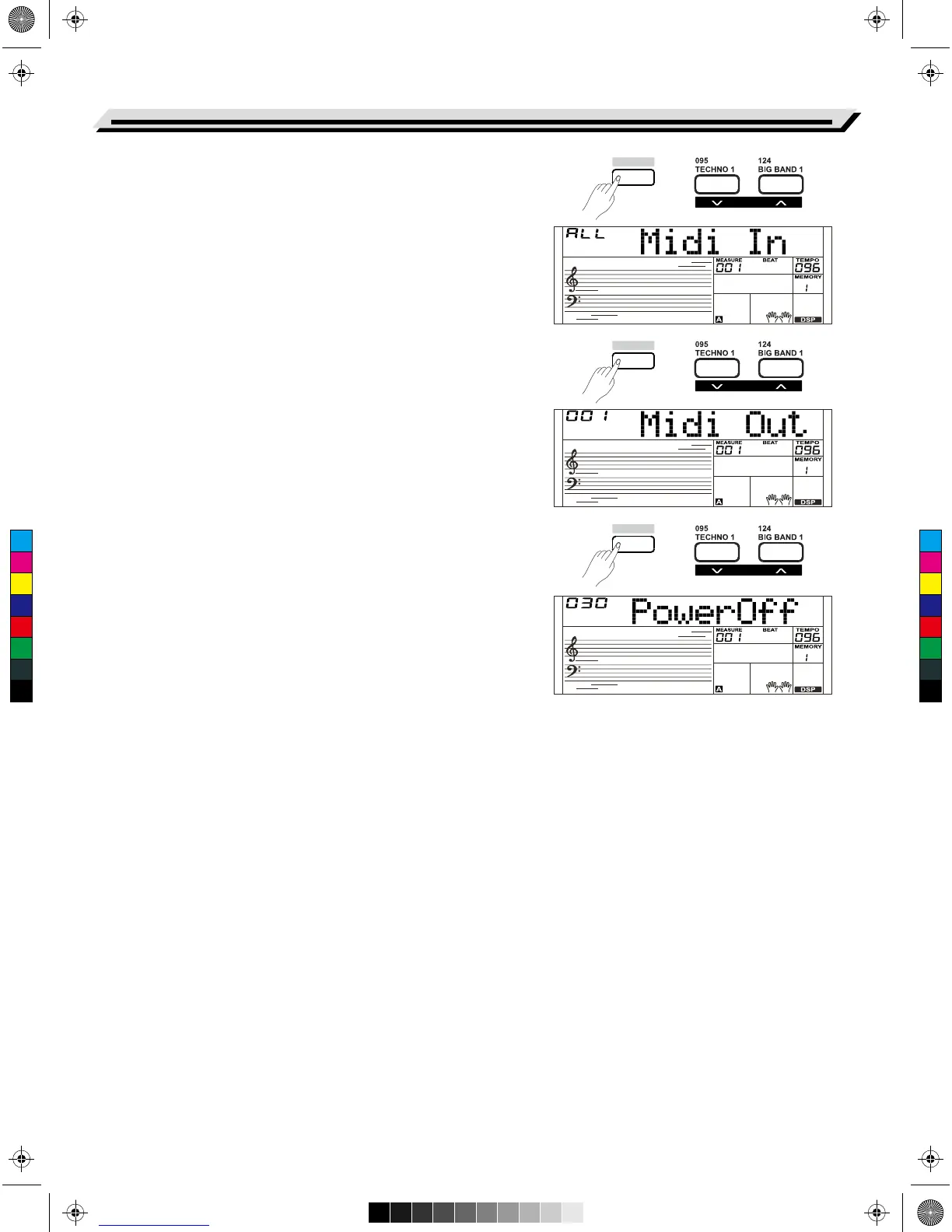
MIDI IN
1. Holding down the [SHIFT] button and press the [FUNCTION-] or
[FUNCTION+] button to select the MIDI In menu. The LCD displays
“*** Midi In”. Use the[+/YES]/ [-/NO] button or data dial to adjust
MIDI in channel: 1~16, ALL.
2. Press the[+/YES] and [-/NO] buttons simultaneously to restore the
MIDI In channel to its default setting: ALL.
MIDI OUT
1. Holding down the [SHIFT] button and press the [FUNCTION-] or
[FUNCTION+] button repeatedly to select MIDI Out menu.
The LCD displays “*** MIDI Out”. Use the[+/YES]/ [-/NO] button or
data dial to adjust MIDI Out channel: 1~16.
2. Press the [+/YES] and [-/NO] buttons simultaneously to restore the
MIDI out channel to its default setting: 001.
Auto Power Off
This function is used to set the auto power off time.
1. Holding down the [SHIFT] button and press the [FUNCTION-] or
[FUNCTION+] button repeatedly to enter the auto power off menu.
The LCD displays “*** Power Off”. Use the [+/YES]/ [-/NO] button or
data dial to change auto power off time: 30 minutes, 60minutes or
OFF.
2. Press the[+/YES] and [-/NO] buttons simultaneously to restore the
auto power off time to its default setting: 030(30 minutes).
Function Menu
28
SHIFT
SHIFT
SHIFT
FUNCTION
FUNCTION
FUNCTION
C
M
Y
CM
MY
CY
CMY
K
AW_SP4200_Manual_G05_150723.ai 28 2015/7/23 11:23:04AW_SP4200_Manual_G05_150723.ai 28 2015/7/23 11:23:04



 To Next Page