M1 M2 M3 M4 M5 M6
MELODY 1 MELODY 2 MELODY 3 MELODY 4 MELODY 5
O.T.S.
STORE
ACCOMP
This instrument has a Registration Memory feature that lets you save
your favorite settings for easy recall whenever they are needed
Registering the Panel Setting
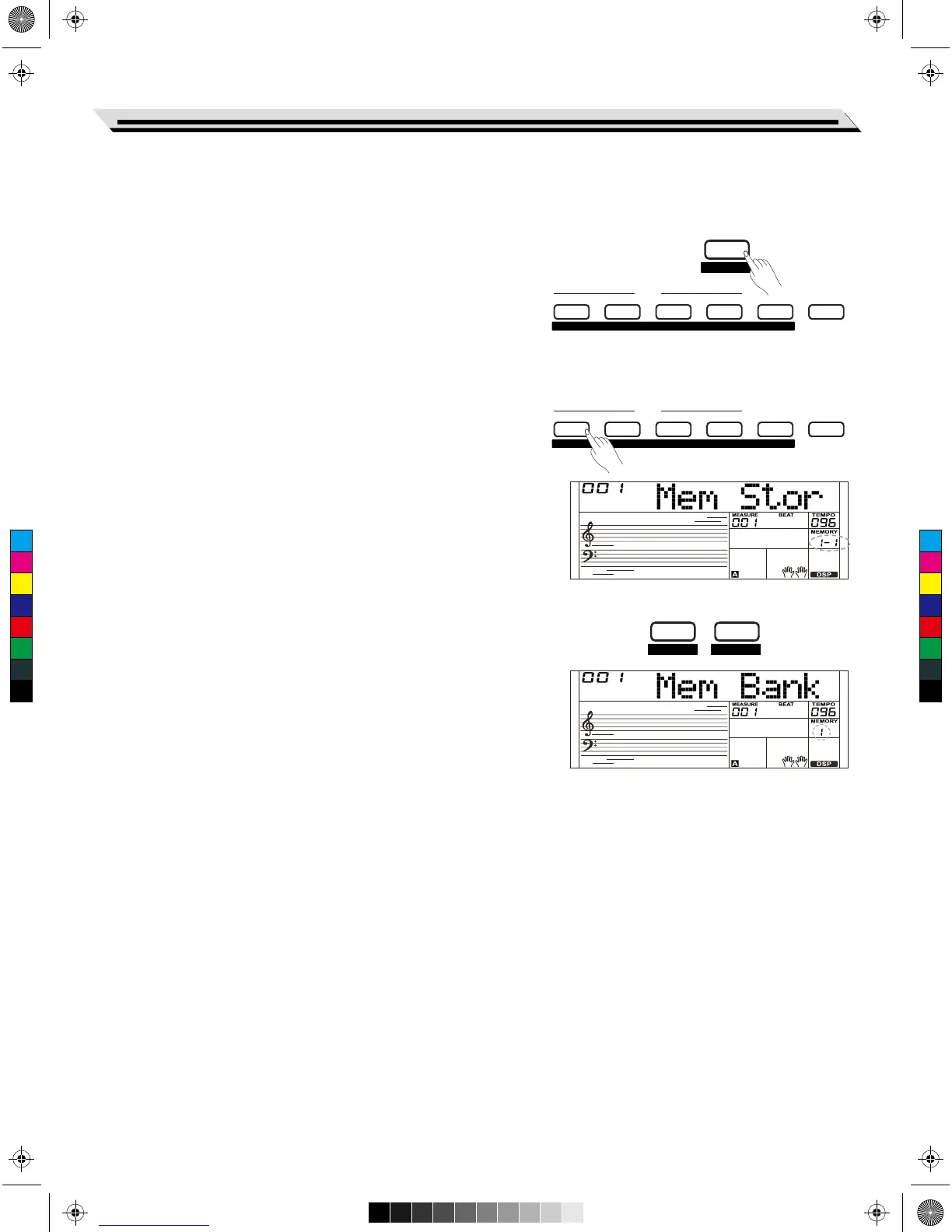
1. There are 8 memory banks, and each bank has 6 memories (M1-M6).
2. Holding down the [STORE] button and press one of the registration
memory buttons: [M1] - [M6]. Notice that the new settings will replace
the previous memory data.
Note:
Press the[STORE] and [M1] button simultaneously then power on, the
registration memory will be restored to its default setting.
Recalling the Registered Panel Settings
Press one of the registration memory buttons: [M1] - [M6].
If you choose bank 1, and then press [M1] button, the panel settings
stored in the memory 1 of bank 1 are recalled. Meanwhile the LCD
displays “1-1”.
Note:
Registration data cannot be recalled when the One Touch Setting
function is on.
Selecting a Registration Bank
1. Press the [BANK] button. The LCD will display the current number of
memory.
2. Press the [BANK] button repeatedly to select bank settings: 1~8.
3. You can save following parameters into [M1]-[M6].
Voice Parameter: including main voice, dual, lower, DSP and mixer.
Accompaniment Parameter: including style, tempo, A.B.C on/off and
section selection.
Function Parameter: including touch, part parameters in function
menu.
Registration Memory
29
M1 M2 M3 M4 M5 M6
MELODY 1 MELODY 2 MELODY 3 MELODY 4 MELODY 5
O.T.S.
BANK STORE
RECORD ACCOMP
C
M
Y
CM
MY
CY
CMY
K
AW_SP4200_Manual_G05_150723.ai 29 2015/7/23 11:23:04AW_SP4200_Manual_G05_150723.ai 29 2015/7/23 11:23:04



 To Next Page