33
EN
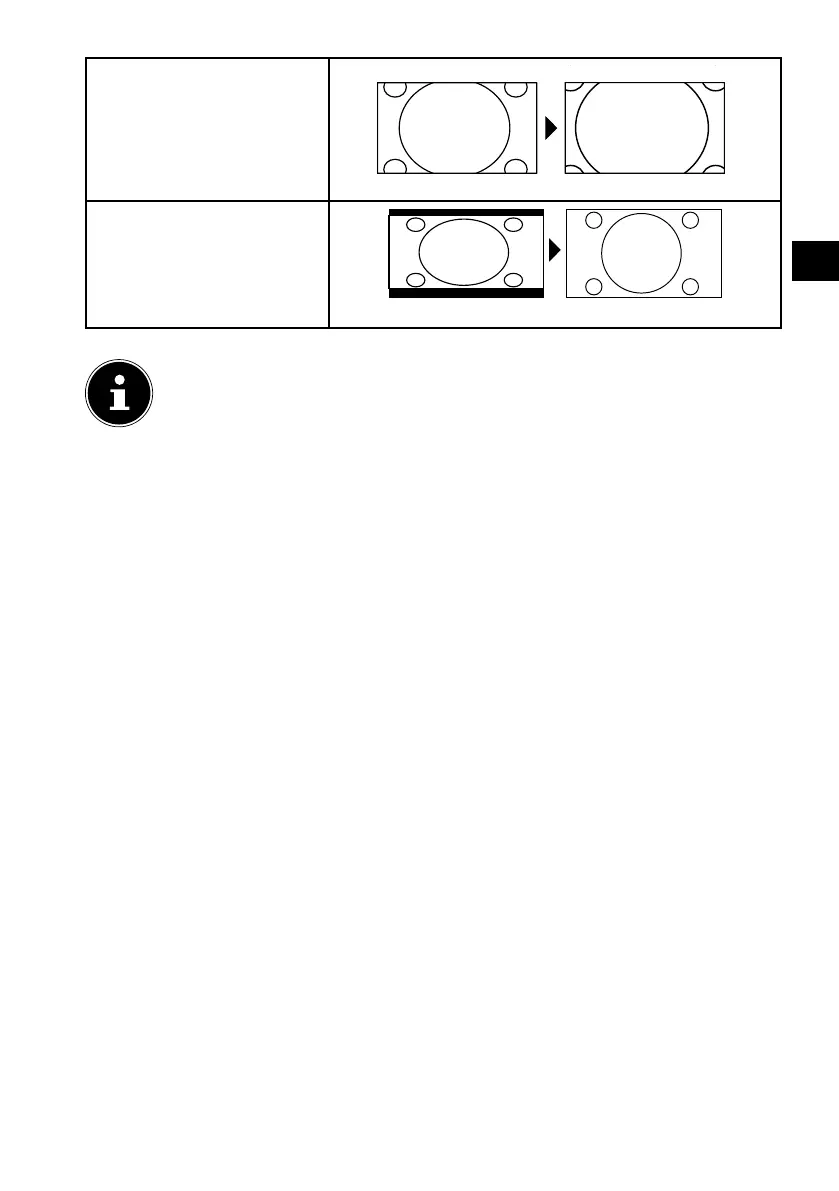
ZOOM 2
The picture is stretched
further in level 2.
1:1 (only for HDMI): The
picture is shown with pix-
el-perfect reproduction
(not available at 1080p res-
olution).
You can also change the picture format in the menu OPTION > ASPECT RATIO.
Please note that not all picture formats are available depending on the
chosen picture source.
8.4. Displaying channel information
Press the INFO button to display information about the current channel.
You can scroll through the channel information using the direction buttons
.
8.5. Opening the favourites list
You can enter a list of your favourite channels in the CHANNEL > PROGRAM EDIT
menu.
Open the menu by pressing the MENU button.
Under the menu option CHANNEL, select the entry PROGRAM EDIT and con-
firm with OK.
Use the direction buttons to select the desired channel and press the FAV
button to add it to your favourites list.
Then press the EXIT button (or the MENU button multiple times) to exit the
menu.
If you now press the FAV button during normal operation, the favourites list will
open and the previously selected channels will be displayed.



 To Next Page