52
KEY LOCK You can switch the key lock for the operating elements
on the LCD TV on or off here. The LCD TV can then only
be operated via the remote control.
HOTEL MODE In hotel mode, you can make various settings which re-
strict the functionality and operation of the device.
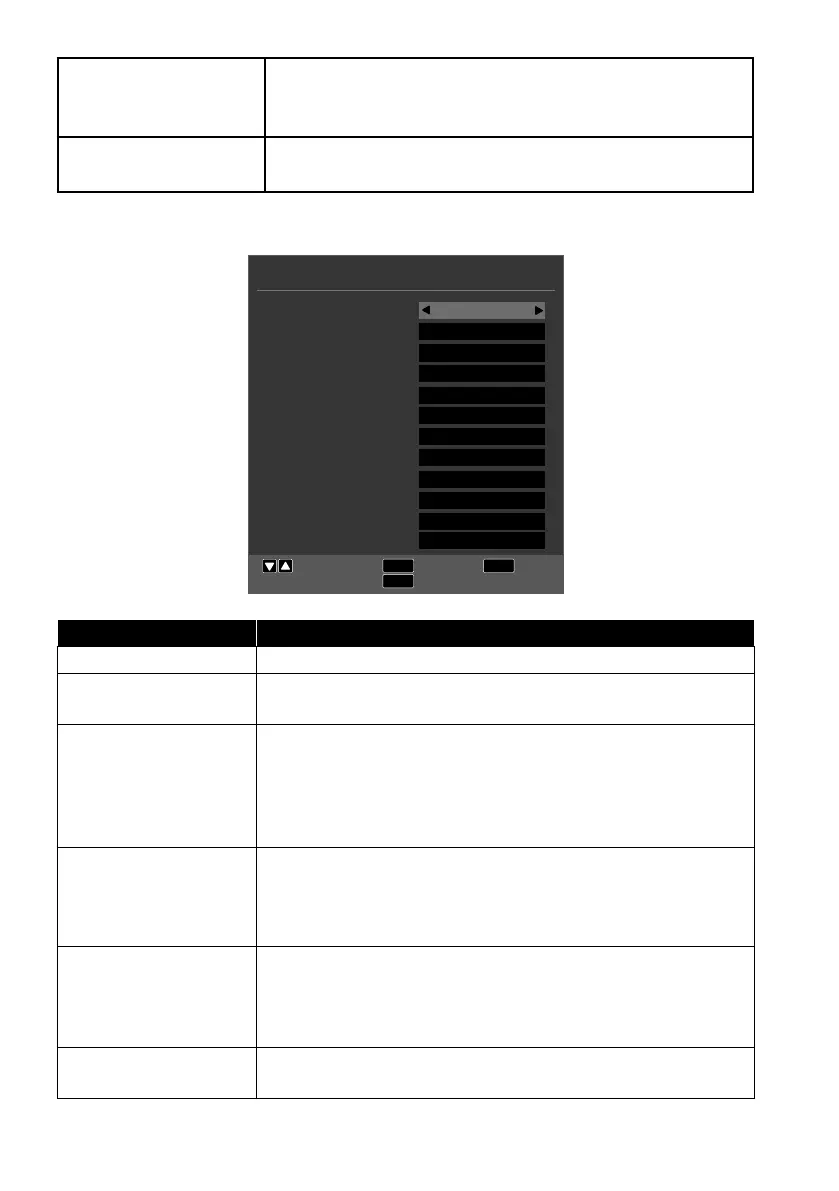
10.6. Option menu
OPTION
EXIT
MENU
Move
Return
Exit
OK
Select
OSD Language
TT Language
Audio Languages
Subtitle Language
Hearing Impaired
Aspect Ratio
Blue Screen
First Time Installation
Reset
Software Update (USB)
HDMI CEC
Software Version
English
West
English
English
Off
16:9
On
OK
OK
OK
OK
0x2AD8
Menu option Setting
OSD LANGUAGE Select the OSD menu language. It changes immediately.
TT LANGUAGE
Select the set of characters here for the teletext: WEST,
EAST, RUSSIAN, ARABIC or FARSI.
AUDIO
LANGUAGES
If the current programme is transmitted in multiple lan-
guages, you can set your preferred language here. The
programme will then be played in this language. You can
enter settings for two languages (PRIMARY, SECOND
ARY).
SUBTITLE
LANGUAGE
If the current programme is transmitted with multiple sub-
title languages, you can set your preferred language here.
The subtitles will then appear in this language. You can en-
ter settings for two languages (PRIMARY, SECONDARY).
HEARING
IMPAIRED
If the channel broadcasts special audio signals for the
hearing impaired, you can change the setting to ON to re-
ceive these signals.
This option is only available in DTV mode.
ASPECT RATIO
Set the picture format here.
This function corresponds to the SIZE button.



 To Next Page