46
7.3. Home screen
Once switched on, the fitness watch display starts on the home screen.
You can choose a different home screen design (see “7.4. Selecting a home screen
design” on page 47).
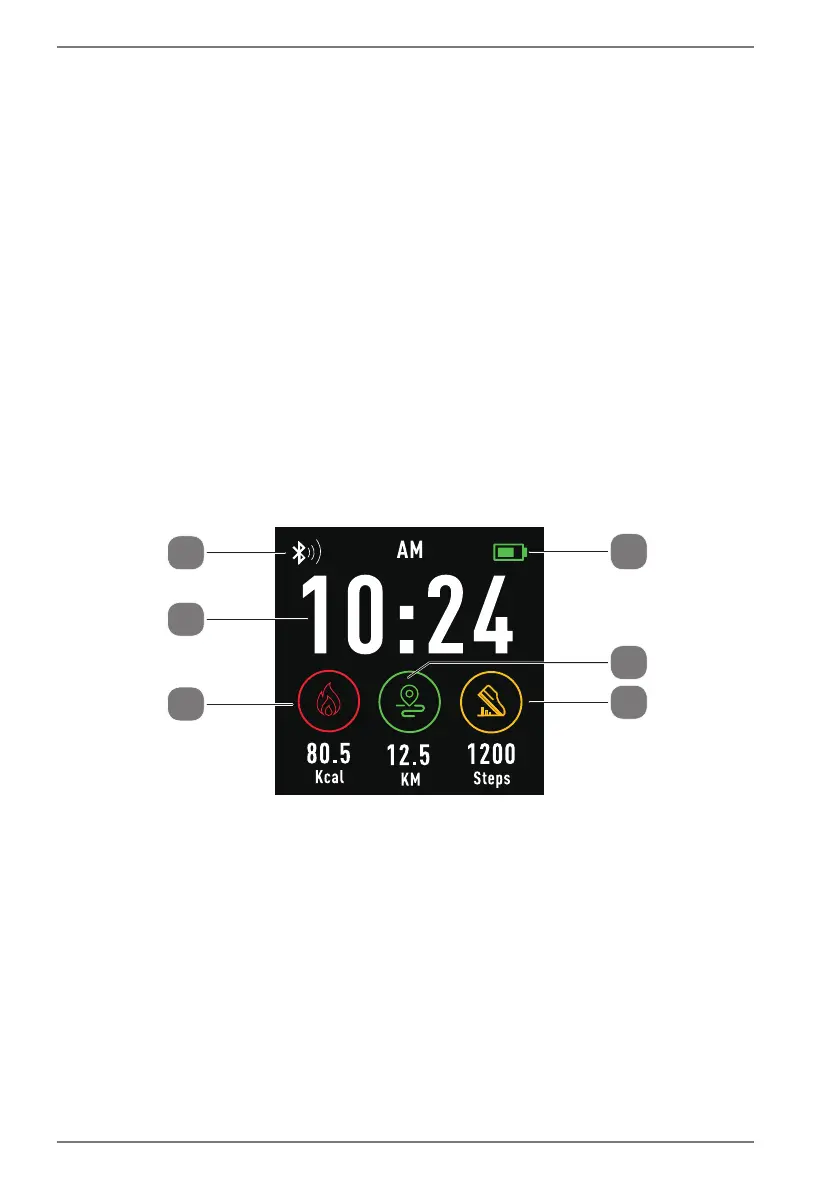
The following descriptions refer to the use of the default design of the fitness watch
(Fig. B).
Various information is collated and displayed on the home screen:
1) Battery charge level
2) Distance travelled
3) Number of steps
4) Calorie consumption
5) Time
6) Bluetooth connection status
1
2
3
4
5
6
Fig. B
While navigating in the fitness watch menu, press the On/Off button to switch to
the home screen.


 To Next Page