47
IT
EN
SI
HR
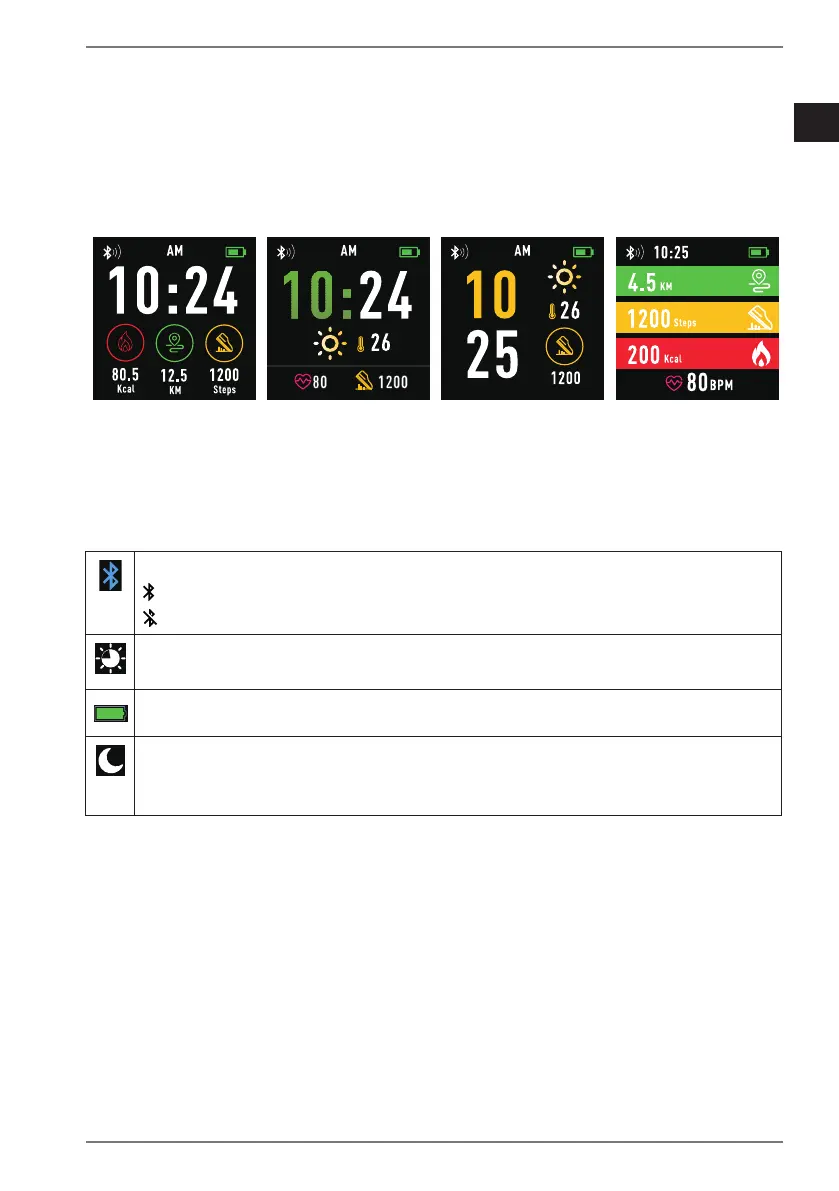
7.4. Selecting a home screen design
Tap and hold the home screen display to open the selection menu for home
screen designs.
Use your finger to swipe from left to right or right to left on the display to switch
between the design templates (see Fig. C).
Tap on the suitable design to select it.
Fig. C
7.5. Shortcut menu
Starting on the home screen, swipe downwards once on the display to access
the following quick settings options and device information:
This symbol indicates the current Bluetooth connection status:
= connected
= not connected
Tap this symbol to select a Brightness level for the display lighting.
This symbol indicates the current Battery charge level.
Tap this symbol to switch on/off “Do not disturb” mode.
When the device is in “Do not disturb” mode, all notifications on the
fitness watch are deactivated.


 To Next Page