12-Quart Digital Pressure Cooker | Model MCPR3500 | 25
SIMMER
1. Prepare desired food and place it inside of the inner pot.
2. Close the unit using the tempered glass lid
3. Plug the power cord into a 120V outlet. The LED screen will display 0000.
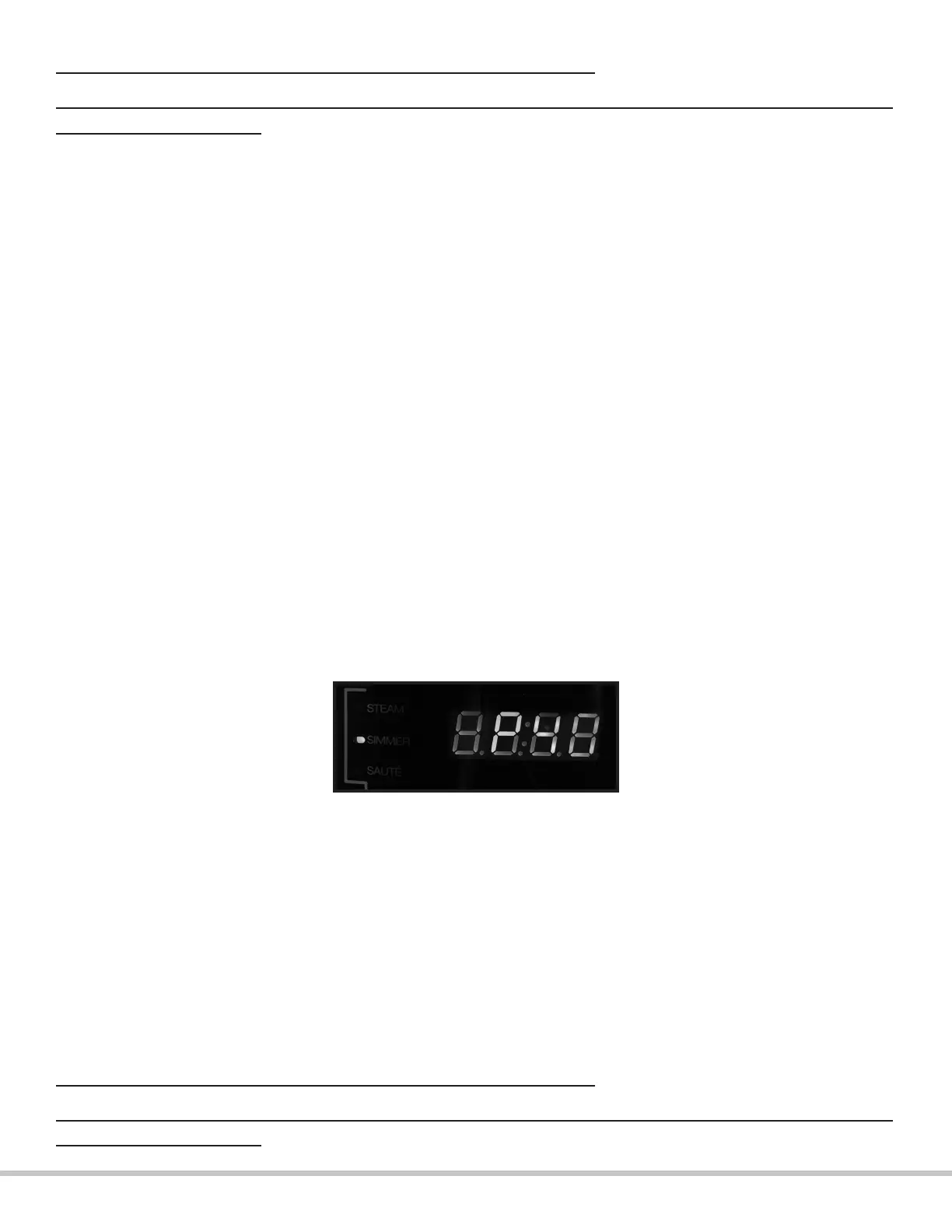
4. Press the “STEAM-SIMMER-SAUTE” button twice, the SIMMER indicator light will
illuminate and the display will read P40.
PROCEED WITH EXTREME CAUTION WHEN REMOVING THE LID.
TO AVOID THE RISK OF BURN INJURY, KEEP AWAY FROM FACE AND HANDS AS HOT STEAM WILL
ESCAPE FROM THE POT.
Please note that the preset time for the simmering setting is set to 40 minutes and can not
be adjusted. The optimal amount of time for simmering will vary according to the type
of food being simmered and its consistency/texture. If you wish to have your ingredient
simmer for less than 40 minutes, pay close attention to the timer and press the “KEEP
WARM/CANCEL” button to end the simmering process whenever desired. If you wish to
simmer your ingredients for more than 40 minutes, repeat steps 4 and 5 as many times as
needed after the rst simmering cycle is complete .
5. Press the “START” button to begin the simmering process; once the appropriate
temperature has been reached, the timer will start counting down on the display.
6. When cooking is complete, the unit will beep 3 times and automatically switch to “KEEP
WARM”.
7. Press the “KEEP WARM/CANCEL” button to end operation.
PROCEED WITH EXTREME CAUTION WHEN REMOVING THE LID.
TO AVOID THE RISK OF BURN INJURY, KEEP AWAY FROM FACE AND HANDS AS HOT STEAM WILL
ESCAPE FROM THE POT.


 To Next Page