MegaPoints servo controller Revision 24 April 2016
www.loolee.org Page: 6
Reference section
Hooking up
Servo connectors
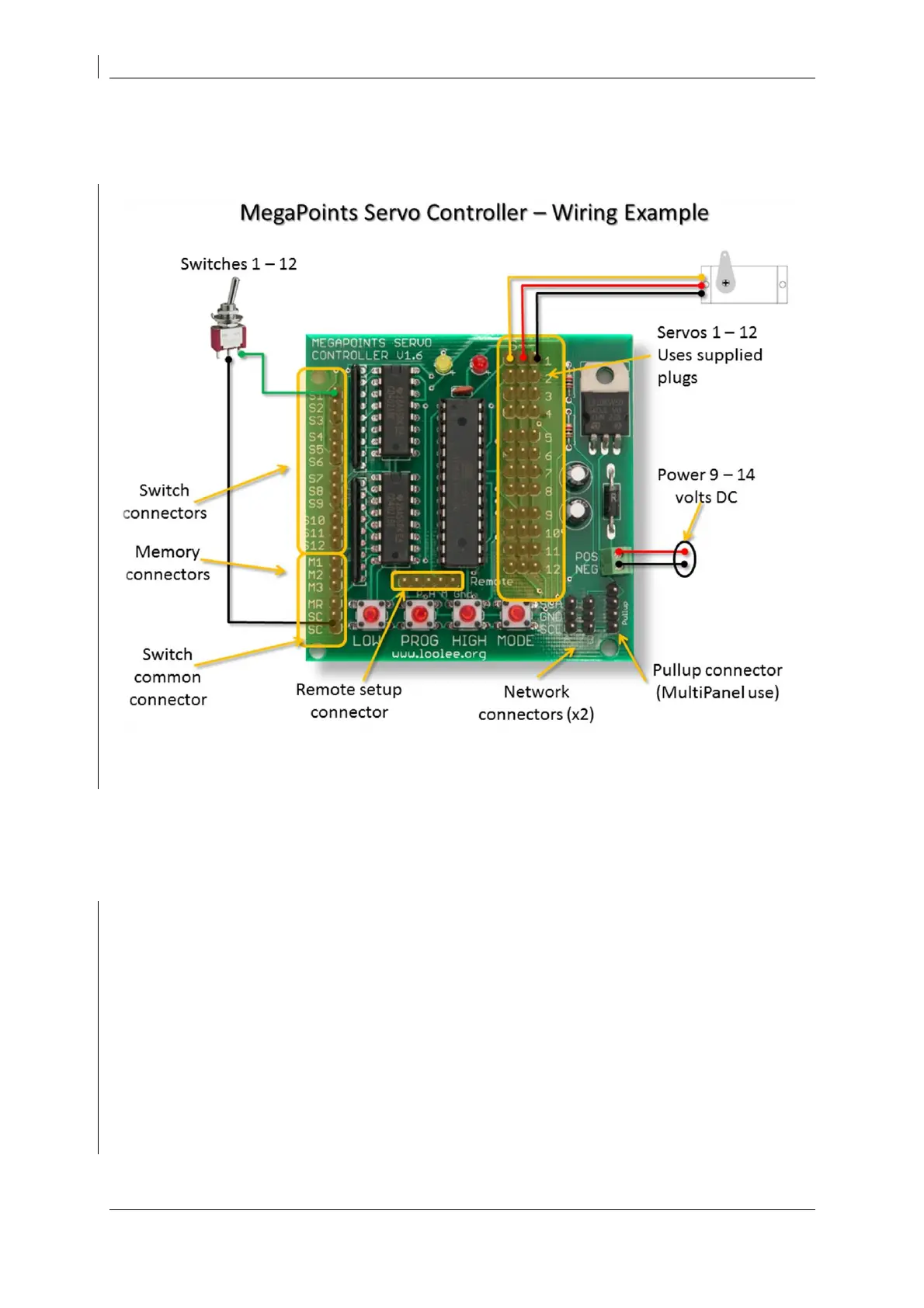
Each servo can be plugged into the connector on the right side of the board. Ensure the signal wire
(usually white or yellow) is towards the middle of the board (left side of connector) and the negative
wire (black or brown) is towards the outer edge. Servo cables can easily be extended with a servo
extension cable or by soldering cable to a recommended maximum length of 5 meters.
Switch connectors
The unit is supplied with 6 cables and plugs. Connect these to the switch inputs on the left side of
the board. Extend the cable as necessary to the switches installed on your control panel. The SC
(switch common) should be wired to the common of all toggle switches and memory buttons. When
the circuit is closed the servo will move to the high position. The switch inputs are arranged in threes
using a servo type connector.
Memory connectors
The memory buttons are dual function (long press / short press) you must use press to make type
pushbuttons. Toggle switches will not work for memory inputs.


 To Next Page