EasyManua.ls Logo

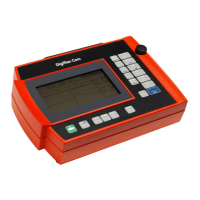
Megger CFL535G - User Manual

Megger CFL535G
30 pages
Print Icon
To Next Page IconTo Next Page
Loading...
Time Domain Reflectometers
TDR2000/3 - TDR 2000/3P - CFL535G
TDR2010 - TDR2050
User Guide
For all units released after 2014. If your instrument differs significantly from this guide then please use the guide supplied
with your instrument or call technical services for advice.

Other manuals for Megger CFL535G

Questions and Answers

  • T
    Tracy RochaAug 20, 2025
    Why is the distance to fault inaccurate on my Megger CFL535G Measuring Instruments?
    • J
      Jordan ZimmermanAug 20, 2025
      If the distance to fault is inaccurate on your Megger Measuring Instrument, it's likely due to an incorrectly set Velocity Factor. To resolve this, check the VF value for the cable you're testing and adjust the settings accordingly.
  • R
    Richard VaughanAug 22, 2025
    What to do if Megger CFL535G keeps turning itself off?
    • J
      Joseph StoneAug 22, 2025
      If your Megger Measuring Instrument keeps turning itself off, the battery may not be sufficiently charged. Plug in the charger and charge it for 6 hours. Alternatively, the standby time might be set too low. Access the user settings and increase the standby time.
  • D
    David MillerAug 25, 2025
    How to see end of cable on trace with Megger CFL535G?
    • K
      Kathleen DavidAug 25, 2025
      If you can't see the end of the cable on the trace of your Megger Measuring Instrument, it's probably because the wrong range is selected. From the main screen, press the up navigation button to extend the range.
  • R
    Richard SullivanAug 26, 2025
    Why are VF, Impedance, Gain, Pulse inaccessible on Megger CFL535G?
    • G
      Gabriel DavisAug 26, 2025
      If the VF, Impedance, Gain, or Pulse are inaccessible on your Megger Measuring Instrument, it could be because the instrument is set to Automatic mode. To fix this, press the escape button and change the setting to manual.
  • D
    Denise PerryAug 28, 2025
    What to do if I can’t see a fault I know is there with Megger Measuring Instruments?
    • M
      Michelle MclaughlinAug 28, 2025
      If you can't see a fault you know is there on your Megger Measuring Instrument, the gain might be set too low. Switch to manual mode and use the navigation buttons to increase the gain.
  • F
    fdunnAug 29, 2025
    Why is the trace very noisy on Megger CFL535G Measuring Instruments?
    • J
      Jeremiah RiceAug 30, 2025
      If the trace on your Megger Measuring Instrument is very noisy, it's likely that the gain is set too high. Switch to manual mode and use the navigation buttons to decrease the gain.
  • S
    Sharon BeckerSep 1, 2025
    Why is my Megger CFL535G not uploading or downloading?
    • P
      Pamela SloanSep 1, 2025
      If your Megger Measuring Instrument is not uploading or downloading, the USB cable might be damaged or the wrong type. Make sure to use only a genuine Megger cable and check it for damage before connecting.
  • S
    Sean SandersSep 2, 2025
    Why is the display not visible on Megger CFL535G Measuring Instruments?
    • R
      robert12Sep 3, 2025
      If the display on your Megger Measuring Instrument is not visible, the color settings may be incorrect. Access the user settings and adjust the colors. Alternatively, the instrument might be in power save mode. Press the standby button to return to the display.
  • M
    marshallhollySep 5, 2025
    How to set Velocity Factor on Megger CFL535G?
    • J
      James GonzalezSep 5, 2025
      If you can't set the Velocity Factor on your Megger Measuring Instrument, it's probably because the cable's Velocity Factor is unknown. To determine it, test a known length of cable.
  • L
    Luis FosterSep 7, 2025
    Why is there no trace even though leads connected to Megger CFL535G Measuring Instruments?
    • J
      John WhiteSep 7, 2025
      If there is no trace on your Megger Measuring Instrument even though the leads are connected, the leads might be plugged into the wrong channel. Ensure the test leads are connected to the correct channel.

Summary

Safety Warnings and Battery Information

Battery information

Information on maintaining Li-Ion battery health, charging, and storage for longevity.

Features

Connectivity

Mode

Setup

Velocity Factor

Adjusting the Velocity Factor to match the cable under test for accurate measurements.

Impedance

Adjusting the impedance setting to match the cable under test for accurate measurements.

Gain

Adjusting the gain to improve visibility of disturbances on the trace.

Pulse width

Changing the instrument pulse width setting for optimal trace analysis.

Cable Range

Changing the length of the cable under test for appropriate range selection.

Trace tagging

Trace functions (TDR2050 only)

AutoFind

Automatically detects and highlights disturbances on the TDR trace.

FindEnd

Automatically detects the end of the cable, useful for noisy or busy cables.

Distance dependent gain - DDG

Counteracts signal loss on long cables by gradually increasing gain along the trace.

Advanced

Battery

Results

Repair and warranty

Megger CFL535G Specifications

General IconGeneral
TypeCable Fault Locator
DisplayLCD
Operating Temperature-10 °C to +50 °C
Storage Temperature-20 °C to +60 °C
Test Current1 mA
Output Impedance50 Ω
Safety StandardsIEC 61010-1
Accuracy±1%

Related product manuals