EasyManua.ls Logo

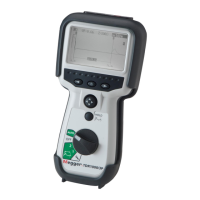
Megger CFL535G - User Manual

Megger CFL535G
30 pages
Print Icon
To Next Page IconTo Next Page
Loading...
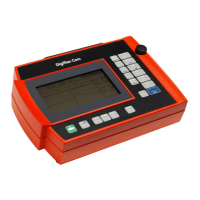
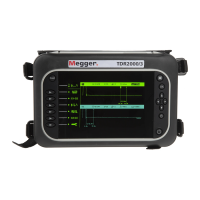
Time Domain Reflectometers
TDR2000/3 - TDR 2000/3P - CFL535G
TDR2010 - TDR2050
User Guide
For all units released after 2014. If your instrument differs significantly from this guide then please use the guide supplied
with your instrument or call technical services for advice.

Other manuals for Megger CFL535G

Questions and Answers

  • A
    andrea44Sep 9, 2025
    Why won’t my Megger CFL535G download data?
    • L
      lisa24Sep 9, 2025
      If your Megger Measuring Instrument won’t download data, it might be because there are no saved results on the TDR. Take readings and save the results before attempting to download.
  • R
    Robert MurphySep 12, 2025
    Why does my Megger CFL535G keeps ticking?
    • M
      Mr. Lance ThompsonSep 12, 2025
      A ticking sound from your Megger Measuring Instrument is normal if the dual input function is selected. This is due to relays switching input.
  • P
    pmorganSep 13, 2025
    Why does my Megger CFL535G Measuring Instruments keeps ticking on single input?
    • J
      Jose McclureSep 13, 2025
      If your Megger Measuring Instrument keeps ticking on a single input, it suggests an incorrect connection to the cable under test. The end of the cable has not been determined, preventing it from reaching its maximum range.
  • N
    Nathan RichardsSep 15, 2025
    What to do if Megger CFL535G won’t charge?
    • T
      Tiffany YatesSep 15, 2025
      If your Megger Measuring Instrument won’t charge, and the charge icon is flashing, the battery may not be functioning properly. Contact your local Megger dealer for a replacement battery. If the charger is not functioning, indicated by the LED, contact your local Megger dealer for a replacement charger.
  • J
    Justin McdonaldSep 17, 2025
    Why TraceXpert won’t load up?
    • S
      Savannah NashSep 18, 2025
      If TraceXpert won’t load up, it may be due to an incorrect or unstable installation. Obtain the necessary user rights, if required, and reinstall TraceXpert.

Summary

Safety Warnings and Battery Information

Battery information

Information on maintaining Li-Ion battery health, charging, and storage for longevity.

Features

Connectivity

Mode

Setup

Velocity Factor

Adjusting the Velocity Factor to match the cable under test for accurate measurements.

Impedance

Adjusting the impedance setting to match the cable under test for accurate measurements.

Gain

Adjusting the gain to improve visibility of disturbances on the trace.

Pulse width

Changing the instrument pulse width setting for optimal trace analysis.

Cable Range

Changing the length of the cable under test for appropriate range selection.

Trace tagging

Trace functions (TDR2050 only)

AutoFind

Automatically detects and highlights disturbances on the TDR trace.

FindEnd

Automatically detects the end of the cable, useful for noisy or busy cables.

Distance dependent gain - DDG

Counteracts signal loss on long cables by gradually increasing gain along the trace.

Advanced

Battery

Results

Repair and warranty

Megger CFL535G Specifications

General IconGeneral
TypeCable Fault Locator
DisplayLCD
Operating Temperature-10 °C to +50 °C
Storage Temperature-20 °C to +60 °C
Test Current1 mA
Output Impedance50 Ω
Safety StandardsIEC 61010-1
Accuracy±1%

Related product manuals