3. Supply voltage is displayed.
Note:- Though displayed, polarity indications are invalid with
the 2- wire lead set and should be ignored
4. Press the
TEST key. Test progress is displayed.
5. Measured loop value is displayed.
If desired the test can be repeated by pressing
TEST again.
Method of measurement
The phase-earth, phase-neutral or phase-phase loop resistance
can be measured. The instrument takes a current from the
supply and measures the difference between the unloaded and
loaded supply voltages. From this difference it is possible to
measure the loop resistance. The test current will vary from 15
mA to 40 A, depending on supply voltage and the loop resistance
value. The test duration will depend on the loop resistance value.
Possible sources of error
The reading depends on a measurement of the supply voltage
and therefore noise or transients caused by other equipment
during the test could cause an error in the reading. One way to
check for these is to do two tests and look for any difference in
value. The instrument will detect some sources of noise and
warn the user, where other instruments may give an incorrect
reading. Any leakage current as a consequence of other
appliances connected to the supply under test may affect the
reading. If the Phase - Earth loop is being measured, this
leakage may be due to filter capacitors etc.
RCD Testing
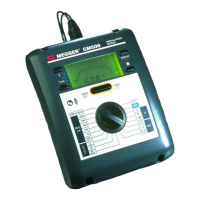
The CM500 can test the operation of a variety of types of
Residual Current Devices (RCD), measure the phase to earth
loop resistance, and the contact voltage of the installation. Using
an earth test spike, the earth resistance and fault voltage may be
measured. If
Setting A is selected when using the plug
terminated lead set, the polarity of the mains socket is
immaterial. Line and Neutral will be swapped if necessary, and
an indication given on the display.
Setting b requires Line and
Neutral to be fixed.
Pre-Test Configuration
Before performing an RCD test it is necessary to ensure that the
CM500 is correctly configured for the rated current and the
specific
type of RCD to be tested, and for the type of test to be
performed.
RCD Current Rating
From information given on the RCD to be tested, select the RCD
current rating on the rotary switch.
RCD VAR switch position
This position enables any RCD with a non standard rated current
between 10 mA and 1000 mA to be tested. The test is performed
at the selected current, taking the 5I multiplier into consideration
1. Select
(RCD) VAR.
2. Toggle the
DISPLAY key to display the test current.
3. Press the (
×) RCL keys until the required test current is
displayed. Hold a key down to auto-repeat.
4. Press the
DISPLAY key. The Supply Voltage, Test Type
and RCD type are shown. These may be set up as given
in the following sections.
Operation (Contd.)
18


 To Next Page