2.5
Ω
250
mΩ
µA
100
2.5
kΩ
1mA
10mA
100
mA
1A
1A
10A
10A
250
Ω
25
Ω
2.5
Ω
250
mΩ
25
mΩ
2.5
mΩ
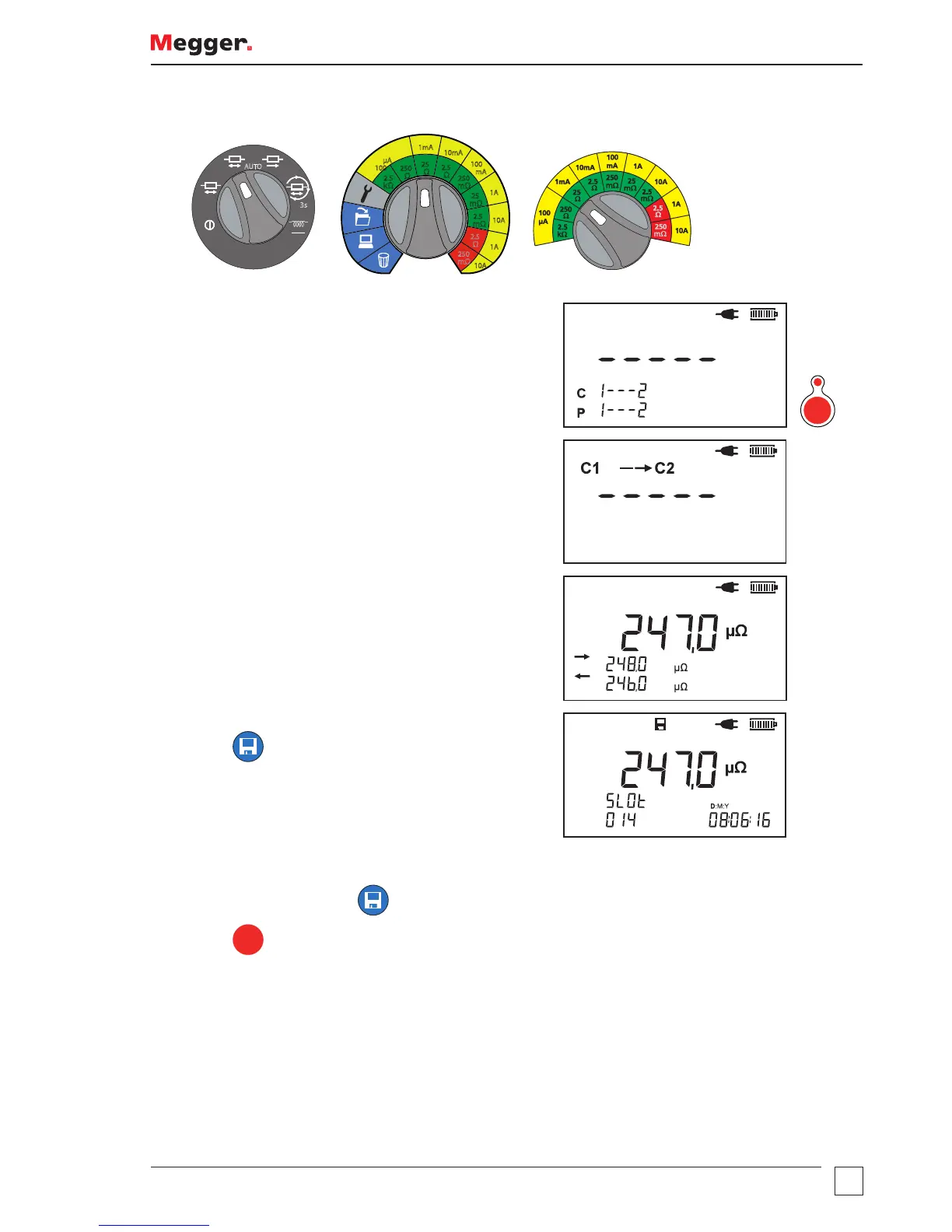
1. Connect the test leads to the test piece.
Test starts (LED shows red).
TEST
Arrow direction animated (based on current direction)
and plateau.
2. Test results for the currently connected test piece are
shown.
3. DLRO10HDX only: Save test results (if required).
Press
. The test result is saved and the memory slot
number is shown.
The Save screen is shown for three seconds.
4. The test automatically continues for subsequent
connected test piece.
5. DLRO10HDX only: Press
as required.
6. Press
TEST
to stop the test.



 To Next Page