EasyManua.ls Logo

Megger MIT2500 - Timed Test Procedures

Megger MIT2500
45 pages
Print Icon
To Next Page IconTo Next Page
To Previous Page IconTo Previous Page
Loading...
www.megger.comMIT400/2
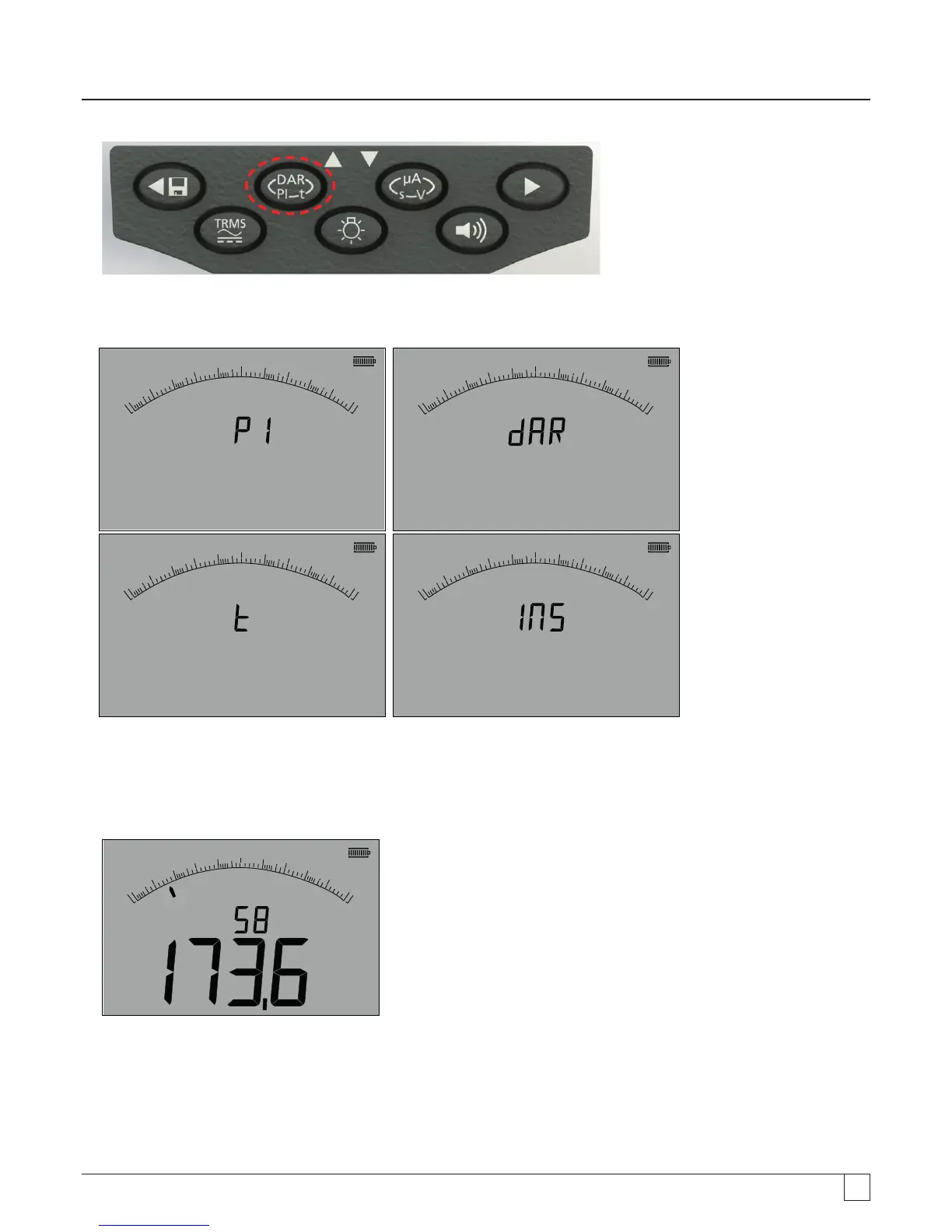
23
- Figure 23
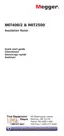
The small digital readout should change from displaying the selected test range (in Volts) to PI, to DAR, T and INS, as below:
G
0
0.01
0.1
110
100
W
8
W
M
G
0
0.01
0.1
110
100
W
8
W
M
G
0
0.01
0.1
110
100
1
W
8
W
M
G
0
0.01
0.1
110
100
W
8
W
M
- Figure 24
4. Select the DAR function.
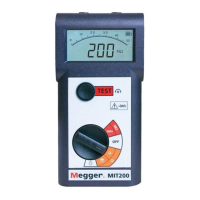
5. Press and release the TEST button to start the test. The display will show a count-down timer and the current insulation value,
as above:
G
G
0
0.01
0.1
110
100
W
8
W
M
s
- Figure 25
At the first measurement interval the MIT will display the measured value and log this in temporary memory.

Table of Contents

Other manuals for Megger MIT2500

Related product manuals