3.8.3.1 Over-Current Relay Setting Screen
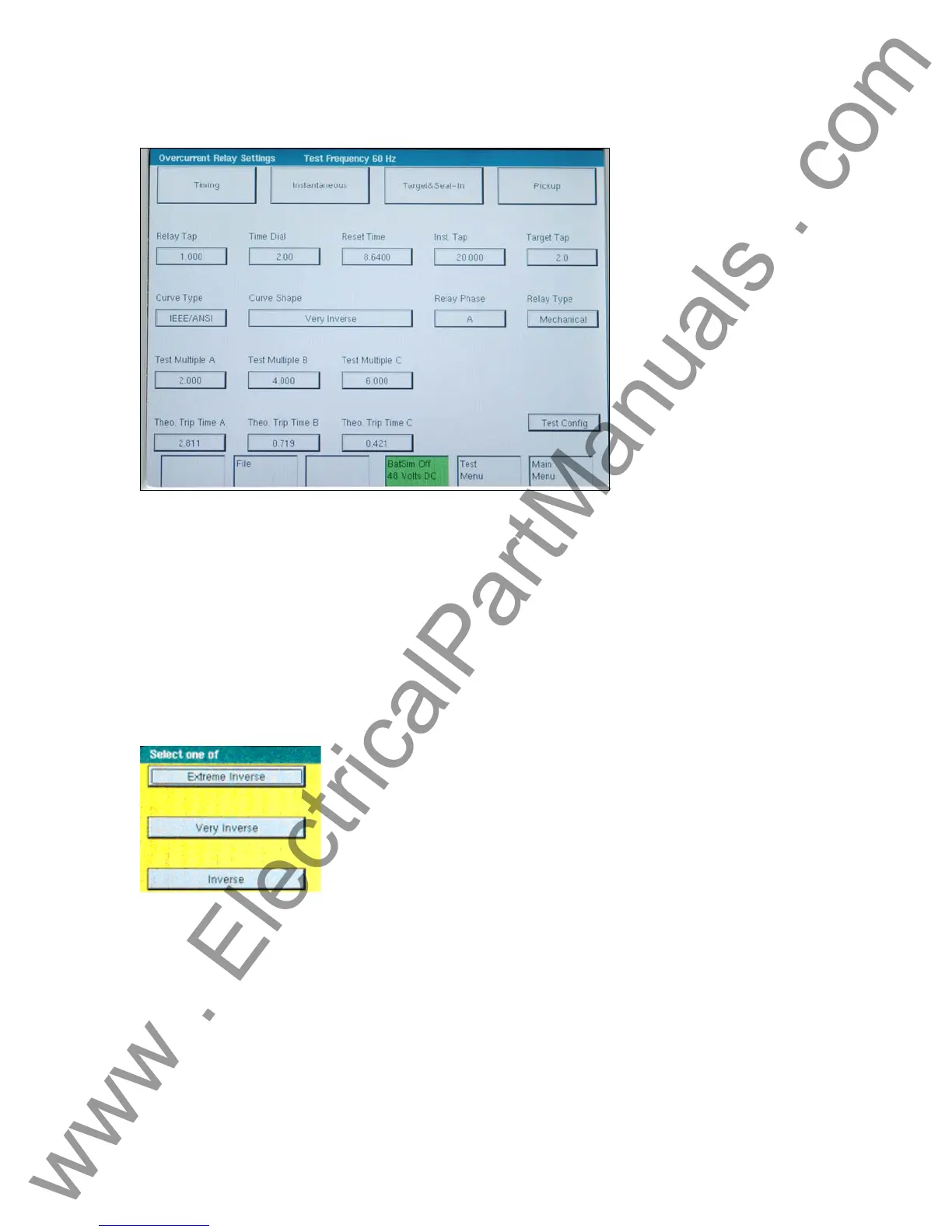
Figure 41 Overcurrent Relay Setting Screen
• The Timing button will change screens and will allow changes to meet the manufacturer
specifications.
• The Instantaneous button will change screens and will allow changes to meet the
manufacturer’s specifications.
• The Target & Seal-In button will change screens and will allow changes to meet the
manufacturer’s specifications.
• The Pickup button will change screens and will allow changes to meet the manufacturer’s
specifications.
• Relay Tap, Time Dial, Instantaneous Tap, Reset Time, Target Tap, IEEE/IEC curve type, and
test multiple(s) need to be set unless factory defaults are used.
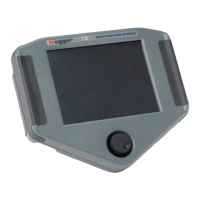
Figure 42 IEEE Time Curve Selection Menu
Once the multipliers are selected the expected (theoretical) trip times are displayed according to
the curve type ,curve shape and time dial selected previously.
User defined trip times can be typed into Theo Trip Time Multiples A,B,C fields if the relay does
not have an IEEE/ANSI or IEC standard curve.
63
www . ElectricalPartManuals . com


 To Next Page